


MPC-BE
187 likes
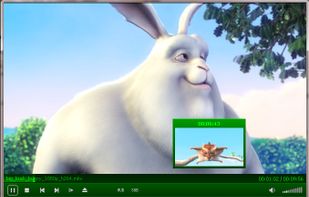
Media Player Classic - Black Edition (MPC-BE) is a fork of MPC and MPC-HC. It moved away from MPC's aim to mimic the look and feel of Windows Media Player with updated player controls and provides additional features on top of MPC-HC such as a video preview tooltip when...

Cost / License
- Free
- Open Source (GPL-3.0)
Application typeApplication types
Platforms
- Windows


Features
Highlights All activities
MPC-BE News & Activities
Recent News
No news, maybe you know any news worth sharing?
Share a News Tip
Recent activities
 DcXor added MPC-BE as alternative to Placide Media
 HanFlow Team added MPC-BE as alternative to HanFlow Player
- moji liked MPC-BE
 Paul added MPC-BE as alternative to Ray Media Player
 Eric Soltys added MPC-BE as alternative to Luminous Music Player
- piro0919 added MPC-BE as alternative to Mac Classic Player
- brokesimp69 liked MPC-BE


Nostalgia for Old Web Design
A list with 42 apps by RemovedUser without a description.


Video Player, Editor, Converter, Tool
Mostly free Video Player, Editor, Splitter, Converter, Video Capture, Screen Capture, Video Downloader software, Codec Pack, Video Tools, Video Utilities.


stuff i use
on windows
Official Links
Install from the command line
winget install -e --id MPC-BE.MPC-BE
Developed by
 Alexander Vodiannikov
 Licensing
Open Source (GPL-3.0) and Free product.Written in
Rating
Average rating of 4.1Alternatives
137 alternatives listedBadge
Get an embeddable badge for MPC-BESupported Languages

AlternativeTo Categories
Video & Movies, Audio & MusicGitHub repository
- 4,551 Stars
- 205 Forks
- 1 Open Issues
- Updated


Comments and Reviews
I don't think there is a better media player than this. I used to use the MPC-HC but because I didn't like the appearance, (yes, it's super ugly), MPC-BE was a perfect solution.
While the player can probably handle every media format out there, its user interface feels like it's stuck 20 years in the past. Basic image adjustment controls are hidden away in deeply nested menus and take several clicks to reach. I can achieve better picture quality in the default Windows 11 media player just by adjusting the brightness and contrast than I can with this one.
My issue with MPC-BE is that the developer intentionally ignores MKV flags. I remember seeing his post about this at some point.
This is a problem when you're dealing with MKV files with many audio/subtitle tracks.
MKV flags exist for a reason, they can define which audio/subtitle tracks are the default for a specific MKV file. They should not be ignored!
That's why I still stick with MPC-HC.
Works extremely well. Now that I have more experience of it I have found that it often takes appreciable time with 'opening' displayed. During this time the video itself is being displayed but the windows as a whole is unmovable and otherwise inoperable.
It's a good alternative to VLC but the only thing that you can't do is set as default video player which for me is not good.
You can associate it with video/audio/playlist file during installation. It's also very easy to set it as default video player from OS.
A great successor to MPC, very similar to the MPC-HC. However, MPC-HC is only receiving security and bug fixes, MPC-BE is receiving feature updates.
It's a continuation of MPC-HC, which having been on the net since the mid 90s, is let me tell you, the best media player ever made. VLC is trash by comparison and always has been.