





VidShrink
3 likes
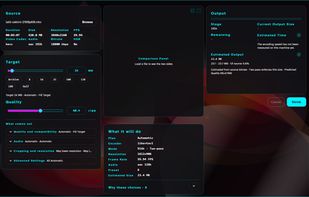
Play, convert, and shrink videos to an exact target size. Offline, adaptive calibration, VMAF-measured. .NET 8 + Avalonia + ffmpeg, Windows.

Cost / License
- Free
- Open Source (AGPL-3.0)
Application typeApplication types
Since
- New
Updated
- Updated Nov 2026
Platforms
- Windows
- Mac
- Linux


Features
Highlights All activities
VidShrink News & Activities
Recent activities
- Nam Pham liked VidShrink
- TBayAreaPat commented on VidShrink
Looks great, but it's having installation issues on my Win 10.
i like it because every need tool in one app and free
- Furkan-zel liked VidShrink
- Mustafa Özel added VidShrink
- Mustafa Özel liked VidShrink
 Mustafa Özel added VidShrink as alternative to GOM Player, VLC Media Player, MPC-HC, MPV and 196 more


Developed by
 Mustafa Özel
 Licensing
Open Source (AGPL-3.0) and Free product.Written in
Alternatives
200 alternatives listedBadge
Get an embeddable badge for VidShrinkSupported Languages

AlternativeTo Categories
Video & Movies, CD/DVD Tools, System & HardwareGitHub repository
- 12 Stars
- 1 Forks
- 0 Open Issues
- Updated


Comments and Reviews
Looks great, but it's having installation issues on my Win 10.
i like it because every need tool in one app and free