


SMPlayer
467 likes
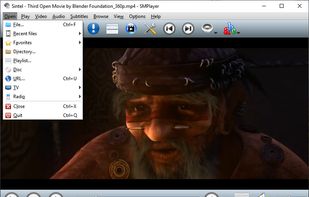
SMPlayer intends to be a complete front-end for MPlayer, from basic features like playing videos, DVDs, and VCDs to more advanced features like support for MPlayer filters and more. SMPlayer remembers the settings of all files you play.

Cost / License
- Free
- Open Source (GPL-2.0)
Application typeApplication types
 EU
EUPlatforms
- Mac
- Windows
- Linux
- BSD
- mpv
- Snapcraft
- PortableApps.com
- Haiku
- MPlayer
- Flathub
- Homebrew


Features
Highlights All activities
SMPlayer News & Activities
Recent News
No news, maybe you know any news worth sharing?
Share a News Tip
Recent activities
- humble-advisor liked SMPlayer
 TheEmperorArt added SMPlayer as alternative to Frame Player
- Jjgoyim61 liked SMPlayer
 HanFlow Team added SMPlayer as alternative to HanFlow Player
 Manuel-4764 added SMPlayer as alternative to NauticPlayer
 Paul added SMPlayer as alternative to Ray Media Player
Two feature that make it standing. It does support: Dual subtitles display simultaneously with MPlayer Engine. Auto loaded EDL with MPV engine (Family watch blessing).
 Eric Soltys added SMPlayer as alternative to Luminous Music Player


The Complete Suite of Programs Needed After New Windows Installation [V2.0: Advanced]
After a fresh Windows installation, new users might get frustrated by the weakness of the default Microsoft apps. So, in this list I'm going to cover applications that will enhance the user experience for everyday tasks. And for that, I only picked programs that meet these criteria:
• Should be free (not commercial), safe and preferably open-source.
• Should be an offline native desktop app/client.
• Does not require advanced technical knowledge.
Thus, the list is tailored to non tech-savvy home users, however, a section for people who are into computer programming and IT will be also added, which includes basic and commonly-used development and coding tools.


Best of FOSS
Best software in life is free


Nostalgia for Old Web Design
A list with 42 apps by RemovedUser without a description.
Official Links

Install from the command line
winget install -e --id SMPlayer.SMPlayerflatpak install flathub info.smplayer.SMPlayer


Developed by
 SMPlayer Team
 Licensing
Open Source (GPL-2.0) and Free product.Written in
Rating
Average rating of 4.6Alternatives
145 alternatives listedBadge
Get an embeddable badge for SMPlayerSupported Languages

AlternativeTo Categories
Video & Movies, Audio & MusicGitHub repository
- 1,065 Stars
- 129 Forks
- 81 Open Issues
- Updated


Comments and Reviews
Great frontend for MPlayer.
Highly customizable, unlike VLC.
Two feature that make it standing. It does support: Dual subtitles display simultaneously with MPlayer Engine. Auto loaded EDL with MPV engine (Family watch blessing).
I first found it in Linux Mint. Then I installed it on Windows 10 x64. Most complain about its UI. They want more "swag". Not my problem. It has big buttons. Bigger is better than smaller here. It is fast. No lag when fast forwarding videos. The only thing that I dislike is that it does not keep my speed when one video ends and another one starts. Maybe there is a way. Now I need to accelerate every video manually.
One of excellent media player for windows after a decade using KMPlayer, now it's installer come with bundleware and always connected to the internet. MPV.net is second option for such simplicity. But SMplayer really good and fast too with a bunch of customization Excellent Media Players
This seems like an excellent player for Linux. Because it combines the efficient mpv backend with a proper GUI (and video players need solid graphical interface) it can be seen as 'mpv done right'.
→ Built on top of mpv which is a big plus because it is fast while simultaneously being feature rich. → Finding subtitles is a breeze, only occasionally they are out of sync, but that's not SMPlayer's fault. → I love how easily and quickly one can take perfect screenshots by pressing s and rewinding/forwarding frame per frame.
it's super light, super fast and always works well on any device and operating system