?? Local Media Player+ — a complete media player inside Chrome
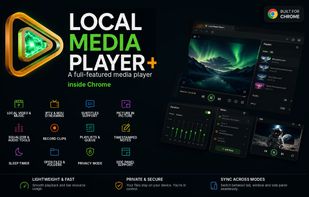
Play local video and music, open folders, load subtitles, watch IPTV, listen to internet radio, use Picture-in-Picture, adjust sound, record clips, manage playlists, and create timestamped notes — all in one interface.
🔒 Your files stay on your device
Local audio and video are played directly from your device. During normal local playback, files do not need to be uploaded to the cloud or sent to a remote server.
Internet access is used only for IPTV, HLS streams, internet radio, artwork, metadata, license validation, and optional online features.
💻 Built for Chrome and Chromebook
Local Media Player+ works in Chrome on desktop platforms and is especially well adapted for ChromeOS.
On Chromebook, compatible files and playlists can be opened directly from the Files app without Linux, a desktop app, or cloud upload.
Folder access, drag and drop, and restoration of selected media libraries are supported.
🧭 Three player modes
Use the player in a Chrome tab, a standalone window, or the Chrome Side Panel. All modes share the same queue and playback state.
🎬 Local media library
— local video and audio playback;
— files, folders, and drag and drop;
— list and folder-tree views;
— unified playback queue;
— Video, Audio, and Online filters;
— artwork and channel logos;
— playback position memory;
— repeat, shuffle, and continuous playback;
— playlist saving and restoration.
📺 IPTV and streaming
Supports M3U and M3U8 playlists, Extended M3U, HLS streams, internet radio, HTTP and HTTPS sources, channel groups, tvg-* metadata, and automatic or manual quality selection.
Channels can be searched, filtered, grouped, and opened in any player mode. Playback depends on source availability, codec support, and provider requirements.
🔤 Subtitles
Supports SRT, VTT, ASS, and SSA. Adjust subtitle size, color, position, and delay during playback.
🎧 Audio tools
— equalizer;
— playback speed;
— channel balance;
— audio delay;
— volume normalization;
— night mode;
— MP3 audio clip export.
🖼? Picture-in-Picture
Keep video above other tabs and applications, or use the Side Panel while browsing and working.
?? Clip recording
Record video clips in WebM or audio clips in MP3. Availability depends on the media format and browser capabilities.
📝 Timestamped notes
Create notes linked to exact playback positions, return to important moments, and export them as a structured reference.
Useful for courses, lectures, language learning, video analysis, and long recordings.
?? Sleep timer
Stop playback after a selected time, after the current file, or when the playlist ends.
🧩 One interface instead of multiple extensions
Local Media Player+ combines video, music, IPTV, subtitles, Picture-in-Picture, sound tools, clip recording, notes, and playlist management.
One player for local and streaming media — built for Chrome and especially well adapted for Chromebook.







 keramservice2014 added Local Media Player+ as alternative to VLC Media Player, MPC-HC, PotPlayer, SMPlayer and 46 more
 Panteleev Igor

No comments or reviews, maybe you want to be first?