- F2 helps you organise your filesystem through batch renaming so that your files and directories can have a consistent naming scheme.


Sparkle AI is described as 'Sparkle uses AI to create a unique folder system and organize every new file (and all your old ones) into the right place. It manages your Downloads, Desktop, and Documents folders so you don't have to' and is a File Manager in the file management category. There are more than 25 alternatives to Sparkle AI for Mac, Windows, Linux, Steam and Setapp. The best Sparkle AI alternative is Fences. It's not free, so if you're looking for a free alternative, you could try Portals: Desktop Organization or Floxtop. Other great apps like Sparkle AI are Neatify, iTop Easy Desktop, Nimi Places and DeskSweep.


Organize Files, Folders and Desktop Easily on Windows, Mac, and Linux.


Finding files and organizing your computer just go a lot easier. Dora is the smart file explorer designed to save you time and frustration.


Dropzone is a productivity app for the Mac that makes it faster and easier to move and copy files, launch applications, upload to many different services, and more.


Say goodbye to desktop chaos – Aicono uses cutting-edge AI to automatically group and arrange your icons!


Sortio is an AI file organizer for Mac, Windows, and Linux. Drop a folder onto Sortio and it reads each file's contents, renames it intelligently (for example, 20260514 Acme $1,240.pdf), and routes it into the correct folder, creating any missing directories.


Create custom containers on Mac desktop, group icons, files, folders, and applications, display photo slideshows or static images, customize appearance, snap to grid, integrate with Finder, choose icon sizes, and enjoy an uncluttered, personalized workspace.


This command-line DAM analyzes image, PDF, and text content using multimodal AI models, auto-suggests descriptive filenames, enforces structured ontology for tagging, embeds XMP/IPTC metadata via ExifTool, supports local/offline use, and caches results to optimize usage.
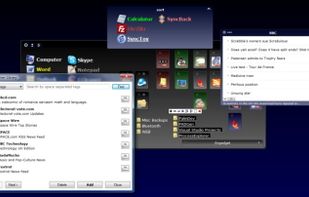
Organize and declutter your desktop by creating containers of icons and shortcuts or add multiple explorer windows right on your desktop.


Set up rules, and Rulebook quietly sorts, renames, converts, beeps, moves, copies, archives and tags your files in the background. Like a personal assistant for your folders, so you never have to organize files manually again.