PolyCapture allows you to record cameras, microphones, screens, and apps — individually or multiple at once.


Shottr is described as 'Small, fast, human-sized screenshot app built for those who care about pixels. It was crafted with Swift, optimized for M1, and is completely free at the moment' and is a screenshot capture tool in the photos & graphics category. There are more than 50 alternatives to Shottr for a variety of platforms, including Windows, Mac, Web-based, Google Chrome and Linux apps. The best Shottr alternative is ShareX, which is both free and Open Source. Other great apps like Shottr are Greenshot, PicPick, Snipping Tool and FastStone Capture.
PolyCapture allows you to record cameras, microphones, screens, and apps — individually or multiple at once.


Capture full and partial screenshots, record screen or webcam videos with extensive editing tools, including annotations, video conversion to gif/mp4, and sharing options. Create step-by-step guides enhanced by AI, save in multiple formats, and utilize cloud storage integration.


Enables screen and webcam capture, detailed video and screenshot editing, organized meeting notes, AI-powered transcription, and cloud-based instant sharing of annotated visual content via direct links or drag-and-drop integration with communication apps on Windows and Mac.


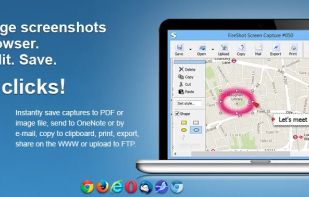
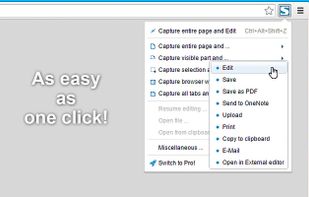
Capture the whole page or any portion, annotate it with rectangles, circles, arrows, lines and text, one-click upload to share.


Style My Snap is a free online tool that helps you create professional-looking screenshots, code snippets, and Twitter posts. Perfect for developers, designers, and content creators who want to make their images stand out on social media and documentation.


Comprehensive tool supporting all video creation stages with a doc-style editor, separate scene recording, auto-sync, customizable layout, and transcript-based editing.


PixelSnap is an app for macOS that makes it easier for designers and web-developers to measure anything on their screens by just clicking and dragging around the cursor.


A screen recorder comes with automated editing. Automatically track cursor movement, apply dynamic zoom and click effects, add a pleasant background, and generate a professional-looking video/gif that is ready to use.
Shotomatic captures, schedules and scripts screenshots on Mac so you can archive your favorite content, create timelapses, record bug reports and tutorials without lifting a finger.