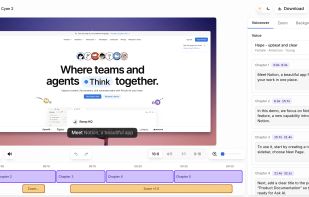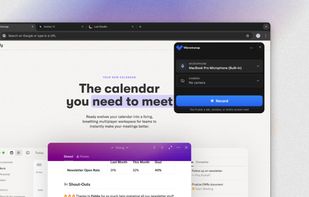
PolyCapture allows you to record cameras, microphones, screens, and apps — individually or multiple at once.


Shottr is described as 'Compact screenshot app designed for pixel precision and optimized for macOS Silicon devices' and is a screenshot capture tool in the photos & graphics category. There are more than 100 alternatives to Shottr for a variety of platforms, including Mac, Windows, Web-based, Google Chrome and Linux apps. The best Shottr alternative is ShareX, which is both free and Open Source. Other great apps like Shottr are Greenshot, Snipping Tool, PicPick and Camtasia.
PolyCapture allows you to record cameras, microphones, screens, and apps — individually or multiple at once.


Comprehensive tool supporting all video creation stages with a doc-style editor, separate scene recording, auto-sync, customizable layout, and transcript-based editing.


Style My Snap is a free online tool that helps you create professional-looking screenshots, code snippets, and Twitter posts. Perfect for developers, designers, and content creators who want to make their images stand out on social media and documentation.


Capture the whole page or any portion, annotate it with rectangles, circles, arrows, lines and text, one-click upload to share.


Capso is a free and open-source screenshot and screen recording app built natively for macOS in Swift. It offers annotation tools, scroll capture, GIF recording, OCR text recognition, and a smart OCR-powered highlighter. No Electron, no subscriptions, no watermarks.


Frset is an all-in-one macOS productivity app combining clipboard management, screenshots, OCR, translation, AI shortcuts, and useful utilities in one place.


Annotate screenshots on macOS with drawing tools, brushes, shapes, text, and pointer emojis. All processing is local for privacy. Preview and export in JPEG, PNG, or WebP, downscale high-res images, set export paths, and enjoy a small, responsive app.


Free Cam is free screen recording software for Windows that lets you easily capture all or part of your screen, record your voice & mouse clicks, then edit your video and save it to your computer or share it instantly on YouTube.


A screen recorder comes with automated editing. Automatically track cursor movement, apply dynamic zoom and click effects, add a pleasant background, and generate a professional-looking video/gif that is ready to use.
I prefer Capso as an alternative to Shottr over the others free and open-source because for me, it’s the more neat.
Better Shot and SimplShot look vibecoded and with a web interface.