





FramedShot
1 like
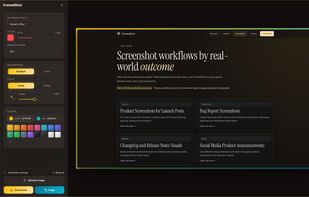
FramedShot is a free Chrome screenshot extension for creating polished, privacy-friendly screenshots. Capture, frame, annotate, redact, and export screenshots directly in your browser without an account, uploads, or watermarks.

Cost / License
- Free
- Proprietary
Application typeApplication types
Platforms
- Google Chrome


Features
Highlights All activities
FramedShot News & Activities
Recent activities
 PB2025 added FramedShot as alternative to FullGrab
 Mysdes added FramedShot as alternative to Frset
 AppoxiDev added FramedShot as alternative to Cropy.it
 rivafarabi added FramedShot as alternative to Savvyshot
 Hano added FramedShot as alternative to Hano
 Mauricio B. Holguin added FramedShot as alternative to Screenshot.rocks
 gesidner added FramedShot as alternative to SlimSnap
 Ishita added FramedShot as alternative to ShotLab
 Paul added FramedShot as alternative to ShotGlass
 andrei-projects added FramedShot as alternative to Shottr


Developed by
UnknownLicensing
Proprietary and Free product.Alternatives
22 alternatives listedBadge
Get an embeddable badge for FramedShotSupported Languages


No comments or reviews, maybe you want to be first?