Citronote is a note-taking application for Windows that allows you to create Markdown, Scrap, ToDo, and Plaintext notes.

Obsidian is described as 'Note-taking app that lets you create a personal knowledge graph with ease. It is designed for non-linear thinking and allows you to easily link your notes together wiki-style' and is a leading Note-taking tool in the office & productivity category. There are more than 100 alternatives to Obsidian for a variety of platforms, including Mac, Web-based, Windows, Linux and Android apps. The best Obsidian alternative is Logseq, which is both free and Open Source. Other great apps like Obsidian are Zettlr, Joplin, sNotes – Students Notes and Anytype.
Citronote is a note-taking application for Windows that allows you to create Markdown, Scrap, ToDo, and Plaintext notes.

Nottodbox allows you to create and organize notes, to-dos, and diaries with rich text support in popular formats.


Ever wanted to create your own world? Keep track of your P&P campaigns? Are you working as a worldbuilder and find it troublesome to keep track of lots of relevant data or simply want to share that data in an accessible way? Well look no further than Ikarus!.


Railnote puts your tasks, notes, bookmarks and habits in one clean feed. Capture anything instantly with Quick Capture. Focus on what matters with Today View. AI helps you write, search and organize your content. Simple enough to use daily, capable enough to replace four apps.


PocketMark is an editor for Markdown (.md) files elegant and powerful, it's feature include, but are not limited to:


Local and personal wiki for easily recording work descriptions, experience reports, checklists, and your knowledge.

Sigilla is a reading inbox designed to stop digital hoarding. Instead of acting as a bottomless storage bucket for links you never read, Sigilla serves as a filter between the web and your personal knowledge base (like Obsidian, Notion, or Logseq).


Sorael brings your tasks, schedule, workouts, and journal into one beautiful app. No more juggling 5 separate apps.


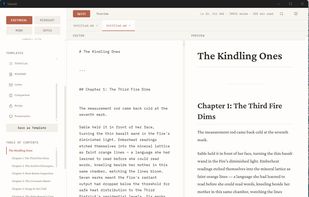
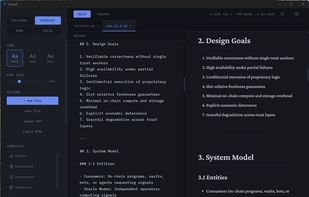
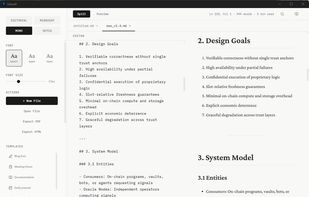
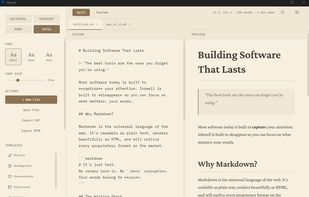
Markdown editor that gets out of your way. Split-pane editing with live preview, 4 themes (Editorial, Midnight, Mono, Sepia), focus mode, tabbed editing, auto-save, version history, image paste support, and 10 built-in templates.


Dark Note offers a wide range of features for taking notes, creating checklists, and keeping track of your budget. Its simple and elegant user interface makes it easy to use and navigate, allowing you to quickly and easily create and manage your notes + checklists.


Decks is an all-in-one productivity workspace that combines notes, flashcards, tasks, journals, AI chats, videos, and tables into project-based "decks" so you can stop switching between multiple apps.


A markdown editor isn't the same as a knowledge management application, even if both allow you to edit markdown files.