





Inkwell Markdown Editor
1 like
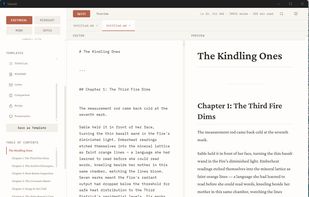
Markdown editor that gets out of your way. Split-pane editing with live preview, 4 themes (Editorial, Midnight, Mono, Sepia), focus mode, tabbed editing, auto-save, version history, image paste support, and 10 built-in templates.


Features
Highlights All activities
Inkwell Markdown Editor News & Activities
Recent activities
 Michiel-4862 added Inkwell Markdown Editor as alternative to Pen and Quiet
 Paul added Inkwell Markdown Editor as alternative to Downright
- mimumu liked Inkwell Markdown Editor
 Jia Wu added Inkwell Markdown Editor as alternative to MemexAI
- 4worlds updated Inkwell Markdown Editor
 glance added Inkwell Markdown Editor as alternative to Glance – Markdown Viewer
 Paul added Inkwell Markdown Editor as alternative to marka.md
 4worlds added Inkwell Markdown Editor as alternative to ghostwriter
 4worlds added Inkwell Markdown Editor as alternative to MarkText
 Paul added Inkwell Markdown Editor as alternative to Clearly Markdown


Licensing
Proprietary and Commercial product.Pricing
One time purchase (perpetual license) that costs $19.Alternatives
50 alternatives listedBadge
Get an embeddable badge for Inkwell Markdown EditorSupported Languages



No comments or reviews, maybe you want to be first?