Microsoft OneDrive Alternatives

Microsoft OneDrive is described as 'Access, edit, and share your files across devices with 5 GB free storage. Integrates with Office for document editing and collaboration features' and is a leading Cloud Storage service in the backup & sync category. There are more than 100 alternatives to Microsoft OneDrive for a variety of platforms, including Web-based, Windows, Android, iPhone and Mac apps. The best Microsoft OneDrive alternative is Nextcloud, which is both free and Open Source. Other great apps like Microsoft OneDrive are Syncthing, Dropbox, Google Drive and MEGA.

Copy a direct link to this comment to your clipboard
Microsoft OneDrive alternatives page was last updated

Alternatives list

  1. Seafile icon
     198 likes

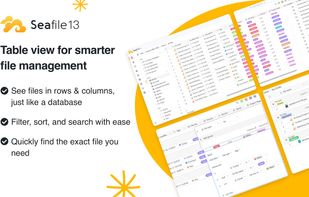
    Open source cloud platform for organizations with self-hosting, device file synchronization, sharing, versioning, secure encrypted storage, admin controls, web access, audit logging, and support for desktop and mobile clients for secure collaboration.

    Cost / License

    • Freemium
    • Open Source

    Application types

    Platforms

    • Mac
    • Windows
    • Linux
    • Online
    • Android
    • iPhone
    • Android Tablet
    • iPad
    • Self-Hosted
    • Software as a Service (SaaS)
     
    |
    1
    Seafile vs Microsoft OneDrive Comments
    Nathaniel Blackburn
    Negative
    0

    Not available for personal use so not a 1:1 alternative.

    • Seafile is Freemium and Open SourceMicrosoft OneDrive is Freemium and Proprietary
    • Seafile is Privacy focusedMicrosoft OneDrive is not according to our users
  2. kDrive icon
     77 likes

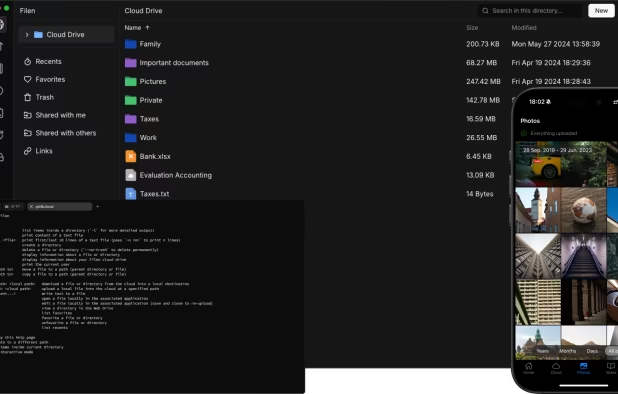
    kDrive is a Swiss online storage service that respects its users' privacy and makes storing, sharing & collaborating on files a breeze.

    Cost / License

    Application types

    Platforms

    • Mac
    • Windows
    • Linux
    • Online
    • Android
    • iPhone
    • Android Tablet
    • iPad
    • F-Droid
     
  3. Sync-in icon
     21 likes

    Sync-in is a secure, open-source platform for file storage, synchronization, and team collaboration — designed to give organizations full control over their data and workflows, while remaining flexible enough for individual needs.

    Cost / License

    Application types

    Platforms

    • Mac
    • Windows
    • Linux
    • Self-Hosted
    • Cloudron
    • Docker
    • Docker Hub
    • npm
    • YunoHost
     
  4. IPFS icon
     177 likes

    IPFS is a global, versioned, peer-to-peer filesystem. It combines ideas from Git, BitTorrent, Kademlia, SFS, and the web. It is like a single bittorrent swarm, exchanging git objects. IPFS provides an interface as simple as the HTTP web, but with permanence built in.

    Cost / License

    • Free
    • Open Source

    Platforms

    • Mac
    • Windows
    • Linux
    • BSD
    • Self-Hosted
    • Firefox
     
  5. MediaFire icon
     321 likes

    MediaFire is the simple solution for uploading and downloading files on the internet. It focuses on providing a positive experience for downloaders, but does not offer an affiliate program for uploaders.

    Cost / License

    • Freemium
    • Proprietary

    Application type

    Platforms

    • Online
    • Android
    • iPhone
    • iPad
    • Android Tablet
    • Apple TV
     
  6. Hoodik icon
     29 likes

    Lightweight, self-hosted encrypted cloud storage enabling fast uploads and downloads, easy Docker install, secure public link sharing, browser-side cryptography, searchable metadata, and low RAM footprint. Designed for privacy, performance, and file management.

    Cost / License

    • Free
    • Open Source

    Application types

    Platforms

    • Android
    • iPhone
    • Self-Hosted
    • Docker
     
  7. Tresorit icon
     121 likes

    End-to-end encrypted file synchronization and sharing on desktop and mobile, featuring admin controls, auditing, link-based sharing, two-factor authentication, offline access, granular permission management, and protection for sensitive workplace documents.

    Cost / License

    • Paid
    • Proprietary

    Application types

    Platforms

    • Mac
    • Windows
    • Linux
    • Android
    • iPhone
    • Android Tablet
    • iPad
     
    |
    1
    Tresorit vs Microsoft OneDrive Comments
    Guest
    Positive
    0

    Zero-knowledge encryption, excellent cross-platform applications and a large amount of storage (1TB)

    • Tresorit is Paid and ProprietaryMicrosoft OneDrive is Freemium and Proprietary
    • Tresorit is Privacy focusedMicrosoft OneDrive is not according to our users
  8. Cozy Cloud icon
     135 likes

    Cozy makes the personal cloud more accessible. Respectful of the user's privacy, Cozy simplifies daily tasks: synchronize and backup photos, automate bills downloading, manage expenses, etc. Flexible and easy to use, their Open Source platform allows users to create and...

    Cost / License

    Application types

    Alerts

    • Discontinued

    Platforms

    • Mac
    • Windows
    • Linux
    • Android
    • iPhone
    • Self-Hosted
    • Go (Programming Language)
     
  9. Yandex Disk icon
     174 likes

    Yandex Disk is a free cloud storage service that gives you access to your photos, videos and documents from any internet-enabled device. Download the app to your phone or tablet and you'll literally be able to carry your files with you everywhere.

    Cost / License

    • Freemium
    • Proprietary

    Application types

    Platforms

    • Mac
    • Windows
    • Linux
    • Online
    • Android
    • iPhone
    • Android Tablet
    • Windows Phone
    • iPad
     
    |
    1
    Yandex Disk vs Microsoft OneDrive Comments
    dabockster
    Negative
    0

    Only use this if you want Putin to look at all your files

    • Yandex Disk is Freemium and ProprietaryMicrosoft OneDrive is also Freemium and Proprietary
    • Yandex Disk is Security-focusedMicrosoft OneDrive is not according to our users
  10. Icedrive icon
     47 likes

    Icedrive is a cloud storage, backup and file sharing service with browser, desktop and mobile apps.

    The Icedrive desktop application allows users to mount their cloud storage space as a real hard drive.

    Cost / License

    • Freemium
    • Proprietary

    Application types

    Platforms

    • Mac
    • Windows
    • Linux
    • Online
    • Android
    • iPhone
    • Android Tablet
    • iPad
     
  11. iCloud icon
     113 likes

    Store email, contacts, calendars, photos, music, books, apps and more in the cloud and access them on all your devices. iCloud also provides collaborative services for task management and notes and productivity apps for text documents, spreadsheets and presentations.

    Cost / License

    • Freemium
    • Proprietary

    Application types

    Platforms

    • Mac
    • Windows
    • Online
    • iPhone
    • iPad
     
  12. Sync.com icon
     99 likes

    Offers cloud file storage with end-to-end encryption, automated backup, and multi-device sync. Includes zero-knowledge privacy, password-protected sharing, permissions, and collaboration features. Large file support, offline access, file recovery, and Canadian privacy compliance.

    Cost / License

    • Freemium
    • Proprietary

    Application types

    Platforms

    • Mac
    • Windows
    • Online
    • Android
    • iPhone
    • Android Tablet
    • iPad
     
    |
    1
    Sync.com vs Microsoft OneDrive Comments
    Guest
    Positive
    0

    Pros: More Secure: B2B encryption + Provider stores encrypted files + Password is not stored. Integration in windows files explorer integration is similar to OneDrive. Performances are equivalent.

    Cons: Office files can in best case be previewed from web interface but not edited (download + external office editor needed).

    • Sync.com is Freemium and ProprietaryMicrosoft OneDrive is also Freemium and Proprietary
    • Sync.com is Privacy focused and Security-focusedMicrosoft OneDrive is not according to our users
You are at page 2 of Microsoft OneDrive alternatives