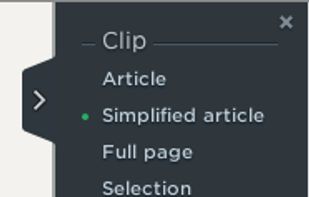
Save anything you see online - including text, links and images - into your Evernote account with a single click.
Cost / License
- Free
- Proprietary
Application types
Platforms
- Online
- Microsoft Edge
- Internet Explorer
- Google Chrome
- Safari
- Opera
- Firefox

Jing is described as 'Whether for work, home, or play, Jing gives you the ability to create basic visual elements and share them with others' and is a very popular screenshot capture tool in the photos & graphics category. There are more than 100 alternatives to Jing for a variety of platforms, including Windows, Mac, Web-based, Linux and Google Chrome apps. The best Jing alternative is ShareX, which is both free and Open Source. Other great apps like Jing are Greenshot, SimpleScreenRecorder, FastStone Capture and PicPick.
Save anything you see online - including text, links and images - into your Evernote account with a single click.

Comprehensive screenshot and screencast tool offering full-screen, window, or region captures with a built-in editor. Supports cropping, resizing, labels, and effects, with integration for popular services. Free version includes some branding and is limited to 15s screen casts.


Easy and free screen recorder for Mac, Windows, and Chromebooks. Record your camera and screen with audio directly from your Chrome browser and share the video with your team, friends, and family.


Loom is the most popular Android, iPhone & Android Tablet alternative to Jing.
Peek makes it easy to create short screencasts of a screen area. It was built for the specific use case of recording screen areas, e.g. for easily showing UI features of your own apps or for showing a bug in bug reports.


Free software which lets you record your screen, add a PIP webcam and select multiple options to export your video to. It will first store a lossless proprietary file which you can review frame by frame and then easily experiment with the output options to select best suited.


Capture the whole page or any portion, annotate it with rectangles, circles, arrows, lines and text, one-click upload to share.


Wink is a Tutorial and Presentation creation software, primarily aimed at creating tutorials on how to use software (like a tutor for MS-Word/Excel etc). Using Wink you can capture screenshots, add explanations boxes, buttons, titles etc and generate a highly effective tutorial...

Enables screen and webcam capture, detailed video and screenshot editing, organized meeting notes, AI-powered transcription, and cloud-based instant sharing of annotated visual content via direct links or drag-and-drop integration with communication apps on Windows and Mac.


Ultimate screen recorder software for game recording, video tutorials, product demos, YouTube videos and more. Screenbits allows you to capture screen content, system sound, microphone and camera into HD/4K quality video files.


Enables screen video, audio, and webcam capture with support for system sounds, microphone input, annotation tools, zoom, custom watermarks, automated scheduling, screenshot upload, adjustable quality, region selection, and support for over 45 languages.


Imagine is an Image & Animation Viewer for Windows with screen capture function.


Intuitive screenshots baked right into the browser. Capture, save and share screenshots as you browse the Web using Firefox.
CloudApp solves the same problems Jing does, but in a much better way: