Finder Alternatives

Finder is described as 'The Finder is the first thing that you see when your Mac finishes starting up. It opens automatically and stays open as you use other apps. It includes the Finder menu bar at the top of the screen and the desktop below that' and is a popular File Manager in the file management category. There are more than 100 alternatives to Finder for a variety of platforms, including Windows, Mac, Linux, Android and Android Tablet apps. The best Finder alternative is Double Commander, which is both free and Open Source. Other great apps like Finder are Files, Total Commander, Spacedrive and Dolphin File Manager.

Copy a direct link to this comment to your clipboard
Finder alternatives page was last updated

Alternatives list

  1. Thunar icon
     148 likes

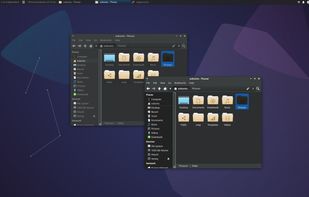
    Thunar is a modern file manager for the Xfce Desktop Environment. Thunar has been designed from the ground up to be fast and easy-to-use. Its user interface is clean, intuitive, and customizable. Thunar is fast and responsive with a good start up time and directory load time.

    88 Thunar alternatives

    Cost / License

    Application type

    Platforms

    • Mac
    • Linux
    • BSD
    • Xfce
    • MacPorts
    • XQuartz
     
  2. QTTabBar icon
     179 likes

    QTTabBar is an extension for Windows Explorer that brings tabbed browsing to Microsoft's file browser. It comes with a number of nifty features including a favorites function for launching folders and applications, groupings of folders that can be opened together, tooltip...

    36 QTTabBar alternatives

    Cost / License

    Application type

    Platforms

    • Windows
    • Windows Explorer
     
  3. Q-Dir icon
     202 likes

    Q-Dir makes your files and folder easy to manage. Fast and easy access, with an amazing Quadro-View (4 panes) technique. You dont have to renounce the usual, Drag and Drop, all Views, and other functions of your system. No!

    98 Q-Dir alternatives

    Cost / License

    • Free
    • Proprietary

    Application type

    Platforms

    • Windows
    • PortableApps.com
     
  4. Commander One icon
     73 likes

    Commander One is dual-pane file manager for OS X created in Swift, which enables you to manage your files in the best possible way.

    95 Commander One alternatives

    Cost / License

    • Freemium
    • Proprietary

    Application types

    Platforms

    • Mac
     
    |
    1
    Commander One vs Finder Comments
    Guest
    Positive
    1

    Norton Commander on Midnight Commander younger sister. With Mac's look and feel. Runs on El Capitan as well.

    Review by a new / low-activity user.
    • Commander One is Freemium and ProprietaryFinder is Free and Proprietary
    • Commander One is LightweightFinder is not according to our users
  5. Explorer++ icon
     114 likes

    Explorer++ is a free file manager for Windows. Available on Windows XP and above, it features the same familiar interface as Windows Explorer, while introducing several enhancements and improvements for a much richer file browsing experience.

    93 Explorer++ alternatives

    Cost / License

    Application type

    Platforms

    • Windows
    • PortableApps.com
     
  6. Sigma File Manager is a free, open-source, quickly evolving, modern file manager (explorer / finder) app for Windows and Linux.

    Cost / License

    • Free
    • Open Source

    Application types

    Platforms

    • Windows
    • Linux
     
  7. Far Manager icon
     179 likes

    Far Manager is a program for managing files and archives in Windows operating systems. Far Manager works in text mode and provides a simple and intuitive interface for performing most of the necessary actions:

    108 Far Manager alternatives

    Cost / License

    • Free
    • Open Source

    Application type

    Platforms

    • Windows
     
  8. ForkLift icon
     102 likes

    The most advanced dual pane file manager and file transfer client for macOS.

    119 ForkLift alternatives

    Cost / License

    • Freemium
    • Proprietary

    Application types

    Platforms

    • Mac
     
    |
    2
    ForkLift vs Finder Comments
    Digital Sorceress
    Positive
    0

    Forklift 4 is a great Finder replacement.. especially for those of us who came to MacOS from Windows. There are a few things about finder that just really are hard to get used to, and the interface that ForkLift provides just feels a lot more friendly.

    One big positive is that you can pretty much bind a key combo to any command at all in the app - I've found some other Finder alternatives a bit short in this department.

    The down side is that it keys on command which means you get a full list of commands and have to pick ONE shortcut for that command. Other apps key to combo so you can map say command + Backspace AND also have delete both map to delete

    The other great thing with ForkLift is that it seamlessly integrates with SFTP, iCloud, DropBox etc. so you can pretty much treat remote services as drives.

    It has a 15 day free trial and does nag often to upgrade - but the total cost is quite reasonable - I paid $29 for "Family" plan so all my macs are covered.

    Guest
    Positive
    0

    I remember when the first version of Forklift came out. It was designed to be a total Finder replacement. In the year 2020, Forklift 3 still does it ??

    Review by a new / low-activity user.
    • ForkLift is Freemium and ProprietaryFinder is Free and Proprietary
  9. Amaze File Manager is an intuitive, open-source file manager for Android that's both free and ad-free (no upgrade offers, no popups, no ads at all). It's based on Material Design guidelines so it sits very nicely alongside the stock Android experience from Google and...

    Cost / License

    Application types

    Platforms

    • Android
    • Android Tablet
    • F-Droid
     
  10. Multi Commander icon
     115 likes

    Multi Commander is a multi-tabbed file manager and is an alternative to the standard Windows Explorer. It uses the very popular and efficient dual-panel layout.

    89 Multi Commander alternatives

    Cost / License

    • Free
    • Proprietary

    Application type

    Platforms

    • Windows
     
  11. xplorer² icon
     104 likes

    xplorer² is a desktop file manager combining the simplicity of Windows explorer with the speed and efficiency of traditional dual pane file managers.

    95 xplorer² alternatives

    Cost / License

    • Paid
    • Proprietary

    Application types

    Platforms

    • Windows
     
  12. Path Finder icon
     56 likes

    Path Finder is a standalone Finder replacement that takes the Finder's familiar interface and adds numerous powerful features and interface innovations to help anyone be more productive on macOS.

    51 Path Finder alternatives

    Cost / License

    • Paid
    • Proprietary

    Application type

    Platforms

    • Mac
     
    |
    2
    Path Finder vs Finder Comments
    ironprog
    Positive
    2

    It does everything Finder does and more. Better sorting, easier access to file information, more customizable.

    Guest
    Positive
    0

    similar with more features and customizability

    Review by a new / low-activity user.
    • Path Finder is Paid and ProprietaryFinder is Free and Proprietary
    • Path Finder is LightweightFinder is not according to our users
You are at page 2 of Finder alternatives