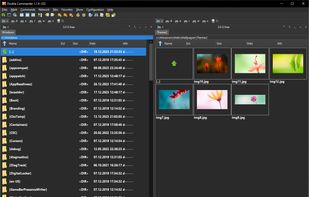
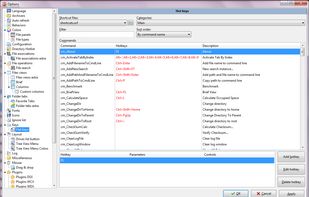
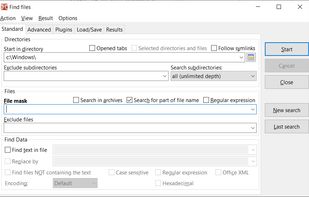
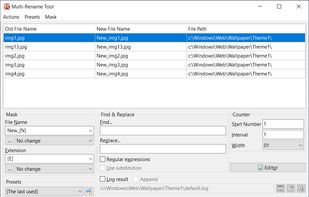
Open-source file manager with dual-panel interface, inspired by Total Commander. Supports plugin use, advanced search, tabbed browsing, and runs smoothly with background operations. Unicode and multi-platform compatibility enhance its versatility.


Cosmil is described as 'Minimal file manager for macOS with customizable panes, workspace restoration, advanced cut and paste, on-demand folder sizing, and secure local features' and is a File Manager in the file management category. There are six alternatives to Cosmil for Mac, Windows, Linux and BSD. The best Cosmil alternative is Double Commander, which is both free and Open Source. Other great apps like Cosmil are ForkLift, Bloom File Manager, Finder and Path Finder.
Open-source file manager with dual-panel interface, inspired by Total Commander. Supports plugin use, advanced search, tabbed browsing, and runs smoothly with background operations. Unicode and multi-platform compatibility enhance its versatility.


Dual pane macOS file manager featuring SFTP, FTP, WebDAV, cloud drives, real-time activity view, folder sync, drag-and-drop file transfers, preview panel, multi-rename, batch operations, server connections, text editing, themes, and tagging for efficient workflows.


The finest replacement for Finder with powerful tools to streamline your workflow, enhance productivity, and keep everything organized at your fingertips.


The Finder is the first thing that you see when your Mac finishes starting up. It opens automatically and stays open as you use other apps. It includes the Finder menu bar at the top of the screen and the desktop below that.


Path Finder is a standalone Finder replacement that takes the Finder's familiar interface and adds numerous powerful features and interface innovations to help anyone be more productive on macOS.


Marta is a dual-pane file manager. Most of the time you work with two directory panes placed side-by-side. It allows you to do the basic file operations such as copying or moving files in a fast and efficient way, because you can see both source and target directories, and you...