Camtasia AlternativesTop Video Editors & Screen Recorders like Camtasia

Camtasia is described as 'Create stunning HD videos with compact file sizes using this intuitive tool with presets for YouTube, HD display, and Screencast.com platforms' and is a very popular Video Editor in the video & movies category. There are more than 100 alternatives to Camtasia for a variety of platforms, including Windows, Mac, Web-based, Linux and Android apps. The best Camtasia alternative is OBS Studio, which is both free and Open Source. Other great apps like Camtasia are Kdenlive, Shotcut, DaVinci Resolve and OpenShot.

filter to find the best alternatives

Camtasia alternatives are mainly Screen Recorders, but if you're looking for Screenshot Capture Tools or Video Editors you can filter on that. Other popular filters include Linux, Free, Open Source, Android Tablet, Windows, Screen Recording and Windows + Free. You can also filter by region, for example EU-based alternatives if you prefer software developed in the European Union. These are just examples - use the filter bar below to find more specific alternatives to Camtasia.
Copy a direct link to this comment to your clipboard
Camtasia alternatives page was last updated

Alternatives list

  1. OBS Studio icon
     1299 likes

    A robust cross-platform application offering seamless screen recording and live-streaming capabilities across Mac, Windows, and Linux. It supports advanced features like H264 encoding, multiple scenes, customizable themes, and direct streaming to platforms like Twitch and YouTube.

    200 OBS Studio alternatives

    Cost / License

    Platforms

    • Mac
    • Windows
    • Linux
    • BSD
    • Snapcraft
    • Flathub
    • PortableApps.com
    • Steam
    • FreeBSD
     
    |
    21
    OBS Studio vs Camtasia Comments
    Top Positive Comment
    Niittymaa
    0

    Great open source with useful features!

    Top Negative Comment
    gautambjain
    17

    I installed OBS. It simply records the display, but doesn't allow any annotation and several other features that Camtasia Studio, FlashBack and others provide. Its purpose is different, since it is a broadcasting software.

    Sascha A. Carlin
    Negative
    0

    OBS is a live producing tool, Camtasia is a screencast recorder and editor.

    3 of 21 comments
    • OBS Studio is Free and Open SourceCamtasia is Freemium and Proprietary
    • OBS Studio is Customizable, Privacy focused and LightweightCamtasia is not according to our users
  2. Kdenlive icon
     879 likes

    Free, open-source multi-track video editor supporting multiple platforms and formats. Features include chroma key, color grading, 4K rendering, keyframe animation, and customizable workspaces. Offers privacy focus, offline use, and hardware acceleration without ads or registration.

    119 Kdenlive alternatives

    Cost / License

    Application type

    Platforms

    • Mac
    • Windows
    • Linux
    • BSD
    • KDE Plasma
    • Snapcraft
    • Flathub
    • Flatpak
     
    |
    3
    Kdenlive vs Camtasia Comments
    Guest
    Negative
    4

    This software does not record screen, it just edits video.

    Review by a new / low-activity user.
    Guest
    Positive
    1

    Kdenlive is a good option, record the screem and audio, and you can edit the files easy. Also you can add new transitions to the software from setting...

    Review by a new / low-activity user.
    Guest
    Negative
    1

    Kdenlive is a video editor, not a screen recorder

    Review by a new / low-activity user.
    • Kdenlive is Free and Open SourceCamtasia is Freemium and Proprietary
    • Kdenlive is Customizable, Lightweight and Privacy focusedCamtasia is not according to our users
  3. Shotcut icon
     473 likes

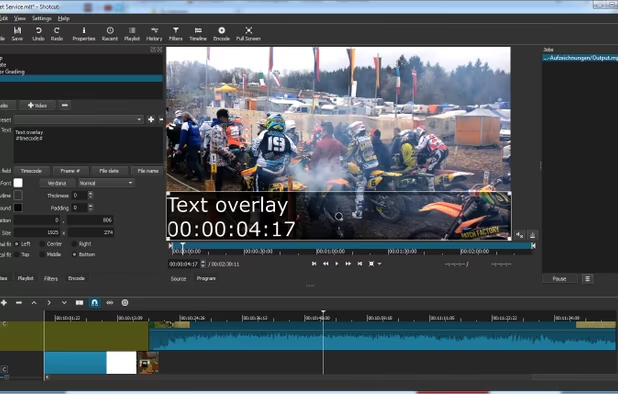
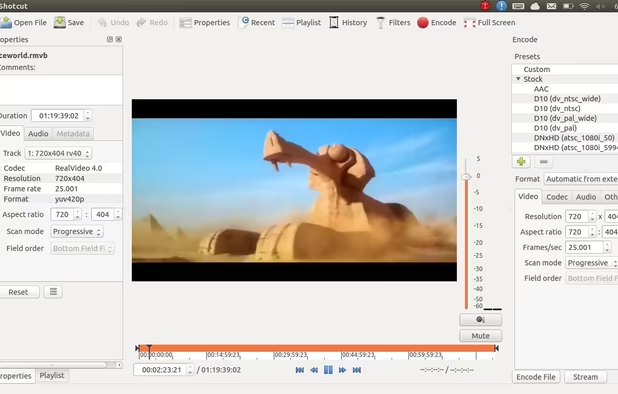
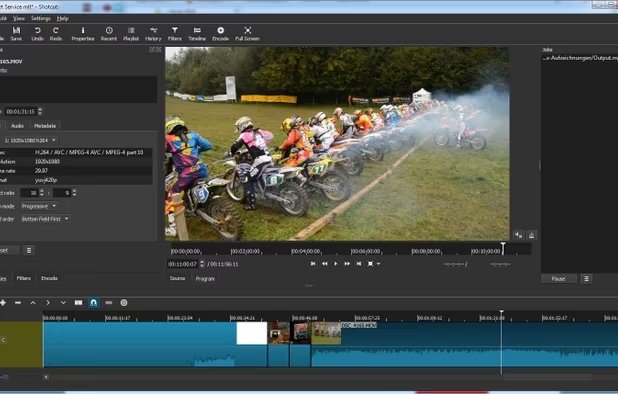
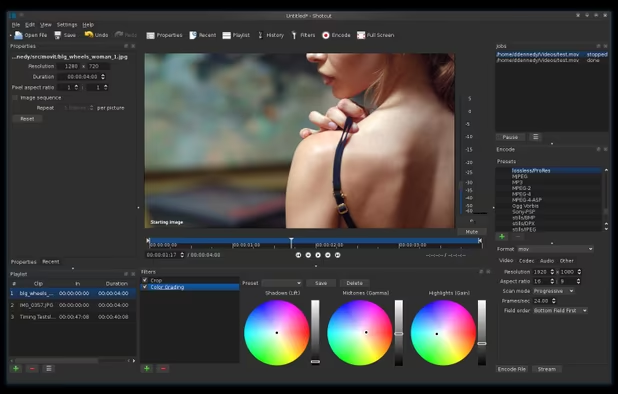
    Free and open-source, Shotcut is a cross-platform video editor supporting myriad formats with native editing, multi-format timelines, and precise seeking. It offers versatile resolution supports, capturing options up to 4k, and extensive platform integration through various capture and monitoring services.

    132 Shotcut alternatives

    Cost / License

    Application type

    Platforms

    • Mac
    • Windows
    • Linux
    • AppImageHub
    • Snapcraft
    • Flathub
    • PortableApps.com
     
    |
    1
    Shotcut vs Camtasia Comments
    Guest
    Positive
    0

    I'm using it and tried some others. This one is very cool, but with a learning curve that ask some work. It worth it :)

    Review by a new / low-activity user.
    • Shotcut is Free and Open SourceCamtasia is Freemium and Proprietary
    • Shotcut is Lightweight and Privacy focusedCamtasia is not according to our users
  4. DaVinci Resolve icon
     443 likes

    Combines advanced video editing and color correction with integrated visual effects, motion graphics, and audio post-production in a user-friendly interface used by professionals, supporting 4K content, node-based control, plugins, and non-destructive editing, all within one app.

    117 DaVinci Resolve alternatives

    Cost / License

    • Freemium
    • Proprietary

    Application type

    Platforms

    • Mac
    • Windows
    • Linux
    • iPad
     
    |
    5
    DaVinci Resolve vs Camtasia Comments
    Top Positive Comment
    Guest
    1

    Great editing tool after capturing screen elsewhere

    Review by a new / low-activity user.
    Top Negative Comment
    mandrael
    1

    Very capable video editor, but no screen recording! So this is no alternative to Camtasia!

    RemovedUser
    Negative
    0

    DaVinci isn't made for screen recording

    Review by a new / low-activity user.
    3 of 5 comments
    • DaVinci Resolve is Freemium and ProprietaryCamtasia is also Freemium and Proprietary
  5. OpenShot icon
     572 likes

    Open-source, cross-platform video editor with unlimited tracks, simple interface, 3D animated titles, video and audio effects, waveform visualization, trim tools, keyframe animations, drag and drop import, multi-language support, and no export watermarks.

    135 OpenShot alternatives

    Cost / License

    • Free
    • Open Source

    Application type

    Platforms

    • Mac
    • Windows
    • Linux
    • Flathub
    • Flatpak
     
    |
    1
    OpenShot vs Camtasia Comments
    Guest
    Negative
    -10

    Camtasia is for recording screen activity. but openshot is video editing program

    Review by a new / low-activity user.
    • OpenShot is Free and Open SourceCamtasia is Freemium and Proprietary
    • OpenShot is Lightweight and Privacy focusedCamtasia is not according to our users
  6. OpenScreen icon
     39 likes

    Open-source, no-cost screen recorder with no watermarks, supporting entire screen or app capture, manual zoom, smooth pan, custom backgrounds, cropping, motion blur, and direct use in browser for product demos, tutorials, and commercial purposes.

    56 OpenScreen alternatives

    Cost / License

    • Free
    • Open Source (MIT)

    Application type

    Platforms

    • Mac
    • Windows
    • Linux
     
  7. Natron icon
     209 likes

    Natron is an open source, cross platform nodal compositing application. It is built around industry standard open source tech such as OpenFX, OpenEXR, OpenColorIO and OpenImageIO. The feature set includes realtime playback/RAM cache, multi-threaded rendering, 2d tracking...

    19 Natron alternatives

    Cost / License

    Application types

    Platforms

    • Mac
    • Windows
    • Linux
     
    |
    1
    Natron vs Camtasia Comments
    Guest
    Negative
    0

    It's not exactly a typical video editor and definitely not a screen recorder

    Review by a new / low-activity user.
    • Natron is Free and Open SourceCamtasia is Freemium and Proprietary
  8. SimpleScreenRecorder is a Linux screen recorder that supports X11 and OpenGL. It is easy to use, feature-rich, and has a Qt-based graphical user interface. It can record the entire screen or part of it, or record OpenGL applications directly.

    142 SimpleScreenRecorder alternatives

    Cost / License

    Platforms

    • Linux
     
    |
    2
    SimpleScreenRecorder vs Camtasia Comments
    Guest
    Positive
    0

    It has tons of settings and works reliable.

    Review by a new / low-activity user.
    Guest
    Negative
    0

    Is only screen recording, not editing. Cannot add annotations, etc.

    Review by a new / low-activity user.
    • SimpleScreenRecorder is Free and Open SourceCamtasia is Freemium and Proprietary
    • SimpleScreenRecorder is LightweightCamtasia is not according to our users
  9. A powerful, lightweight, yet full-featured screen capture tool that allows you to easily capture and annotate anything on the screen including windows, objects, menus, full screen, rectangular/freehand regions and even scrolling windows/web pages.

    184 FastStone Capture alternatives

    Cost / License

    • Paid
    • Proprietary

    Platforms

    • Windows
     
  10. Open Video Editor lets you edit your videos. It supports HDR and allows to apply filters. With this app you also can trim, scale, and rotate your videos or even grayscale them. It is also possible to use this app to extract audio from a video, to convert a HDR video to SDR, or...

    72 Open Video Editor alternatives

    Cost / License

    Application type

    Alerts

    • Discontinued

    Platforms

    • Android
    • F-Droid
     
12 of 272 Camtasia alternatives