Free Camtasia AlternativesTop Video Editors & Screen Recorders like Camtasia

The best free alternative to Camtasia is OBS Studio, which is also Open Source. If that doesn't suit you, our users have ranked more than 100 alternatives to Camtasia and loads of them is free so hopefully you can find a suitable replacement. Other interesting free alternatives to Camtasia are Kdenlive, Shotcut, DaVinci Resolve and OpenShot.

filter to find the best alternatives

Camtasia alternatives are mainly Screen Recorders, but if you're looking for Video Editors or Screenshot Capture Tools you can filter on that. Other popular filters include Linux, Free, Open Source, Android Tablet, Windows, Android and Google Chrome. You can also filter by region, for example EU-based alternatives if you prefer software developed in the European Union. These are just examples - use the filter bar below to find more specific alternatives to Camtasia.
Copy a direct link to this comment to your clipboard
Camtasia alternatives page was last updated

Alternatives list

  1. OBS Studio icon
     1363 likes

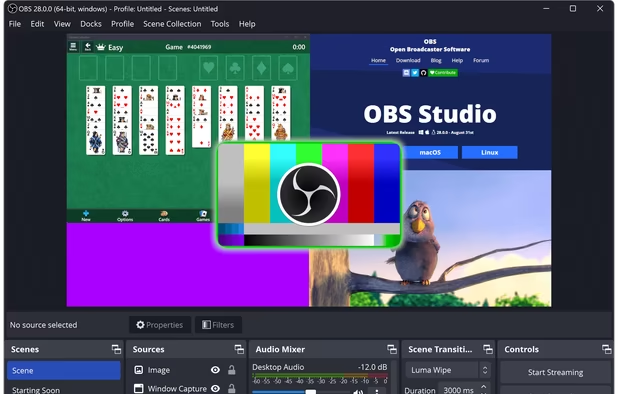
    A robust cross-platform application offering seamless screen recording and live-streaming capabilities across Mac, Windows, and Linux. It supports advanced features like H264 encoding, multiple scenes, customizable themes, and direct streaming to platforms like Twitch and YouTube.

    240 OBS Studio alternatives

    Cost / License

    Platforms

    • Mac
    • Windows
    • Linux
    • BSD
    • Snapcraft
    • Flathub
    • PortableApps.com
    • Steam
    • FreeBSD
     
    |
    21
    OBS Studio vs Camtasia Comments
    Top Positive Comment
    Niittymaa
    0

    Great open source with useful features!

    Top Negative Comment
    gautambjain
    17

    I installed OBS. It simply records the display, but doesn't allow any annotation and several other features that Camtasia Studio, FlashBack and others provide. Its purpose is different, since it is a broadcasting software.

    Sascha A. Carlin
    Negative
    0

    OBS is a live producing tool, Camtasia is a screencast recorder and editor.

    3 of 21 comments
    • OBS Studio is Free and Open SourceCamtasia is Freemium and Proprietary
    • OBS Studio is Customizable, Privacy focused and LightweightCamtasia is not according to our users
  2. Kdenlive icon
     927 likes

    Free, open-source multi-track video editor supporting multiple platforms and formats. Features include chroma key, color grading, 4K rendering, keyframe animation, and customizable workspaces. Offers privacy focus, offline use, and hardware acceleration without ads or registration.

    144 Kdenlive alternatives

    Cost / License

    Application type

    Platforms

    • Mac
    • Windows
    • Linux
    • BSD
    • KDE Plasma
    • Snapcraft
    • Flathub
    • Flatpak
     
    |
    3
    Kdenlive vs Camtasia Comments
    Guest
    Negative
    4

    This software does not record screen, it just edits video.

    Guest
    Positive
    1

    Kdenlive is a good option, record the screem and audio, and you can edit the files easy. Also you can add new transitions to the software from setting...

    Guest
    Negative
    1

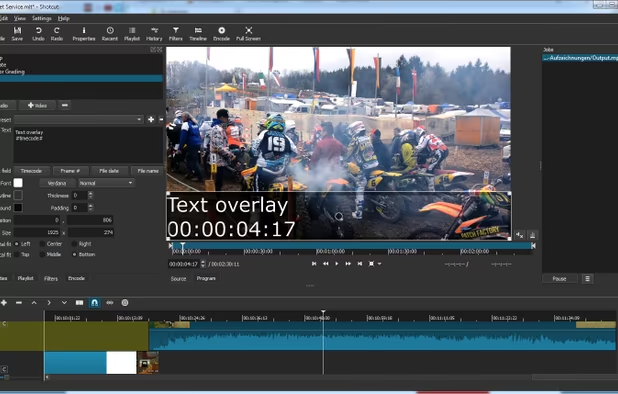
    Kdenlive is a video editor, not a screen recorder

    • Kdenlive is Free and Open SourceCamtasia is Freemium and Proprietary
    • Kdenlive is Customizable, Lightweight and Privacy focusedCamtasia is not according to our users
  3. Shotcut icon
     491 likes

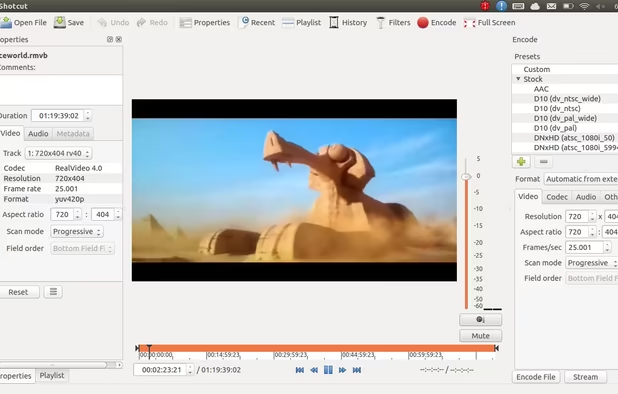
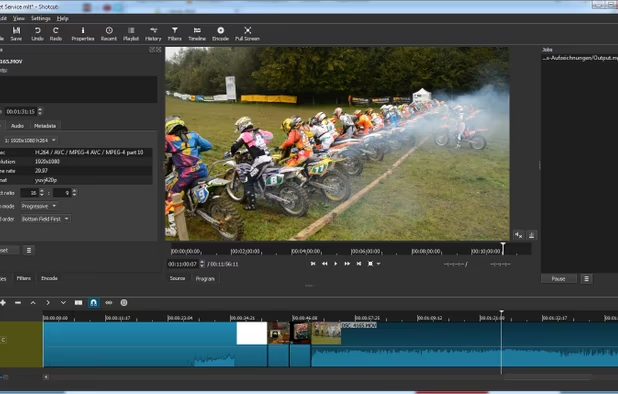
    Free and open-source, Shotcut is a cross-platform video editor supporting myriad formats with native editing, multi-format timelines, and precise seeking. It offers versatile resolution supports, capturing options up to 4k, and extensive platform integration through various capture and monitoring services.

    158 Shotcut alternatives

    Cost / License

    Application type

    Platforms

    • Mac
    • Windows
    • Linux
    • AppImageHub
    • Snapcraft
    • Flathub
    • PortableApps.com
     
    |
    1
    Shotcut vs Camtasia Comments
    Guest
    Positive
    0

    I'm using it and tried some others. This one is very cool, but with a learning curve that ask some work. It worth it :)

    • Shotcut is Free and Open SourceCamtasia is Freemium and Proprietary
    • Shotcut is Lightweight and Privacy focusedCamtasia is not according to our users
  4. DaVinci Resolve icon
     465 likes

    Combines advanced video editing and color correction with integrated visual effects, motion graphics, and audio post-production in a user-friendly interface used by professionals, supporting 4K content, node-based control, plugins, and non-destructive editing, all within one app.

    150 DaVinci Resolve alternatives

    Cost / License

    • Freemium
    • Proprietary

    Application type

    Platforms

    • Mac
    • Windows
    • Linux
    • iPad
     
    |
    5
    DaVinci Resolve vs Camtasia Comments
    Top Positive Comment
    Guest
    1

    Great editing tool after capturing screen elsewhere

    Top Negative Comment
    mandrael
    1

    Very capable video editor, but no screen recording! So this is no alternative to Camtasia!

    RemovedUser
    Negative
    0

    DaVinci isn't made for screen recording

    3 of 5 comments
    • DaVinci Resolve is Freemium and ProprietaryCamtasia is also Freemium and Proprietary
  5. OpenShot icon
     591 likes

    Open-source, cross-platform video editor with unlimited tracks, simple interface, 3D animated titles, video and audio effects, waveform visualization, trim tools, keyframe animations, drag and drop import, multi-language support, and no export watermarks.

    155 OpenShot alternatives

    Cost / License

    • Free
    • Open Source

    Application type

    Platforms

    • Mac
    • Windows
    • Linux
    • Flathub
    • Flatpak
     
    |
    1
    OpenShot vs Camtasia Comments
    Guest
    Negative
    -10

    Camtasia is for recording screen activity. but openshot is video editing program

    • OpenShot is Free and Open SourceCamtasia is Freemium and Proprietary
    • OpenShot is Lightweight and Privacy focusedCamtasia is not according to our users
  6. OpenScreen icon
     56 likes

    Open-source, no-cost screen recorder with no watermarks, supporting entire screen or app capture, manual zoom, smooth pan, custom backgrounds, cropping, motion blur, and direct use in browser for product demos, tutorials, and commercial purposes.

    86 OpenScreen alternatives

    Cost / License

    • Free
    • Open Source (MIT)

    Application type

    Platforms

    • Mac
    • Windows
    • Linux
     
  7. Recordly icon
     37 likes

    Free open-source screen recorder for macOS and Windows featuring auto-zoom, smooth cursor animations, MP4 and GIF export, timeline trimming, speed changes, annotations, frame styling options, advanced audio capture, and substantial OpenScreen modifications.

    75 Recordly alternatives

    Cost / License

    • Free
    • Open Source

    Application type

    Platforms

    • Mac
    • Windows
    • Linux
     
  8. Natron icon
     223 likes

    Natron is an open source, cross platform nodal compositing application. It is built around industry standard open source tech such as OpenFX, OpenEXR, OpenColorIO and OpenImageIO. The feature set includes realtime playback/RAM cache, multi-threaded rendering, 2d tracking...

    21 Natron alternatives

    Cost / License

    Application types

    Platforms

    • Mac
    • Windows
    • Linux
    • FreeBSD
    • Flathub
     
    |
    1
    Natron vs Camtasia Comments
    Guest
    Negative
    0

    It's not exactly a typical video editor and definitely not a screen recorder

    • Natron is Free and Open SourceCamtasia is Freemium and Proprietary
  9. SimpleScreenRecorder is a Linux screen recorder that supports X11 and OpenGL. It is easy to use, feature-rich, and has a Qt-based graphical user interface. It can record the entire screen or part of it, or record OpenGL applications directly.

    167 SimpleScreenRecorder alternatives

    Cost / License

    Platforms

    • Linux
     
    |
    2
    SimpleScreenRecorder vs Camtasia Comments
    Guest
    Positive
    0

    It has tons of settings and works reliable.

    Guest
    Negative
    0

    Is only screen recording, not editing. Cannot add annotations, etc.

    • SimpleScreenRecorder is Free and Open SourceCamtasia is Freemium and Proprietary
    • SimpleScreenRecorder is LightweightCamtasia is not according to our users
  10. OpenCut icon
     29 likes

    Open-source video editor for Windows, macOS, and Linux offering non-linear multi-track editing, timeline tools, and advanced features like templates, no watermarks, fast exports, extensive format support, subtitles, user-friendly interface, and offline functionality.

    84 OpenCut alternatives

    Cost / License

    • Free
    • Open Source (MIT)

    Application type

    Platforms

    • Online
    • Self-Hosted
     
12 of 241 Camtasia alternatives