BetterTouchTool AlternativesWindow Managers and other similar apps like BetterTouchTool

BetterTouchTool is described as 'Customizes Mac input devices with gesture, shortcut, and button mapping, window management, automation, multi-device support, and iOS app integration' and is a very popular Window Manager in the os & utilities category. There are more than 50 alternatives to BetterTouchTool for a variety of platforms, including Mac, Windows, Linux, PortableApps.com and AutoHotkey apps. The best BetterTouchTool alternative is AutoHotkey, which is both free and Open Source. Other great apps like BetterTouchTool are Rectangle, Karabiner Elements, AquaSnap and SnapZones.

Copy a direct link to this comment to your clipboard
BetterTouchTool alternatives page was last updated

Alternatives list

  1. AutoHotkey icon
     912 likes

    AutoHotkey is an open-source Windows scripting language for task automation. It crafts scripts for operations like form filling and auto-clicking, initially starting with hotkeys yet evolving into a complete script language. Converts scripts to executables, works offline, and supports debugging.

    169 AutoHotkey alternatives

    Cost / License

    Platforms

    • Windows
     
    |
    2
  2. Karabiner, previously called KeyRemap4MacBook, is a very powerful keyboard remapper for Mac OS X. In addition to simple key remapping, it has special remapping modes like Emacs-mode, SandS-mode (Space and Shift).

    85 Karabiner Elements alternatives

    Cost / License

    Application types

    Platforms

    • Mac
     
  3. AquaSnap icon
     92 likes

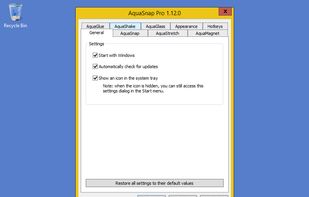
    Optimize your desktop environment with this management tool offering window docking, snapping, multi-monitor support, and keyboard shortcuts for enhanced productivity.

    100 AquaSnap alternatives

    Cost / License

    • Freemium
    • Proprietary

    Application type

    Platforms

    • Windows
    • PortableApps.com
     
  4. SnapZones icon
     9 likes

    Organize windows with ease using SnapZones. Enjoy magnetic snapping, predefined and custom layouts, multiple display configuration, and seamless transitioning between workspaces. SnapZones auto-starts at login, ensuring streamlined productivity for macOS users in any environment.

    62 SnapZones alternatives

    Cost / License

    • Paid
    • Proprietary

    Application type

    Platforms

    • Mac
     
  5. MacsyZones icon
     5 likes

    Customize layouts and sections for organizing windows into defined zones on macOS, easily snap and rearrange application windows, support multitasking needs, reduce desktop clutter, and enhance work efficiency for users managing multiple windows.

    60 MacsyZones alternatives

    Cost / License

    Application type

    Platforms

    • Mac
     
  6. Multitouch icon
     6 likes

    Easily add more multitouch gestures to macOS, and customize what the gestures do. Multitouch is the most elegant Mac app for utilizing the power of your Magic Trackpad and Magic Mouse.

    11 Multitouch alternatives

    Cost / License

    • Paid
    • Proprietary

    Application type

    Platforms

    • Mac
     
  7. GestureSign icon
     13 likes

    Create and assign touchscreen gestures to actions on a windows tablet. Use to interact in a more user friendly way with the user interface e.g. mimic keyboard shortcuts, employ functions of the operating system ect.

    7 GestureSign alternatives

    Cost / License

    Platforms

    • Windows
     
  8. WindowKeys icon
     4 likes

    Access all native macOS window tiling commands in one place — the Tiling Panel. Customize keyboard shortcuts and use them on any keyboard, even third-party ones.

    58 WindowKeys alternatives

    Cost / License

    • Free
    • Proprietary

    Application type

    Platforms

    • Mac
     
  9. Griddle icon
     2 likes

    A native macOS menu bar app that provides quick window tiling with keyboard shortcuts and visual grid overlay. Just press QWE, ASD to tile your windows instantly. DRM-free, one-time purchase for all your Macs.

    Cost / License

    • Paid
    • Proprietary

    Application type

    Platforms

    • Mac
     
  10. Hyperkey icon
     4 likes

    Use an additional modifier key for all your keyboard shortcuts with this straightforward app. Utilize an unused key by converting the caps lock or any modifier key to the hyper key, which combines all four modifiers. The hyper key can be used in any app with keyboard shortcuts.

    Cost / License

    • Free
    • Proprietary

    Application type

    Platforms

    • Mac
     
12 of 79 BetterTouchTool alternatives