EdgeBar icon
EdgeBar icon

EdgeBar

 1 like

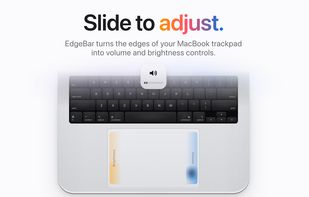
macOS menu bar utility mapping right-edge slides to volume and left-edge slides to display brightness, using the standard on-screen indicators and haptic ticks. Bottom-edge gestures handle track skipping and playback, while corner actions can run shortcuts.
EdgeBar screenshot 1

Cost / License

  • Pay once
  • Proprietary

Application type

Since

  • New

Platforms

  • Mac
1like
0articles
Save

Features

Properties

Features

Highlights All activities

EdgeBar News & Activities

Recent activities

EdgeBar information

  • Developed by

    IN flagyMedia
  • Licensing

    Proprietary and Commercial product.
  • Pricing

    One time purchase (perpetual license) ranging between $9 and $14.
  • Alternatives

    14 alternatives listed
  • Badge

    Get an embeddable badge for EdgeBar
  • Supported Languages

    • English

AlternativeTo Category

OS & Utilities
EdgeBar was added to AlternativeTo by Mauricio B. Holguin on and this page was last updated .

No comments or reviews, maybe you want to be first?

Official Links

What is EdgeBar?

EdgeBar is a macOS menu bar app that turns the edges of a MacBook trackpad into controls. Slide one finger along the right edge to change the volume and along the left edge to adjust display brightness, with the same on-screen display as the keyboard keys and a light haptic tick under the finger.

Beyond the two main edges, the bottom edge works as a media strip to skip tracks or play and pause, a double-tap on the top-right corner mutes audio, and a Corner Action on the top-left corner can trigger play/pause, Mission Control, a screenshot, screen lock or any user-made Shortcut. Only slides that start on the edge count, so scrolling, clicking and gestures keep working, and the pointer can stay frozen while sliding.

Settings include swapping sides, limiting slides to the lower part of the edge, requiring a modifier key, quarter-step fine control, sensitivity and haptic strength, light and dark appearance and launch at login. It also works with a Magic Trackpad and, optionally, a Magic Mouse. EdgeBar is a one-time purchase with free 1.x updates and requires macOS 13 or later.