ClickFit is a native macOS menu bar window manager built around one idea: you should not have to aim at a window's edges to move or resize it.
Hold a modifier key and drag from anywhere inside a window to move it, or right-drag to resize it. There is no hunting for tiny title bars, corners, or 4-pixel edges. Windows snap to screen edges and to each other as you drag, and two windows sharing an edge can be resized together, so a side-by-side pair stays aligned.
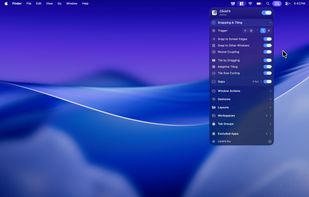
Beyond dragging, ClickFit tiles. Push a window to an edge or corner to snap it into a zone, or open the radial Layout Picker and arrange every window on screen at once. Tiling covers halves, quarters, thirds, a full 3x3 grid, 2x2 corner blocks, and full-width bands, and there are 23 built-in layouts plus custom layouts you define yourself. Anything you can do by dragging can also be bound to a global keyboard shortcut or a trackpad swipe.
For setups you return to every day, Workspaces capture a full window arrangement and restore it later, reopening apps that were closed. Window Tabs group separate app windows into a single tabbed frame, so unrelated apps can share one slot on screen.
ClickFit is multi-monitor and Spaces aware, handles display rotation and hot-plugging, and lets you set gaps between tiled windows. It is a universal binary for Apple Silicon and Intel, and the interface is localized in 10 languages with live switching.
You can use ClickFit’s core window management features free for life. Some advanced Pro features require either an active subscription or a one-time lifetime purchase.
Key features:
- Move and resize any window from anywhere using modifier-key drags
- Snap to screen edges and to nearby windows
- Coupled resize: drag a shared edge and both windows resize together
- Drag-to-tile zones: halves, quarters, thirds, 3x3 grid, corner blocks, bands
- 23 built-in layouts plus user-defined custom layouts
- Radial Layout Picker to arrange every window on screen at once
- Global keyboard shortcuts for tiling, centering, maximizing, and display moves
- Trackpad gestures for triggering actions without the keyboard
- Window Tabs: merge separate app windows into one tabbed frame
- Workspaces: capture and restore window arrangements, reopening closed apps
- Multi-monitor and Spaces support with adjustable window gaps
- Localized in 10 languages, switchable without relaunching
- Universal binary for Apple Silicon and Intel







 MertO
MertO 

No comments or reviews, maybe you want to be first?