Privacy and Security

There is a lot of information regarding digital privacy and security including a lot of misinformation which ignore best practices, promote insecure products or products with no real privacy benefit, and even spread misinformation and conspiracy theories about "big tech". This guide aims to provide real privacy and security.

You should start by creating a threat model. For most people, this would be to protect your passwords and other sensitive information from hackers and malware. Having privacy and security does come at the cost of convenience, so you should balance these two things. Between privacy and security, most people should prioritize the latter over the former because it's impossible to have privacy without security.

Most people need not worry about open source and closed source software. Despite common belief, open source software has no security benefits compared to closed source and is simply just another release model. Lots of proprietary software is actually more secure than their open source counterparts (e.g. Windows and macOS are more secure than Linux, Chrome is more secure than Firefox, Bitlocker is more secure than Veracrypt, and Microsoft Office is more secure than LibreOffice).

Reading Material: https://privsec.dev/knowledge/threat-modeling/ https://www.privacyguides.org/basics/threat-modeling/ https://www.privacyguides.org/basics/common-threats/ https://seirdy.one/2022/02/02/floss-security.html

Re
RemovedUserList by RemovedUser, last updated 
Copy a direct link to this comment to your clipboard
  1. Mobile Operating Systems

    Most people should use their phones and avoid Desktops when possible because phones are far more secure than desktops as they were designed with strong sandboxing, per-app hardware permissions, modern exploit mitigations, verified boot, and more.

    Google Pixel phones are the only phones you should buy as they are the only secure phones. They have full verified boot, use the custom Titan M2 chip, and more. Do not even think about buying a different phone (except maybe an iPhone).

    Reading Material: https://source.android.com/security/features https://source.android.com/security https://privsec.dev/os/android-tips/ https://madaidans-insecurities.github.io/android.html https://madaidans-insecurities.github.io/linux-phones.html https://support.google.com/android/answer/7663172?hl=en&visit_id=637368692303073503-4208188940&rd=1 https://wonderfall.dev/fdroid-issues/

  2. GrapheneOS is a privacy and security focused mobile OS with Android app compatibility developed as a non-profit open source project. It's focused on the research and development of privacy and security technology including substantial improvements to sandboxing, exploit...

    Cost / License

    • Free
    • Open Source

    Application types

    Platforms

    • Android
    • Android Tablet
    GrapheneOS screenshot 1
    GrapheneOS screenshot 1
    GrapheneOS screenshot 2
  3. Android icon
     Like

    Open-source mobile operating system, seamlessly integrating with Google services, enabling extensive app support and hardware compatibility across brands.

    Cost / License

    • Free
    • Open Source

    Application types

    Platforms

    • Android
    • Android Tablet
    • Android Auto
    • Android SDK
    • Android Wear
    • Android TV
    Android screenshot 1
    Android screenshot 1
    Android screenshot 2
    +1
    Android screenshot 3
  4. Desktop Operating Systems

    Desktops were not designed with security in mind. However, some operating systems including Windows 11, macOS, and ChromeOS are less bad at this. Most people should avoid using desktops when possible and use their phones instead.

    Linux by default is not secure and requires a lot of hardening and constant maintenance in order to use safely. For this reason, Linux should only be used by professionals and system administrators that understand the risks of using it and are willing to dedicate a lot of time into hardening and maintaining their system.

    Reading Material: https://madaidans-insecurities.github.io/linux.html https://privsec.dev/os/linux-insecurities https://privsec.dev/os/desktop-linux-hardening/ https://github.com/beerisgood/Windows11_Hardening https://github.com/beerisgood/macOS_Hardening

  5. The latest Windows update with a redesigned Start menu, Widgets integration, Xbox gaming features, and tighter security requirements, built with modern hardware in mind.

    Cost / License

    • Paid
    • Proprietary

    Application type

    Platforms

    • Windows
    Windows 11 screenshot 1
    Windows 11 screenshot 1
    Windows 11 screenshot 2
    +2
    Windows 11 screenshot 3
  6. macOS icon
     Like

    Unix-based operating system for Macs, excels with an intuitive UI, robust built-in apps like Safari, and strong security via FileVault, Gatekeeper, and SIP.

    Cost / License

    • Free
    • Proprietary

    Application type

    Platforms

    • Mac
    macOS screenshot 1
    macOS screenshot 1
    macOS screenshot 2
    +4
    macOS screenshot 3
  7. Qubes OS icon
     Like

    Qubes is an open source operating system designed to provide strong security for desktop computing.

    Cost / License

    • Free
    • Open Source

    Platforms

    • Linux
    • Fedora
    • Xen
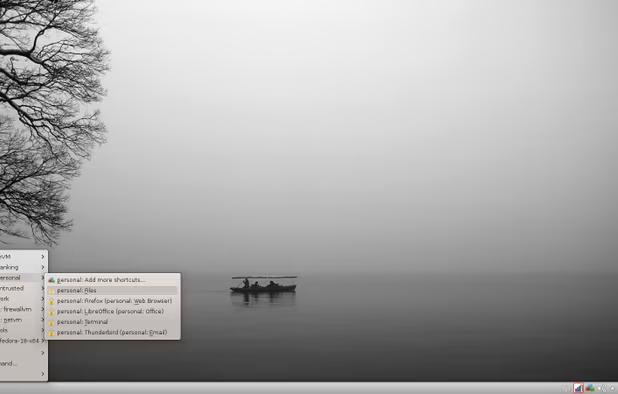
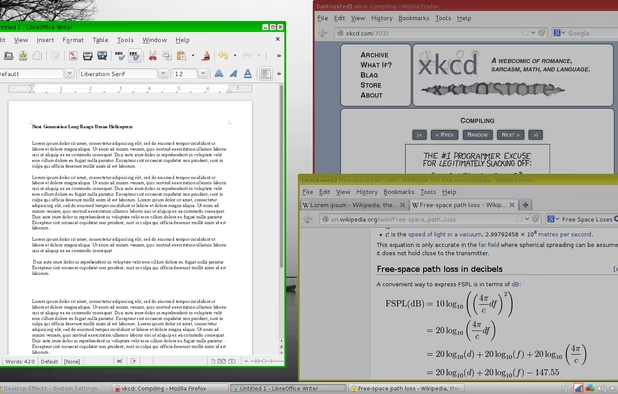
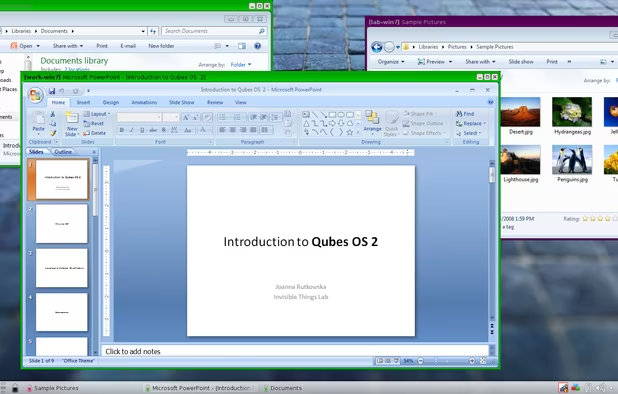
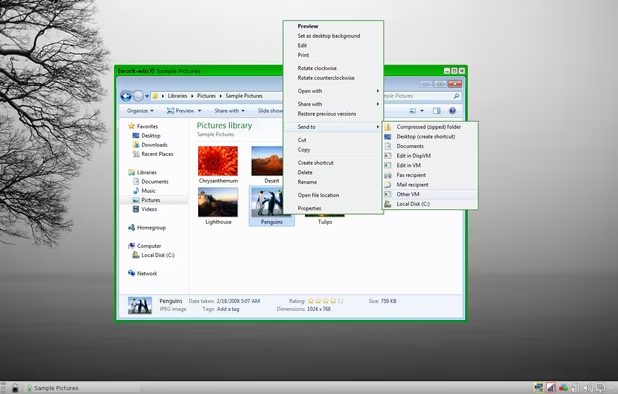
    Qubes OS screenshot 1
    Qubes OS screenshot 1
    Qubes OS screenshot 2
    +9
    Qubes OS screenshot 3
  8. Whonix icon
     Like

    Whonix is a desktop operating system designed for advanced security and privacy. Whonix mitigates the threat of common attack vectors while maintaining usability. Online anonymity is realized via fail-safe, automatic, and desktop-wide use of the Tor network.

    Cost / License

    • Free
    • Open Source

    Platforms

    • Linux
    Whonix Desktop Environment
    Whonix Workstation running on Ubuntu
    Whonix Gateway running on XFCE
  9. Browsers

    Use Chromium browsers only (the only exception being Tor Browser as it is required to safely access the Tor network). Chromium browsers provide the strongest sandboxing and exploit mitigations. Site isolation is a feature in Chromium and Firefox browsers that separates each website into an isolated sandbox so that websites can't access eachother's data or resources.

    You should never install any browser extensions. Browser extensions have privileged access in your browser requiring you to trust the developer. They also make you stand out thus reducing privacy. Adblocking is a form of enumerating badness and not a viable approach to blocking tracking. Google Chrome and Microsoft Edge will enforce Manifest V3 and end support for Manifest V2, which is good for privacy as it restricts what Adblockers can do.

    The sane approach to preventing browser tracking would be to use a VPN to hide your IP address and mitigating fingerprinting by using a common browser with no browser extensions on a common operating system. Block third-party cookies to prevent cross-site tracking and clear cookies and site data on exit to prevent persistent tracking. If you wish to have privacy from Google, you can disable telemetry in chrome://settings.

    Reading Material: https://madaidans-insecurities.github.io/firefox-chromium.html https://grapheneos.org/usage#web-browsing https://www.ranum.com/security/computer_security/editorials/dumb/ https://fingerprint.com/blog/disabling-javascript-wont-stop-fingerprinting/

  10. Web browser built on an open-source platform featuring multiple account support, integrated password manager, dark mode, real-time translation, and seamless cross-device syncing.

    Cost / License

    • Free
    • Proprietary

    Application type

    Platforms

    • Mac
    • Windows
    • Linux
    • Android
    • iPhone
    • Chrome OS
    • Android Tablet
    • iPad
    • PortableApps.com
    Main Window
    Settings
    Incognito Mode
    +8
    Main View (Android)
  11. Chromium-based browser for Windows, macOS, Linux, iOS, and Android, offering extension support, privacy features, smart security, and cloud sync across devices.

    Cost / License

    • Free
    • Proprietary

    Platforms

    • Mac
    • Windows
    • Linux
    • Android
    • iPhone
    • Android Tablet
    • iPad
    • Flathub
    Microsoft Edge screenshot 1
    Microsoft Edge screenshot 1
    Microsoft Edge screenshot 2
    +4
    Microsoft Edge screenshot 3
  12. Enhance privacy with a secure, portable browser that hides your IP and encrypts connections on multiple platforms, maintaining anonymity.

    Cost / License

    • Free
    • Open Source

    Platforms

    • Mac
    • Windows
    • Linux
    • Android
    • OpenBSD
    • Tor
    Tor Browser screenshot 1
    Tor Browser 10.0.3 is now based on the new version of Firefox for Android.
    Tor browser for android alpha
  13. Search Engines

    Google's search index has better filtering and spam protection to prevent users from clicking on malicious URLs. For this reason, it's advised to use a search engine which primarily uses Google results. You should not use SearX or SearXNG.

    Reading Material: https://discuss.privacyguides.org/t/remove-searxng/124

  14. Brave Search is built on top of a completely independent index, and doesn’t track users, their searches, or their clicks.

    Cost / License

    • Freemium
    • Proprietary

    Platforms

    • Online
    • Tor
    • Brave
    Brave Search screenshot 1
    Brave Search screenshot 1
    Brave Search screenshot 2
    +2
    Brave Search screenshot 3
  15. Startpage icon
     Like

    Privacy-focused search engine using Google results without trackers, storing no personal data, and offering Anonymous View for private browsing.

    Cost / License

    • Free
    • Proprietary

    Platforms

    • Online
    • Android
    • iPhone
    • Android Tablet
    • iPad
    • Google Chrome
    • Safari
    • Tor
    • Mozilla Firefox
    Dark theme
    Light theme
    Startpage screenshot 2
    +1
    Startpage screenshot 3
  16. Messaging Apps

    If possible, you should convince your friends and family to use a more secure messaging app instead of SMS, iMessage, or WhatsApp. If you are unable to switch to a more secure messenger, you should use your phone's default SMS app.

    Reading Material: https://www.securemessagingapps.com/ https://www.privacyguides.org/real-time-communication/communication-network-types/ https://www.privacyguides.org/real-time-communication/signal-configuration-hardening/

  17. Signal icon
     Like

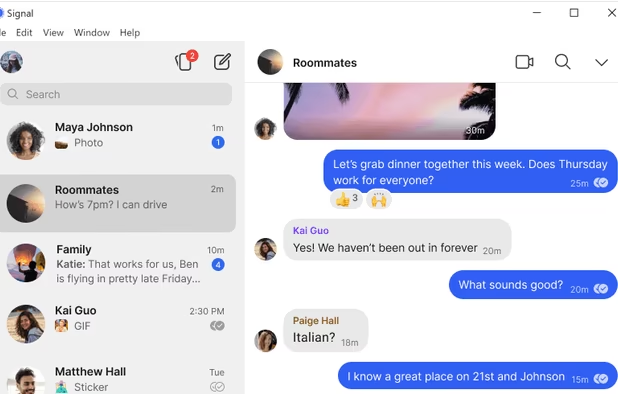
    An encrypted messaging app focused on privacy, supporting texts, calls, photos, videos, files, and group chats, with no ads or trackers.

    Cost / License

    • Free
    • Open Source

    Platforms

    • Mac
    • Windows
    • Linux
    • Android
    • iPhone
    • iPad
    • Flathub
    • Ubuntu
    • Debian
    Signal screenshot 1
    Signal screenshot 1
    Signal screenshot 2
    +4
    Signal screenshot 3
  18. Email Services

    Email was not designed with privacy or security in mind and should only be used when required (such as registration for websites). It's a good idea to use webmail instead of a third-party mail client since websites in a browser are much less privileged than native apps and have less attack surface. However, webmail may contain ads and malicious JavaScript, so using a mail client that supports OAuth (such as Windows Mail or Apple Mail) may be better for some threat models.

    Reading Material: https://latacora.singles/2020/02/19/stop-using-encrypted.html https://latacora.micro.blog/2019/07/16/the-pgp-problem.html https://improsec.com/tech-blog/email-security-pitfalls https://twitter.com/DanielMicay/status/1145264664315604992 https://proton.me/blog/cryptographic-architecture-response

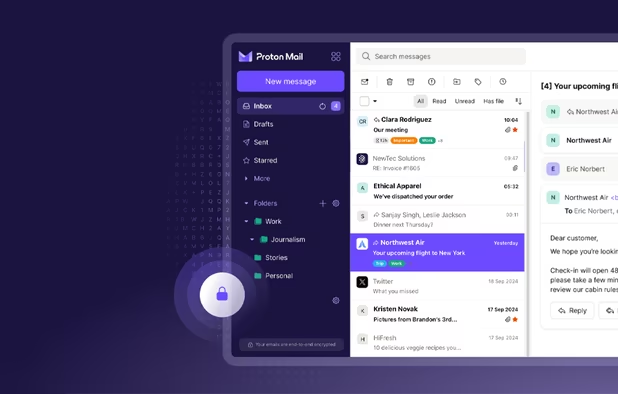
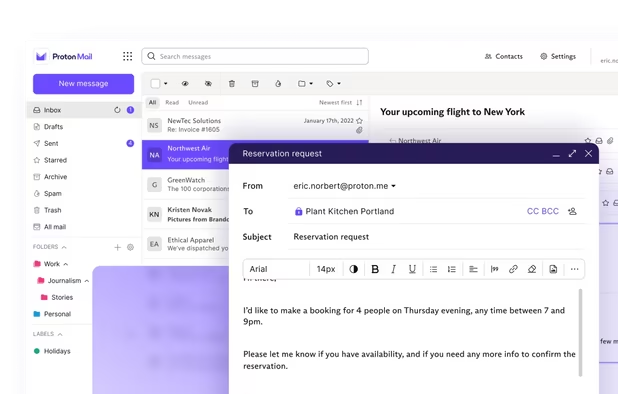
  19. Secure Swiss-based email with end-to-end encryption and zero third-party access. Available across devices, offering a free version to promote privacy.

    Cost / License

    • Freemium
    • Open Source

    Platforms

    • Mac
    • Windows
    • Linux
    • Online
    • Android
    • iPhone
    • iPad
    • Tor
    Proton Mail screenshot 1
    Proton Mail screenshot 1
    Proton Mail screenshot 2
    +9
    Proton Mail screenshot 3
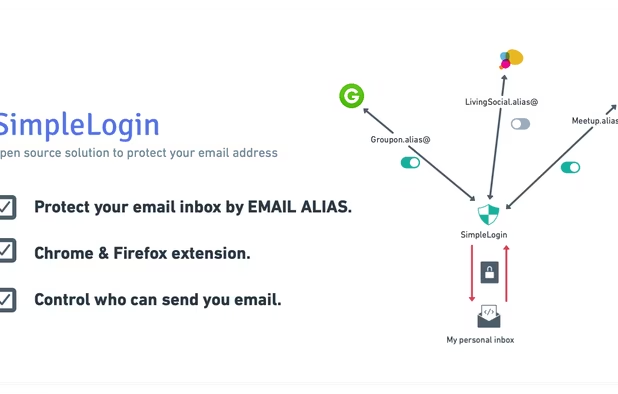
  20. Open source solution to protect your personal email address. Generous free plan with uncapped bandwidth and infinite sends/replies, self-hostable, lot of powerful features, open roadmap, you can count on SimpleLogin to guard your email inbox.

    Cost / License

    • Freemium
    • Open Source

    Platforms

    • Mac
    • Windows
    • Linux
    • Online
    • Android
    • iPhone
    • Android Tablet
    • iPad
    • Self-Hosted
    • Microsoft Edge
    • Google Chrome
    • Safari
    • F-Droid
    • Mozilla Firefox
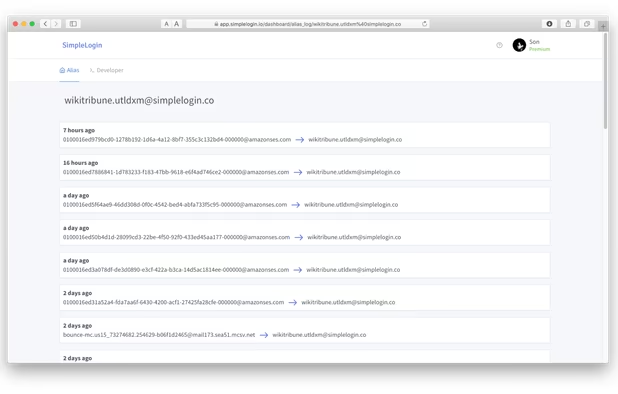
    Open source solution to protect your email address.
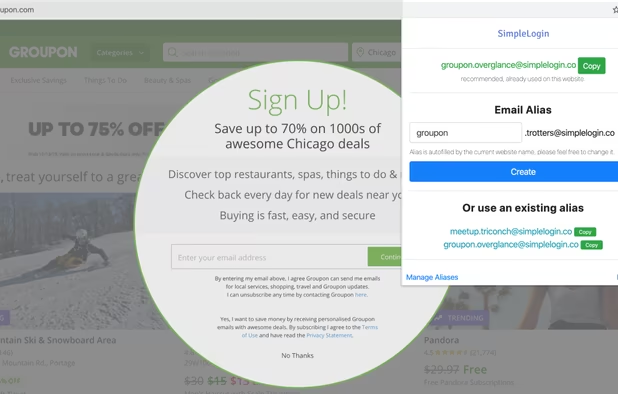
    Create alias quickly with SimpleLogin Chrome & Firefox extension.
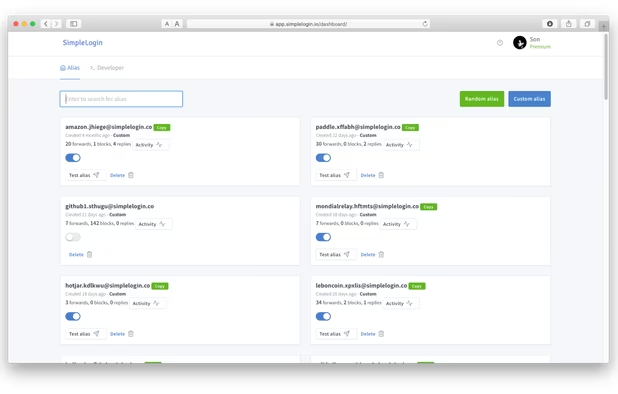
    Alias management dashboard.
    +1
    Visualize all emails sent to or replied from an alias.
  21. VPN Services

    A VPN does not add security nor does it make you anonymous. Your VPN provider can see all of your traffic and there's no way to verify that a VPN provider doesn't log. A VPN does two things: it hides your browsing activity from your ISP and it hides your true IP address from websites you visit.

    Mullvad is not recommended as they do not support 2FA. Because they use an account number system in which a random number serves as both the username and password, Mullvad accounts are incredibly easy to hack.

    Reading Material: https://privsec.dev/knowledge/commercial-vpn-use-cases/ https://gist.github.com/joepie91/5a9909939e6ce7d09e29 https://madaidans-insecurities.github.io/vpns.html

  22. Swiss-based VPN that ensures online privacy with a high-speed network, advanced encryption, and no-logs policy, offering a free version. Supports multiple platforms and unblocks content worldwide.

    Cost / License

    • Freemium
    • Open Source

    Application types

    Platforms

    • Mac
    • Windows
    • Linux
    • Android
    • iPhone
    • Chrome OS
    • Android Tablet
    • iPad
    • Google Chrome
    • Apple TV
    • Flathub
    • F-Droid
    • Android TV
    • Flatpak
    • Fire TV
    • Mozilla Firefox
    Proton VPN screenshot 1
    Proton VPN on Fedora
    Proton VPN screenshot 2
    +6
    Proton VPN screenshot 3
  23. IVPN icon
     Like

    IVPN is a commercial VPN service focused on multihop VPN connections and that does not log any data relating to their customers activities.

    Cost / License

    • Paid
    • Open Source

    Application types

    Platforms

    • Mac
    • Windows
    • Linux
    • Android
    • iPhone
    • Android Tablet
    • Windows Phone
    • iPad
    • F-Droid
    • Tomato
    • pfSense
    • DD-WRT
    • OpenVPN
    • WireGuard
    • OpenWrt
    • OPNsense
    IVPN screenshot 1
    IVPN screenshot 2
    IVPN screenshot 3
  24. Password Managers

    You should always use different passwords for every website. Always generate long 32+ character passwords with a random combination of letters (uppercase and lowercase), numbers, and symbols.

  25. 1Password icon
     Like

    Securely manage passwords across devices with auto-fill and vulnerability alerts, organizing passwords and notes for quick access and synchronization.

    Cost / License

    • Paid
    • Proprietary

    Platforms

    • Mac
    • Windows
    • Linux
    • Online
    • Android
    • iPhone
    • Chrome OS
    • Android Tablet
    • iPad
    • Apple Watch
    • Microsoft Edge
    • Vivaldi
    • Google Chrome
    • Safari
    • Yandex Browser
    • Opera
    • Brave
    • Mozilla Firefox
    Desktop & Mobile Apps
    1Password screenshot 1
    1Password screenshot 2
    +2
    1Password screenshot 3
  26. Bitwarden icon
     Like

    Open-source password manager with AES-256 encryption and device sync. Store and access encrypted logins across platforms like iOS and Android.

    Cost / License

    • Freemium
    • Open Source

    Platforms

    • Mac
    • Windows
    • Linux
    • Online
    • Android
    • iPhone
    • Android Tablet
    • iPad
    • Self-Hosted
    • Apple Watch
    • Snapcraft
    • Microsoft Edge
    • Vivaldi
    • Google Chrome
    • Flathub
    • Microsoft SQL Server
    • Tor Browser
    • Safari
    • F-Droid
    • Software as a Service (SaaS)
    • Flatpak
    • Cloudron
    • Opera
    • Chocolatey
    • Mono
    • Brave
    • Mozilla Firefox
    • Docker
    Bitwarden screenshot 1
    Bitwarden screenshot 1
    Bitwarden screenshot 2
    +10
    Bitwarden screenshot 3
  27. Two-Factor Authentication

    Always use 2FA on all websites. Prefer authenticator apps and hardware keys (such as Yubikey) and only use SMS or Email when no other option is available. If a website or service does not offer 2FA, do not register for it.

    Reading Material: https://www.privacyguides.org/basics/multi-factor-authentication/

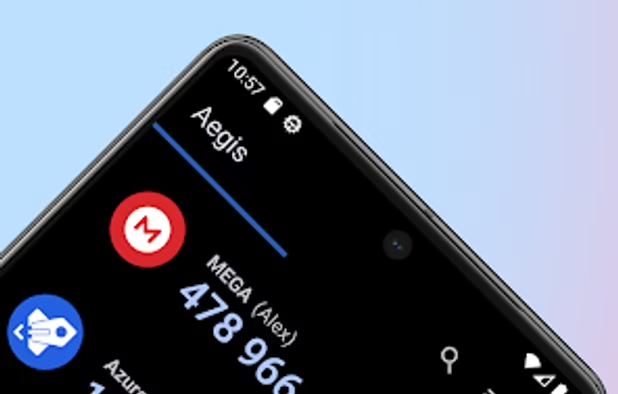
  28. Aegis Authenticator is a free, secure and open source app to manage your 2-step verification tokens for your online services.

    Cost / License

    • Free
    • Open Source

    Application type

    Platforms

    • Android
    • F-Droid
    Aegis Authenticator screenshot 1
    Aegis Authenticator screenshot 2
    Aegis Authenticator screenshot 3
  29. Open the app in one tap, sign in with FaceID and copy your one-time password to your Mac in one tap with handoff. Using a one-time password manager has never been easier!

    Cost / License

    • Free
    • Proprietary

    Application type

    Platforms

    • Mac
    • iPhone
    • iPad
    Raivo Authenticator screenshot 1
    Raivo Authenticator screenshot 1
    Raivo Authenticator screenshot 2
    +5
    Raivo Authenticator screenshot 3
  30. Cloud Storage

    Make sure your provider supports end-to-end encryption. Otherwise, use a tool like Cryptomator to encrypt your files before uploading them to the cloud.

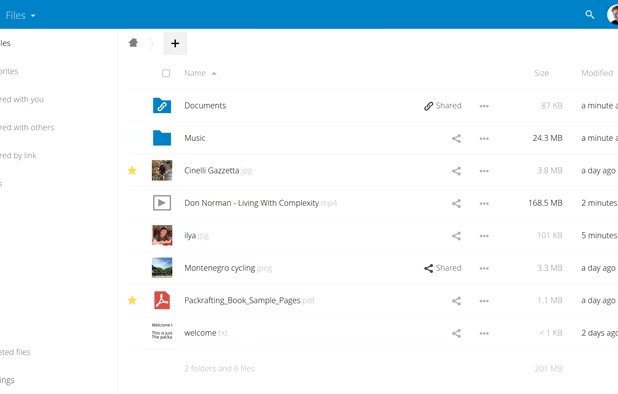
  31. Nextcloud icon
     Like

    On-premises file sync, universal access, integrated collaboration, real-time communication with privacy and data control focus.

    Cost / License

    • Free
    • Open Source

    Platforms

    • Mac
    • Windows
    • Linux
    • Online
    • Android
    • iPhone
    • Android Tablet
    • iPad
    • Self-Hosted
    • Snapcraft
    • F-Droid
    • Raspberry Pi
    • Cloudron
    • Docker Hub
    Simple and powerful file sync & share
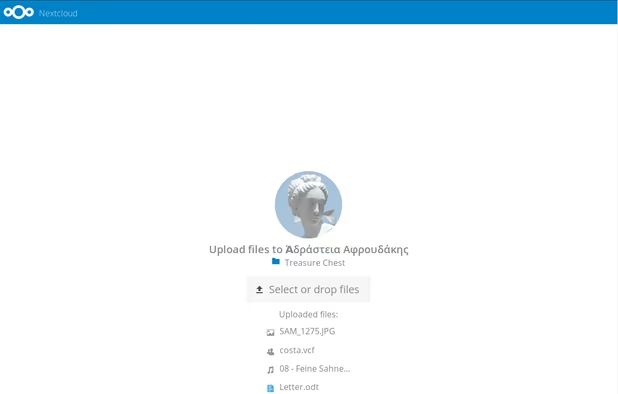
    Simple upload even for people who don’t have Nextcloud
    Great Android & iOS apps to sync your files.
    +3
    Very easy theming
  32. Emphasizes privacy with end-to-end encryption, Proton Drive safely stores, synchronizes, and shares files across devices via web and mobile applications.

    Cost / License

    • Freemium
    • Open Source

    Platforms

    • Mac
    • Windows
    • Online
    • Android
    • iPhone
    • Android Tablet
    • iPad
    • Tor
    Proton Drive screenshot 1
    Proton Drive screenshot 1
    Proton Drive screenshot 2
    +7
    Proton Drive screenshot 3
  33. Cryptomator provides transparent, client-side encryption for your cloud. Protect your documents from unauthorized access. Cryptomator is free and open source software, so you can rest assured there are no backdoors.

    Cost / License

    • Freemium
    • Open Source

    Platforms

    • Mac
    • Windows
    • Linux
    • Android
    • iPhone
    • Android Tablet
    • iPad
    • Flathub
    • F-Droid
    • Homebrew
    • Chocolatey
    Cryptomator screenshot 1
    Cryptomator screenshot 1
    Cryptomator screenshot 2

Other Best Practices:

  1. Always update without question.
  2. Only visit websites you know and trust and never click on a random link, even if it's from someone you trust or if it seems legitimate.
  3. Do not be paranoid about corporate telemetry.
  4. Never assume unknown developers and service providers are more trustworthy than big corporations.
  5. Never assume the so-called "fediverse" or other alternative platforms are more secure or privacy-respecting than Facebook.
  6. Stay away from "privacy-respecting" frontends such as Invidious and use the official website only. You can use a VPN to hide your IP address.
  7. Never leave your devices unattended.
  8. Never give sensitive information online if you don't have to, no matter how insignificant it may seem, and never share your passwords or private keys with anyone.
  9. Cover up or remove any webcams or microphones when not in use.
  10. Do not install and remove apps you do not need, and do not install a bunch of security software. Keep it minimal.
  11. Always use full-disk encryption, preferably Bitlocker on Windows and Filevault on macOS.
  12. Do not plug your devices into unknown ports and do not plug unknown devices into ports.
  13. Don't use social media.
  14. Only read and listen to trusted, reputable sources and security researchers like Daniel Micay and Madaidan.
  15. Do not attempt to access the deep web.

Reading Material: https://privsec.dev/ https://www.privacyguides.org/ https://madaidans-insecurities.github.io/security-privacy-advice.html https://github.com/beerisgood/Security-link-collection https://thenewoil.org/

Comments

TBayAreaPat
0

Latest is based on Chromium™104.0.5112.81 which I believe to be the latest Chromium. The article cited is from 2016, and a lot has changed, but I understand having particular company dislikes. I remember loving Firefox before it was Sandboxed, only to be soon tormented. Later it did Sandboxing, but it's tough to get those days out of my mind. Times can be like that.

1 reply
RemovedUser

The latest Chromium is 106. Chrome will always be the first browser to receive security fixes which is a big thing.

I generally don't recommend using any forks of Chrome except Edge. Ungoogled Chromium weakens security by disabling CRLsets among other things. Hexavalent seemed promising until it ended development a few months ago and never got released. For now you're best off using Google Chrome or Microsoft Edge.

TBayAreaPat
-1

I'm curious to hear your review of Comodo Dragon browser which I've been using for years.

1 reply
RemovedUser

Comodo Dragon has had major security issues in the past and it uses an outdated version of Chromium. Comodo is one of those shady companies like Avast which should be avoided.

Source: https://www.theregister.co.uk/2016/02/02/google_disses_chromodo/

Darlene Sonalder
0

I don't get it Chrome and Edge on a provacy and security list ? Why not something like brave ? The other recommandations are good but why the heck you put those two spyware ?

3 replies
RemovedUser

Because Chrome and Edge are the most secure browsers and the "spyware" can be disabled in the settings. Brave gets slower updates than Chrome and Edge which means users must deal with unpatched security vulnerabilities for days each release. Brave's adblocker is just a convenience feature and is not a substitute for timely updates. Brave also has a history of shady practices including inserting referral codes into URLs and soliciting donations.

Sources: https://web.archive.org/web/20181224011529/https://twitter.com/tomscott/status/1076160979388518407 https://twitter.com/cryptonator1337/status/1269201480105578496

Darlene Sonalder

Yes for security it's the best but for privacy probably not the best even hardened but it's not the worst setup either. You should provide more informations on how to harden them. (uBlock Origin, settings to change, etc...)

RemovedUser

I do provide plenty of information on how to secure browsers. uBlock Origin is not recommended as it's a privileged extension that uses Manifest V2 which is being deprecated as it's bad for privacy and security. Adblocking in general doesn't improve privacy. It's just enumerating badness. It's impossible to create a list of every known tracker and even if you did, websites can still collect plenty of data about you and share that data with third parties so everyone gets the same information regardless.

I recommend reading Madaidan's article about why most browser tracking methods are ineffective: https://madaidans-insecurities.github.io/browser-tracking.html

Chrome Hardening: https://www.stigviewer.com/stig/google_chrome_current_windows/

Gu