Summary:
- Veracrypt creates encrypted 'containers' for your files to hide them from anyone who has physical access to your computer.
- Works on: Windows, Mac, Linux
- Free and open source
- Replaces: Nothing, really. Unique and amazing.
- Also consider: Nothing comes close. SOME of what VeraCrypt does can be done using Cryptomator in a very limited way. In reality, they complement each other though.
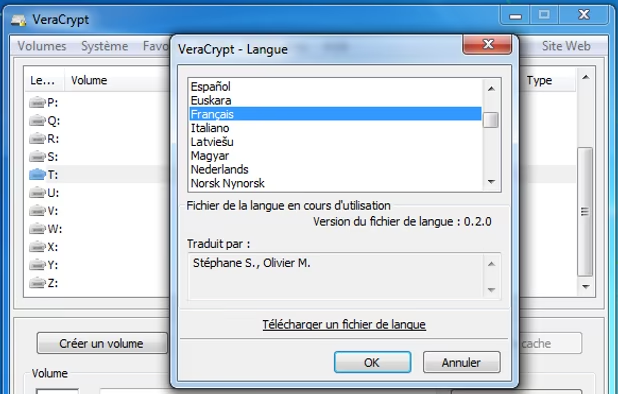
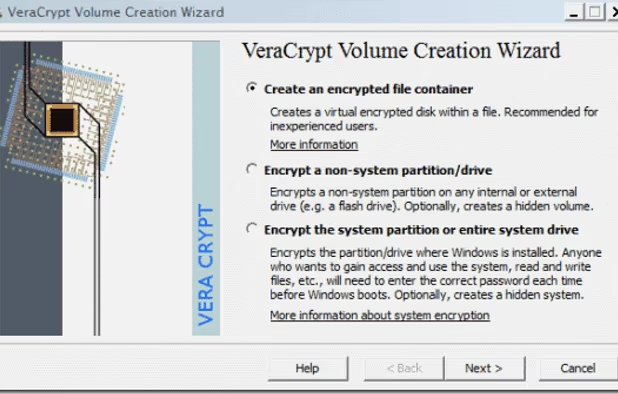
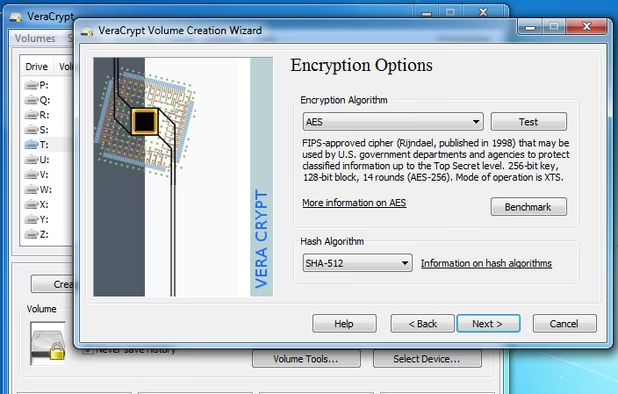
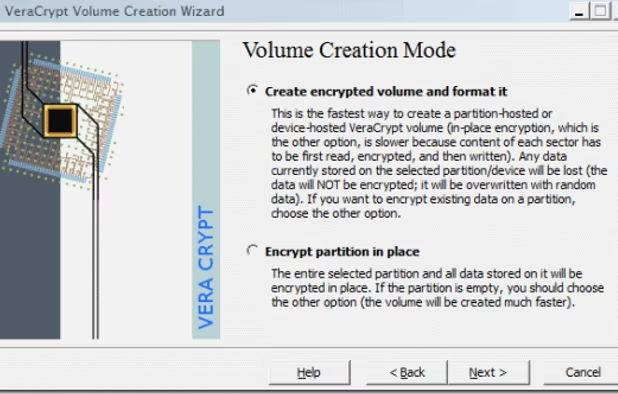
Veracrypt can create encrypted containers for files or even encrypt whole hard drives or USB sticks. This is so no one except you can open and view the contents. It is built on the old TrueCrypt project, which was very popular. Somehow people are still recommending TrueCrypt (even though it's outdated), even though Veracrypt is newer, has had a number of security audits and improvements and has had more functionality added. It is an excellent, free and open source project run by academics in France.
Enter a password and your mounted (opened) contained or drive behaves just like any other hard disk on your system (e.g. copy/paste files with no noticable lag.) You can choose from various different (or even multiple) encryption protocols. You can even create hidden containers so that you can deny your secrets exist, even to authorities. One password opens up a drive with boring files, a different password opens your secrets. No one can prove the one with secrets even exists. Very clever. (This is called "Plausible deniability" under US law; read about it on Veracrypt's webpage.)
Veracrypt is for protecting data from prying eyes (e.g. so that no one can read it of your computer is lost, stolen or confiscated) or if your kids go snooping on your computer. Know, however, that encrypted containers are not good for syncing data; for that you want something like Cryptomator (or a service like Tresorit, Spideroak or Sync.com). These and Veracrypt complement each other, so you can (and probably should) use both. Veracrypt works on Windows, Mac and Linux (and probably BSD, I should imagine.)






















Comments
Another great note-taking alternative is Turtl
Turtl
I highly recommend it to anyone looking for alternatives to Evernote, etc!
Great list! I personally think you should include Myki Password manager on the list among others. It seems extremely on the side of privacy, storing your encrypted passwords on your device like keepass but using a LAN type of sync, so they dont store anything and nothing passes to their servers.
I have tried Joplin. I think it's a good app. I had it in this list before, but prefer Crypt.ee. But there's nothing wrong with Joplin.
Calendaring is something I am so angry about, you have no idea. Absolutely no privacy-oriented service provides a fully-featured, synced calendaring option, despite it being the back-bone of many people's online work flow. The closest thing used to be Countermail's calendar, which was zero-knowledge encrypted and built into their webmail interface. Then, inexplicably, they removed that after some UI "improvements".
Both Tutanota and Protonmail have been promising an encrypted calendar function for a very long time, largely in response to customer demand. Tutanota have, year after year, postponed the development of their calendar, invariably prioritising other features. Users there are very unhappy about it. Protonmail claim to have started work on their encrypted calendar with no word on what features it is to have. They claim they'll release an early version at the end of 2018. The gap between launching "Gmail replacement" services and offering a private calendar ought to be narrow, but it seems the geeks working for these services prefer working on other things first.
So what's left?
There are only a few options I know that even come close to fixing the privacy-calendar problem. Some of these sync between platforms using their own app (e.g. Fastmail), others rely on third-party open-source apps: you'll have to explore this yourself.
A start-up called Secure Swiss Data is in the process of raising funds for launching what looks like an intriguing encrypted calendar option. They're active online through social media, but I haven't seen any commitment to dates and I can't vouch for them as I haven't tested what they have on offer. Worth keeping an eye on.
I hope that in there somewhere you can find the calendar that suits you. I presently use Fastmail's offering and will switch to Protonmail if and when they release what they've promised. Good luck!
[Edited by JohnFastman, July 28]
I would add joplin notes as a note taking app. It has sub folders and sync and the webclipper does the job. My only gripe is that pictures can't be pasted.
Also, what would you recommend for syncing calender. I am currently on google as I need an option that syncs between my apps on mac and android.
I was very long winded in answering you the first time. Think of it like this: Sync.com is a massive security and privacy improvement over Dropbox.
It's like this: If Sync.com is lying, they're offering you the same security as Dropbox when they are telling the truth. If Sync.com is telling the truth, you're WAY better off than with Dropbox. Therefore, Sync.com is a much better choice for both privacy (the company can't spy on your files) and security (they can't lose your stuff to other people).
So I would get Sync.com, get rid of Dropbox and move on to make improvements in other departments. (e.g. email, VPN, stop using Chrome, get browser add-ons, Skype replacements, and so on).
Hello John,
As usual a very thorough and educational response, thank you!
Yes, I'm using Windows, and yes, I've been using Dropbox for quite some time now. I want to change that. But it seems the more you read about it the harder it gets to make a decision, with so many things to consider. I've been wondering too about country jurisdictions and ultimately I have to agree with you: your money should go where numbers are solid. On the other hand at some point you are just going to have to trust on someone else and take their word for it, there's just no way around it, and so again it becomes really hard to make the right choice. Regarding Sync.com is just a bit strange to me that they would open up their source code in the browser but not in their desktop/mobile clients. I'm not an expert in the subject and I'm sure there must be a good reason for it, but the way I look at this is like building trust on uneven ground.
In any case is always good to know that there is an alternative even if you have to work a little harder to get to it. I really appreciate all the effort you are putting into making this list, commenting and explaining so clearly this type of things that go over our heads for the most of us. Cheers!
Hi browsingandstuff,
Your question concerns two things: to what extent we should pursue privacy and, more specifically, how good is Sync.com for your privacy?
Let me take Sync.com first. You're right: it's not open source. Ideally, it would be, so that everyone could inspect their code, which is the foremost source of trust. However, how 'good' for your privacy Sync.com depends on other things. So whilst it doesn't score open source points, it scores big in other departments. Assuming you can trust what they say, Sync.com give you zero-knowledge encryption for your files. That means files they backup/sync for you are visible only to you. Not them. That's a GIGANTIC improvement compared to services like Dropbox, Google Drive, Sugarsync, OneDrive and so on. The principle behind this is that Sync.com's software encrypts your stuff on your computer, with a password that ONLY you have. They don't have it. Dropbox and those other guys, by contrast, encrypt your stuff on their servers with a key that they have. And can share. And so they can look at and lose your stuff, or be forced to give it away to government authorities. So Sync.com don't score big on trust (which is not to say they're lying to you), but they score big on the MODEL that they use, and that's a big advantage over these other companies people usually go with. So compared to Dropbox, Sync.com are hugely preferable.
But now comes the harder thing to consider. Sync.com have clients for Windows and Mac only. Not Linux and BSD. And Windows and Mac are proprietary, closed-source operating systems. That means you can't check what they're doing to your data. Because of this, it's POSSIBLE that, whilst Sync.com is protecting you to the max with their great encryption model, your operating system is leaking information left, right and centre about what files you're storing. That can happen in many ways. For a start, Microsoft or Apple could be keeping a record on what software you've got installed on your machine, including that you have Sync.com. Microsoft has also an absolutely disgusting practice in Windows of keylogging, by default, EVERYTHING you type. And yep, that includes that all-so-secret password you're using for Sync.com. You can switch off the keylogger in the privacy settings, but how do you know they are really switching it off? You can't check the code (Windows isn't open source), and maybe US law-enforcement told them to keylog anyway the inputs from people who have Sync.com installed. After all, maybe those are the people trying to hide something with encryption. Follow my drift? Apple are no more trustworthy. Just a couple of years ago, their DESKTOP search engine reported everything you searched for back to Bing (a Microsoft product!). More recently, that's gone to being a Google collaboration.
So now I have you worried.
Because you're considering Sync.com I know you're a Windows or a Mac user (or both). Are you better off using Sync.com than, say, Dropbox? Absolutely. Does it protect you from the very nature of your operating system? No. Not at all.
I don't know your computer or privacy requirements. I would always urge you to ditch Apple and Windows in favour of Linux, if you can. I know that, for various reasons, not everyone is able to do this. (I have this problem at work, for example.) Ultimately, Sync.com is a reasonably priced service that encrypts your data and that alone makes it miles better than Dropbox. Give them your money, not Dropbox.
It's something like this: Win/Mac + Dropbox < Win/Mac + Sync.com < Linux/BSD + a proprietary service (e.g. SpiderOak) <<< Linux/BSD + an open source service
Ok. So what about the Canada thing, right? Is it a problem? Well, I can't pretend to be a lawyer. But I trust in mathematics much more than in laws. Laws can be bent, mathematics (read: good encryption) can't. That's the essence of it. It "feels" to non-experts that US-based businesses must be the worst for privacy, but actually, there are US laws that allow US agencies to spy on the data of foreign (non-US) nationals but not US nationals. That puts data in Canada at greater risk. But it applies the same to Iceland and Switzerland too. On the other hand, Canada willingly participates in the Five Eyes program, so perhaps your data isn't safer there than it would be in the US anyway. I guess what I'm trying to say is that jurisdictions mean much less than encryption.
Perhaps you're wondering what I use.
I use: Linux as my OS and Tresorit as my syncing service. It's not perfect. Tresorit is not open source and it's terribly expensive. But it's hosted in Switzerland and they support Linux. Now, I know that's an expensive solution and I think that won't work for everyone. What if I had to get cheaper? I would go with Linux + Mega OR Linux + SpiderOak. If I HAD to stick with Windows (shudder) I would consider Sync.com as good ad Tresorit, except for the legal stuff, which I think is a minor consideration.
I hope that helps. Let me know if you need any more specific help or clarity from me. Glad to hear you're taking your privacy into your own hands!