Draw lets you produce anything from a quick sketch to a complex plan, and gives you the means to communicate with graphics and diagrams. With a maximum page size of 300cm by 300cm, Draw is a an excellent package for producing technical drawings, general posters, and much else.
yEd is a powerful diagram editor that can be used to quickly create diagrams manually or import external data for analysis and auto-magically arrange even large data sets by just pressing a button. You can use yEd to quickly create flow charts, BPMN and UML diagrams...
Open-source diagram editor with cross-platform support offering entity relationship, UML, flowchart, and network diagram creation with editable objects.
Ever wanted to simplify documentation and avoid heavy tools like Visio when explaining your code? This is why mermaid was born, a simple markdown-like script language for generating flowcharts, Gantt charts and sequence diagrams from text via JavaScript.
PlantUML is an open-source tool that uses simple textual descriptions to draw UML diagrams. The generator can be run anywhere within JVM and integrated with various application such as wiki, text editor, IDE, programming language, documentation generator, and others.
OmniGraffle can help you make eye-popping graphic documents—quickly—by providing powerful styling tools, keeping lines connected to shapes even when they’re moved, and magically organizing diagrams with just one click.
Create flowcharts (and mind maps) without worrying about layout with QuikFlow. With our innovative interactive layout algorithms, you can work as if you were using a mind mapping application while creating flowcharts. Define your structure and the app handles the layout!
A daily drawing tool that supports low code for learning or office use. It can be used for flowchart, mind map, UML diagram, ER diagram, network topology diagram, BPMN, Venn diagram, database model diagram, whiteboard drawing, infinite canvas, and more.
Instead of starting with a blank screen, SmartDraw gives you the exact template you need. Then use simple commands to add your information and SmartDraw does the rest. There's no other drawing software like it.
ProcessOn is One tool for diverse diagramming needs.Product capabilities are mainly divided into Mind Map,Flowchart,Whiteboard,Mermaid,Formula Editor.Most importantly, ProcessOn supports AI-powered graphing, empowering tools through intelligent AI.
Grafio allows you to make flow charts, org charts, Venn diagrams, mind maps, take notes, sketches and do other diagrams. Everything is custom and modifiable.
Create flowcharts, UML, Venn, and mind map diagrams with customizable templates, a drag-and-drop editor, and export options for sharing visual data easily.
Astah UML is a UML modeling editor with a user-friendly interface. It allows for the creation of various UML 2.x diagrams and mindmaps. The software includes features such as auto-creation of class diagrams, customizable shortcut keys, and merging project files.
MyDraw is an easy to use, yet powerful diagramming software that lets you create a large number of diagrams like flowcharts, organizational charts, mind maps, network diagrams, floor plans, family trees, business model diagrams, and many more.
Violet is a UML editor with these benefits: Very easy to learn and use. Draws nice-looking diagrams. Completely free. Cross-platform. Violet is intended for developers, students, teachers, and authors who need to produce simple UML diagrams quickly.
Core2D is a multi-platform application for making data driven 2D diagrams. The application has built-in wyswig vector graphics editor where you can bind data to shapes, share data across multiple documents, edit documents using layers.
ConceptDraw DIAGRAM v14 is the only product that supports Visio legacy, runs on macOS and Windows, and is a perpetual license. Import/Export VDX, VSDX, VSSX and Import VSD, VSS files.
Use simple text to quickly create and share diagrams with your team. Improve your documentation, planning and everyday communication with powerful tools for automatic diagram generation.


 United Kingdom


 Excalidraw


 Germany
 EU
EU


 United States


 Sweden


 France


 China
China


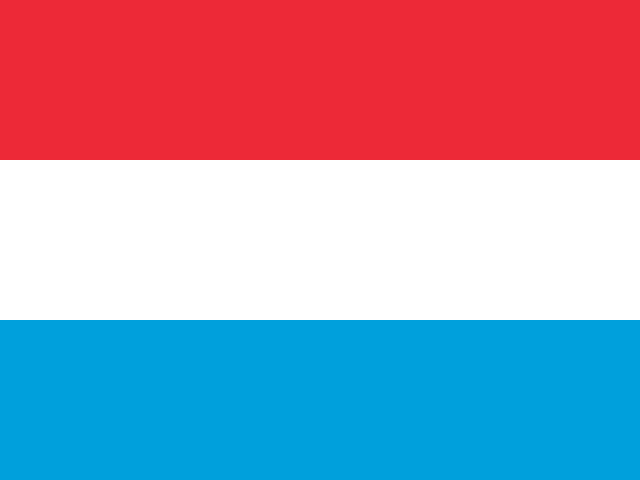 Luxembourg


 Hong Kong SAR China


 Australia


 Japan
Japan


 Bulgaria


 Poland


 Ukraine


