Apps tagged with 'eye-strain'

All apps in Apps tagged with 'eye-strain' category. Use the filters below to narrow down your search. 
Copy a direct link to this comment to your clipboard
  1. Dark Reader icon
     171 likes

    This eye-care extension enables night mode creating dark themes for websites on the fly. Dark Reader inverts bright colors making them high contrast and easy to read at night.

    Cost / License

    • Free
    • Open Source (MIT)

    Application type

    Platforms

    • iPhone
    • iPad
    • Microsoft Edge
    • Google Chrome
    • Safari
    • Thunderbird
    • Mozilla Firefox
    Dark Reader screenshot 1
    Dark Reader screenshot 1
    Dark Reader screenshot 2
    +1
    Dark Reader screenshot 3
    24 alternatives
    4.6
    Excellent23 reviews
  2. Midnight Lizard icon
     19 likes

    Midnight Lizard web-extension for Google Chrome™ and Mozilla Firefox™ provides custom color schemes for all websites.

    Cost / License

    • Free
    • Open Source (MIT)

    Application type

    Alerts

    • Discontinued

    Platforms

    • Microsoft Edge
    • Google Chrome
    • Mozilla Firefox
    Midnight Lizard screenshot 1
    Midnight Lizard screenshot 1
    Midnight Lizard screenshot 2
    +2
    Midnight Lizard screenshot 3
    36 alternatives
  3. RedshiftGUI icon
     92 likes

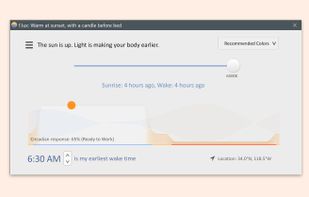
    RedshiftGUI changes the color temperature of your monitor to better match that of your surrounding. This means that it sets a cooler color temperature during the daytime (due to natural lighting) and sets a warmer temperature at night (due to indoor lighting). Similar to f.

    Cost / License

    • Free
    • Open Source

    Application type

    Alerts

    • Discontinued

    Platforms

    • Windows
    • Linux
    Main dailog
    Location lookup
    Settings
    46 alternatives
  4. Monitorian icon
     17 likes

    Monitorian is a Windows desktop tool to adjust the brightness of multiple monitors with ease.

    Cost / License

    • Free
    • Open Source (MIT)

    Application type

    Platforms

    • Windows
    Monitorian screenshot 1
    24 alternatives
    3.3
    Fair7 reviews
  5. ZenBreak icon
     10 likes

    ZenBreak gently reminds you to take meaningful breaks from your devices. Customize your breaks and embrace a healthier relationship with technology.

    Cost / License

    Platforms

    • Mac
    • Windows
    • Linux
    ZenBreak screenshot 1
    ZenBreak screenshot 1
    ZenBreak screenshot 2
    +1
    ZenBreak screenshot 3
    67 alternatives
  6. BlinkMore icon
     3 likes

    BlinkMoreFree is an open source macOS menu bar application that helps reduce eye strain by fading your screen when you stare at it for too long without blinking. Using automated eye-tracking and customized settings to encourage you to blink more.

    Cost / License

    • Freemium
    • Open Source (MIT)

    Application type

    Platforms

    • Mac
    BlinkMore screenshot 1
    12 alternatives
  7. BreakTimer icon
     12 likes

    Save yourself from RSI and eye-strain BreakTimer allows you to set up customizable breaks and will remind you to take them. BreakTimer is free and open source and available for Windows, macOS and Linux.

    Cost / License

    Platforms

    • Mac
    • Windows
    • Linux
    • Snapcraft
    BreakTimer screenshot 1
    BreakTimer screenshot 1
    BreakTimer screenshot 2
    +4
    BreakTimer screenshot 3
    67 alternatives
  8. Safe Eyes Linux icon
     26 likes

    SafeEyes is an application that tries to protect your eyes from eye strain (asthenopia) by reminding you to take breaks while you're working long hours at the computer. It was created as a free and open source Linux alternative for EyeLeo, a Windows-only app.

    Cost / License

    Platforms

    • Linux
    • Flathub
    Safe Eyes Linux screenshot 1
    Safe Eyes Linux screenshot 1
    Safe Eyes Linux screenshot 2
    36 alternatives
  9. Twilight icon
     56 likes

    The app filters the blue spectrum on your phone or tablet after sunset and protects your eyes with a red filter. The filter intensity is smoothly adjusted to the sun cycle based on your local sunset and sunrise times.

    Cost / License

    • Free
    • Proprietary

    Application type

    Platforms

    • Android
    Twilight screenshot 1
    Twilight screenshot 1
    Twilight screenshot 2
    42 alternatives
  10. SunsetScreen icon
     35 likes

    Whether you're a morning lark or night owl, SunsetScreen allows you to set the time of the sunset and sunrise, so you can have full control over your sleep cycle.

    Cost / License

    • Paid
    • Proprietary

    Application type

    Platforms

    • Windows
    Main Window
    "More Options" Window
    Taskbar Menu
    51 alternatives
  11. Owl icon
     4 likes

    Owl transforms webpages with a comfortable dark theme on-the-fly, protecting your eyes from the glaring color schemes on most websites. Owl comes bundled with a ton of features. With Owl, you can:

    Cost / License

    • Free
    • Open Source

    Application type

    Platforms

    • Online
    • Mozilla Firefox
    Owl screenshot 1
    Owl screenshot 1
    Owl screenshot 2
    +1
    Owl screenshot 3
    15 alternatives
  12. DisplayBuddy icon
     2 likes

    DisplayBuddy lets you control external displays connected to your Mac right from your menu bar! No need to touch your clunky monitor buttons!

    Cost / License

    • Paid
    • Proprietary

    Application type

    Platforms

    • Mac
    DisplayBuddy screenshot 1
    DisplayBuddy screenshot 1
    DisplayBuddy screenshot 2
    +4
    DisplayBuddy screenshot 3
    16 alternatives
  13. Redshift Tray icon
     6 likes

    Redshift Tray is a no-frills GUI for the screen temperature adjustment tool Redshift.

    • Control Redshift based on location, custom night/day times, or manually
    • Enable/disable by double-clicking the tray icon
    • Has lots of other features via hotkeys

    Cost / License

    Platforms

    • Windows
    Tooltip
    Settings
    Redshift Tray screenshot 2
    21 alternatives
  14. Dark Mode icon
     6 likes

    Dark Mode is a browser add-on that helps you quickly turn the screen (browser) to dark at night time.

    Cost / License

    • Free
    • Proprietary

    Application type

    Platforms

    • Mac
    • Windows
    • Linux
    • Google Chrome
    • Mozilla Firefox
    Dark Mode screenshot 1
    Dark Mode screenshot 1
    Dark Mode screenshot 2
    20 alternatives
  15. Iris icon
     32 likes

    Reduces blue light and adjusts screen brightness without flicker, offers auto color temperature, customizable modes, manual settings, overlays, and color effects for eye health and comfort.

    Cost / License

    • Freemium
    • Proprietary

    Platforms

    • Mac
    • Windows
    • Linux
    Iris screenshot 1
    Iris screenshot 1
    147 alternatives
  16. It is a universal night mode for the entire Internet. It uses a special algorithm to automatically change the colors of the websites you visit into dark mode so that you can browse without straining your eyes, especially at night.

    Cost / License

    • Free
    • Open Source

    Application type

    Alerts

    • Discontinued

    Platforms

    • Windows
    • Google Chrome
    • Mozilla Firefox
    Dark Night Mode screenshot 1
    Dark Night Mode screenshot 1
    Dark Night Mode screenshot 2
    18 alternatives