Apps tagged with 'AI Video Editing' Page 3 of 3

All apps in Apps tagged with 'AI Video Editing' category. Use the filters below to narrow down your search. 
Copy a direct link to this comment to your clipboard
  1. Sparki icon
     Like

    Sparki is an AI-powered, conversation-driven video editing tool designed for fast, high-quality content creation.

    Cost / License

    • Freemium
    • Proprietary

    Application type

    Platforms

    • Online
    • SG flagSingapore
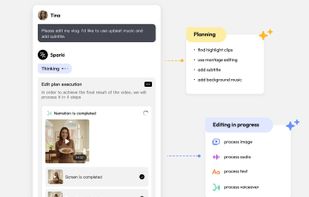
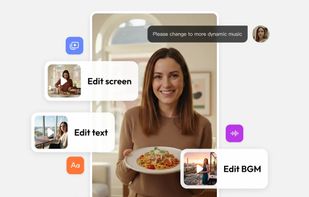
    Sparki.io is an AI-powered video editing tool that allows users to edit videos through simple conversational commands. It streamlines the editing process, enabling creators to quickly make adjustments to video elements like text, screen layout, and music, all through chat-based interactions, making it accessible and efficient for both beginners and professionals.
    Conversation-driven AI video editor that turns text instructions into finished videos.
    With sparki, chat your instructions and the agent does the editing for you. It is a brand-new experience, which massively boosts efficiency and is extremely beginner-friendly.
    +1
    Sparki.io is an AI-powered video editor that allows creators to refine their videos through multiple rounds of conversation. Users can easily edit text, screens, and background music by simply chatting with the editor, making the entire process more interactive and user-friendly.
    3 alternatives
  2. ChatArt icon
     Like

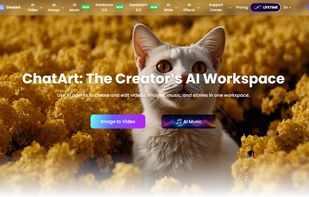
    An AI assistant integrating powerful AI models such as Seedance, GPT, Gemini, Deepseek, and Claude. Simply chat with AI to generate images, write novels, and create articles!.

    Cost / License

    • Freemium
    • Proprietary

    Application type

    Platforms

    • Online
    • Windows
    • Android
    • iPhone
    • CN flagChina
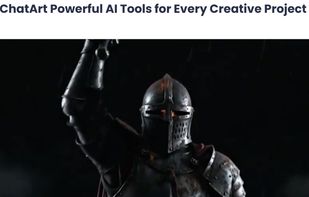
    ChatArt screenshot 1
    ChatArt screenshot 1
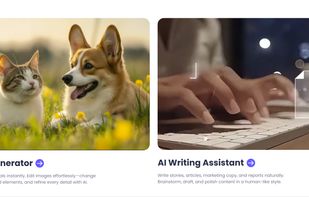
    ChatArt screenshot 2
    +2
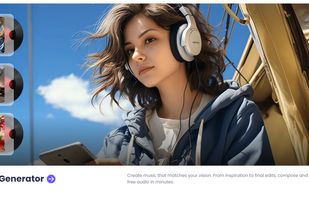
    ChatArt screenshot 3
    20 alternatives
  3. Wavcut icon
     Like

    Wavcut is an on-device video editor built to 10x your creation speed. Add a video / voice recording and it auto-edits: layers saved B-roll, generates styled auto-captions, auto cut silences. Save your video style once and reuse on every video as a Preset.

    Cost / License

    • Freemium
    • Proprietary

    Application type

    Platforms

    • iPhone
    • IN flagIndia
    Full manual control over captions, text, b-roll, and voiceover on a real timeline
    Auto-editing cuts silence, adds captions, and places b-roll automatically
    Organize your b-roll into collections and reuse or let Wavcut place them across every video
    21 alternatives
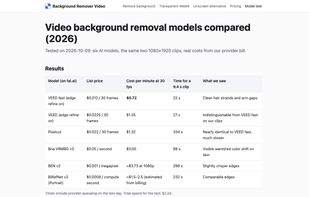
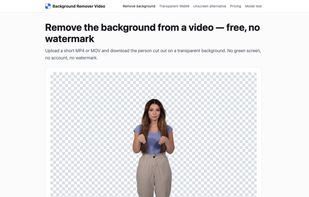
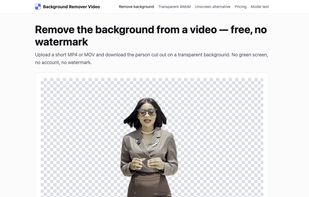
  4. CutoutClip is a web tool that removes the background from videos of people without a green screen. Upload an MP4 or MOV clip (up to 500 MB) and download a transparent WebM (VP9 with alpha channel) with the original audio, ready to use as an overlay in OBS, in an editor or on a...
    Cost / License

    • Freemium
    • Proprietary

    Platforms

    • Online
    Upload a clip and preview the person cut out on a transparent background
    Download the result as a transparent WebM (VP9 with alpha)
    Model comparison published on the site: cost, speed and hair-edge quality
    1 alternatives
  5. The launch video built by your agent. Describe the video you want. Remocn Studio will turn it into a video following motion design rules, then check it and fix any visible issues.

    Cost / License

    • Free
    • Open Source (MIT)

    Platforms

    • Mac
    • UA flagUkraine
    Remocn Studio screenshot 1
    Remocn Studio screenshot 1
    Remocn Studio screenshot 2
    +3
    Remocn Studio screenshot 3
  6. Lyvia icon
     Like

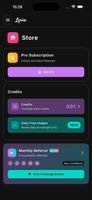
    Unleash your imagination with Lyvia, the AI image and video generator and studio in your pocket.

    Cost / License

    • Freemium
    • Proprietary

    Application type

    Platforms

    • Online
    • Android
    • iPhone
    • iPad
    • Software as a Service (SaaS)
    • Android Tablet
    • US flagUnited States
    Lyvia screenshot 1
    Lyvia screenshot 2
    Lyvia screenshot 3
    10 alternatives
  7. RunningHub is a Cloud ComfyUI platform for creating AI Apps, featuring a highly reliable environment and robust GPUs power that supports ComfyUI online workflow editing and execution.

    Cost / License

    • Paid
    • Proprietary

    Application type

    Platforms

    • Online
    • Software as a Service (SaaS)
    3 alternatives
  8. Splicora icon
     Like

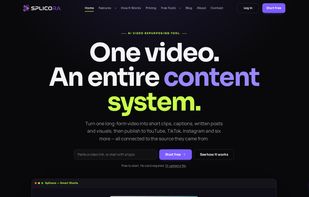
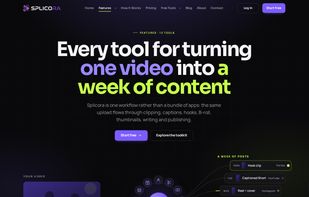
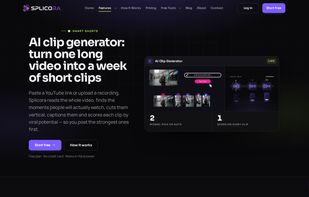
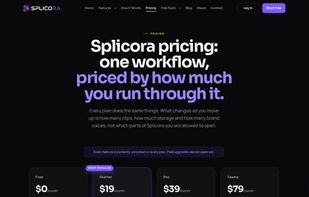
    Splicora turns a single long-form video into a complete content system. Paste a YouTube link, upload a file, or point it at Google Drive, Dropbox, OneDrive, Vimeo or a podcast RSS feed. Splicora transcribes once, and everything else works from that transcript.

    Cost / License

    • Freemium
    • Proprietary

    Application type

    Platforms

    • Online
    • Software as a Service (SaaS)
    • US flagUnited States
    Splicora screenshot 1
    Splicora screenshot 1
    Splicora screenshot 2
    +1
    Splicora screenshot 3
    8 alternatives
  9. Rayvid AI icon
     Like

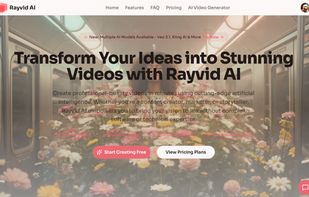
    Rayvid AI is an AI-powered video generator that turns text or images into cinematic clips in minutes. Choose a model, describe your idea, and Rayvid handles motion, lighting, and camera work.
    Cost / License

    • Paid
    • Proprietary

    Platforms

    • Online
    • Software as a Service (SaaS)
    rayvid.app landing page
    3 alternatives
  10. Kadapt icon
     Like

    Turns a real estate agent's listing photos into narrated vertical video reels for Instagram, TikTok and YouTube Shorts.


    Cost / License

    • Paid
    • Proprietary

    Application type

    Platforms

    • Software as a Service (SaaS)
    • Online
    Upload the listing photos you already have and drag them into showing order.
    Review the plan — shot sequence, script, voiceover and captions — before it renders.
    A finished vertical reel, captioned and ready to download and post.
    6 alternatives
  11. Crabcut icon
     Like

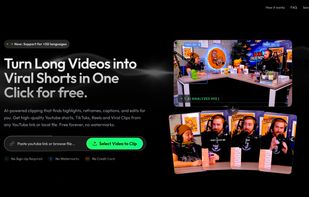
    AI-powered clipping that finds highlights, reframes, captions, and edits for you. Get high-quality Youtube shorts, TikToks, Reels and Viral Clips from any YouTube link or local file. Free forever, no watermarks.

    Cost / License

    • Paid
    • Proprietary

    Application type

    Platforms

    • Online
    • US flagUnited States
    Crabcut screenshot 1
    2 alternatives
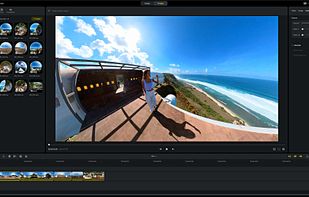
  12. Edit, reframe, and export 360-degree or VR video using desktop software with user-friendly controls, smart tracking, AI tools, and support for Insta360 cameras.

    Cost / License

    • Free
    • Proprietary

    Application type

    Platforms

    • Mac
    • Windows
    • Android
    • iPhone
    • iPad
    • Android Tablet
    • CN flagChina
    Insta360 Studio screenshot 1
    7 alternatives
  13. StreamGen icon
     Like

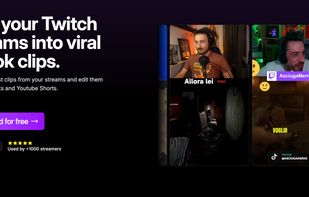
    StreamGen is an AI Clipping, Clip Editing and Post Scheduling tool for streamers. It allows to automatically find viral clips from Twitch streams and to edit them into engaging YouTube Shorts or TikTok videos.

    Cost / License

    • Freemium
    • Proprietary

    Platforms

    • Online
    • IT flagItaly
    • European Union flagEU
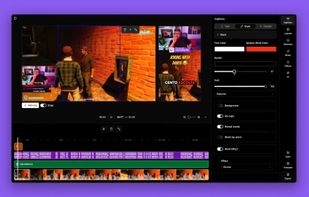
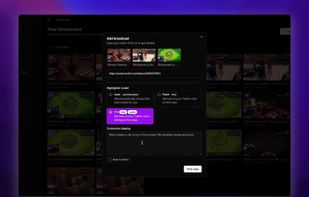
    Website landing page
    Clip editor
    AI Clipper
  14. SellReel icon
     Like

    AI creative studio: generate product ads, UGC videos, and body-doubled content from a single photo or recording. Stay off-camera while creating authentic product demos.

    Cost / License

    • Paid
    • Proprietary

    Application type

    Platforms

    • Online
    • Software as a Service (SaaS)
    • NL flagNetherlands
    • European Union flagEU
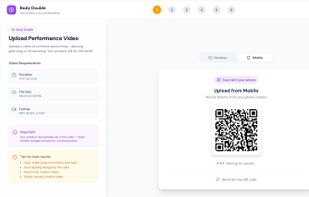
    SellReel landingpage
    Starting out with the 'Body Double' feature in SellReel
    'Agent mode' brief in SellReel
    +2
    Edit feature on SellReel
    21 alternatives
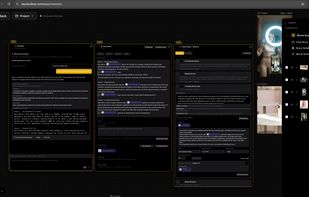
  15. Web-based AI filmmaking studio. Chat an idea into a story, split it into shot-by-shot scenes with consistent characters, and render frames and video on one canvas. Then share or sell the project on the Market, auto-publish AI posts to social media, and make e-commerce product visuals.

    Cost / License

    • Paid
    • Proprietary

    Application type

    Platforms

    • Online
    • Software as a Service (SaaS)
    • US flagUnited States
    Cinematic Story Canvas. Step 1: chat with the AI to turn an idea into a story. Step 2: refine the scene-by-scene Story Detail and its cast. Step 3: every Movie Scene gets its own video prompt with the character attached; pick the model, aspect ratio, resolution and length, then generate. Results land on the canvas as layers.
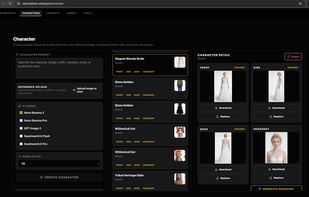
    Characters: create a reusable character from a text prompt or one reference image, with your choice of image model and resolution. Each character gets front, side, back and headshot views that you can download, replace and reuse to keep the same look across shots.
    Social Media Publisher: set up an X campaign with a goal, a destination link, a posting schedule, a daily credit limit and an approval mode (AI auto review or review every post). The agent researches, writes and publishes the posts; Performance, Calendar and Approval tabs track the results.
    +1
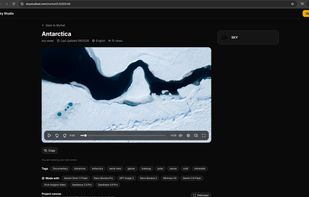
    Market: a public project page with the main video, tags and the models used to make it. Anyone can watch for free and explore the project canvas read-only, and users can copy the whole project into their own Sky Studio workspace.
    11 alternatives
  16. VioEvo icon
     Like

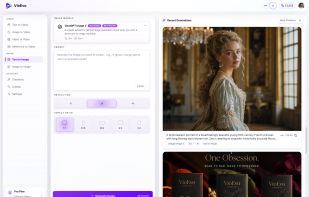
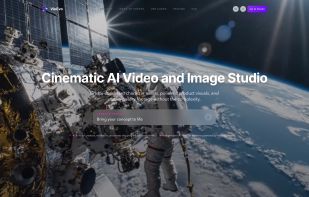
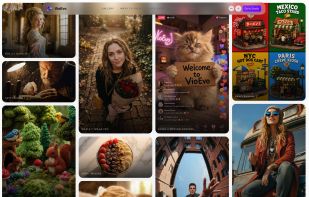
    VioEvo is an independent AI creation platform for cinematic video and image generation. It supports text-to-video, image-to-video, video-to-video, reference-to-video, text-to-image, and image-to-image workflows, so teams can start from the asset they already have instead of...
    Cost / License

    • Paid
    • Proprietary

    Application type

    Platforms

    • Online
    AI Video and Image Generator
    AI Video and Image media wall
    AI Video and Image App
    2 alternatives
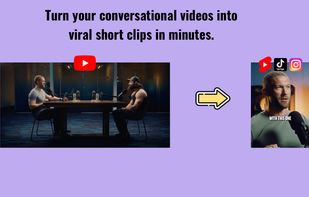
  17. ViralClips is an AI-driven SaaS tool that automatically extracts and edits viral short clips from long-form conversational videos like podcasts and interviews, optimizing them for social media platforms.
    Cost / License

    • Paid
    • Proprietary

    Application type

    Platforms

    • Online
    • Software as a Service (SaaS)
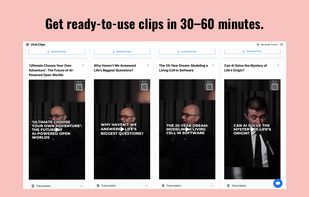
    Turn your conversational videos into viral short clips in minutes.
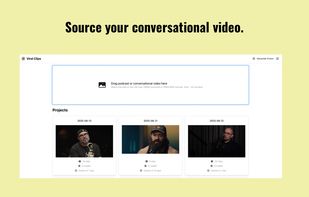
    Source your conversational video.
    Choose a caption style.
    +1
    Get ready-to-use clips in 30–60 minutes.
    16 alternatives
  18. FikaClip icon
     Like

    AI short-form video maker that turns long videos or YouTube links into ready-to-publish Shorts, Reels, and TikToks with auto highlights, motion captions, and one-click publishing.

    Cost / License

    • Freemium
    • Proprietary

    Application type

    Platforms

    • Online
    • Software as a Service (SaaS)
    • KR flagSouth Korea
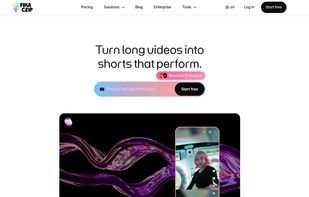
    LandingPage
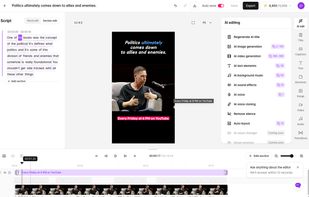
    Video Editor
    9 alternatives
  19. Free, open-source Opus Clip alternative for Windows with local or cloud transcription, smart reframing, styled captions, and exports for TikTok, YouTube, Instagram, and more.

    Cost / License

    • Freemium
    • Open Source (MIT)

    Application type

    Platforms

    • Windows
    • PL flagPoland
    • European Union flagEU
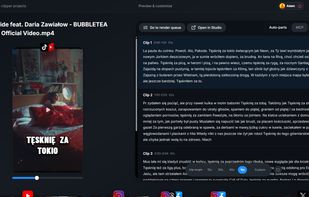
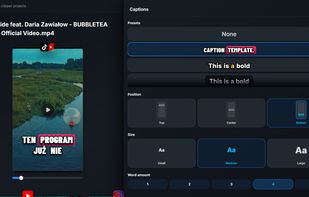
    Auto Parts Mode splits transcripts into clips based on preset or custom time intervals.
    Animated subtitle templates with instant preview and adjustable styles.
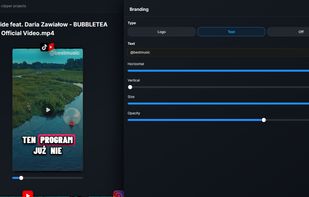
    Add your logo or text branding and preview the result instantly.
    +9
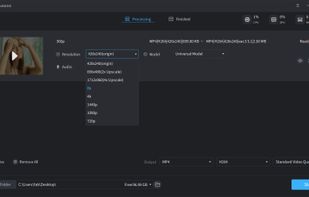
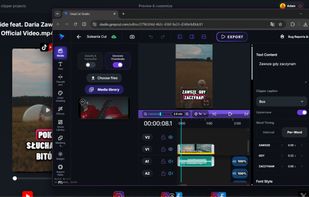
    Launch the full online video editor from Open Clipper. Media streams locally, so your files stay private on your device.
    51 alternatives
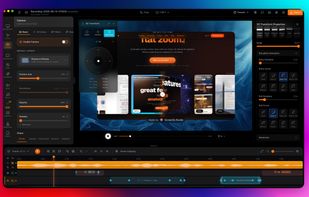
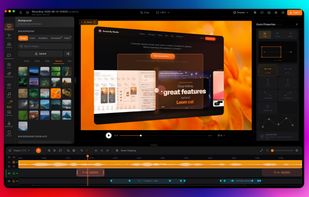
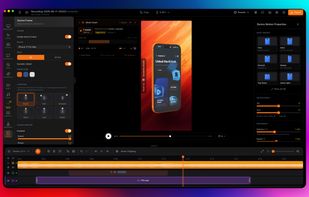
  20. Screenify Studio is the Mac screen recorder for indie hackers and technical founders who refuse to pay the editing tax. Turn rough captures into polished product demos without leaving your machine — drive it from the timeline editor, the terminal, or from Claude Code in plain...
    Cost / License

    • Freemium
    • Proprietary

    Application type

    Platforms

    • Mac
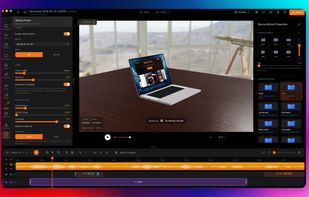
    Flexibly customize keyframes to achieve professional camera movement and cinematic zoom.
    iOS developers are equipped with a variety of tools that enable them to transform video demos into significantly more engaging and captivating experiences.
    Screenify provides a comprehensive suite of professional mockup tools, featuring a fully customizable virtual workspace to help you create impressive and high-impact demo videos.
    +2
    ScreenifyStudio provides power users with precise, granular control over camera paths and angles, delivering the same level of sophistication found in professional-grade software.
    14 alternatives
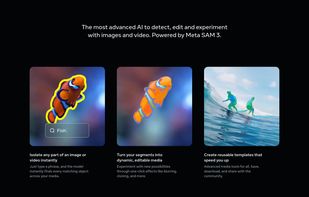
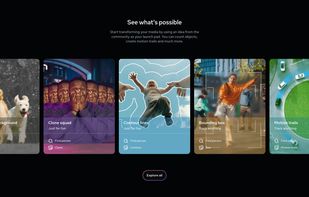
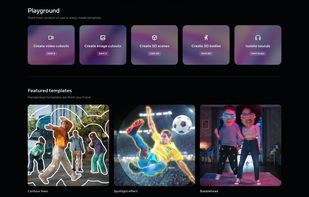
  21. The most advanced AI to detect, edit and experiment with images and video. Powered by Meta SAM 3.

    Cost / License

    • Free
    • Proprietary

    Platforms

    • Online
    • US flagUnited States
    Segment Anything screenshot 1
    Segment Anything screenshot 1
    Segment Anything screenshot 2
    +1
    Segment Anything screenshot 3