Sky Studio AI is a web-based studio for making short AI films, ads and product visuals, from the first idea to a published post. Instead of generating one clip at a time, you plan a whole story, produce it shot by shot on one canvas, then share, sell or publish the result.
Story to film
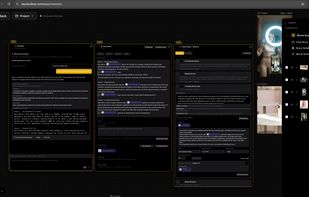
Chat with the AI to shape an idea into a structured story and script. One click splits the story into shot-by-shot scenes, each with its own prompt. Scenes open as Movie Scene windows on the canvas, where you generate the frames and then turn them into video.
Consistent characters
Create a character once as a four-view turnaround sheet (front close-up, full body, side and back) from a text description or a reference image. The sheet is split into separate views that you reuse in image and video generations, so the same face, outfit and proportions carry from shot to shot.
Canvas workspace
The canvas holds images, video clips and scenes side by side. Layer and compose, crop, extract frames from video, and use any result as a reference for the next generation. Your full generation history stays in the workspace.
Models
Video: Veo 3.1 Fast and Pro, Gemini Omni 1.1 Flash, Seedance 2.0 Pro, Hailuo 3 and Grok Imagine, from text, first and last frames or reference images, with clips up to 15 seconds and up to 4K. Images: Nano Banana 2 and Pro, GPT Image 2, and Seedream 5.0 Flash and Pro, up to 4K. You pick the model for each shot, and the app shows the credit cost before you generate.
Market
Share a project as a link, or list it on the public Sky Studio Market with a main video, cover, genre and tags. Anyone can watch a listing for free. Other users can clone the whole project into their own workspace to study or remix it, free or for a credit price the creator sets, and the creator earns credits from each clone. Listings are reviewed before they go live.
Social Media Publisher
Connect your X account and set up a campaign: the AI researches your topic, writes and reviews each post, and publishes it to X on a schedule. More platforms are planned.
E-commerce tools
Background Remover (runs in your browser, so the image is not uploaded for the cutout), batch White Background, Change Product Color, Product Relight with draggable studio lights, and a Room Visualizer that places your products into a customer's room photo.
Learn
The Tools page links to AI Filmmaking Bootcamp, a video course on cinematic AI video taught by Sky Studio's founder, Sky Lu.
Teams and pricing
Teams share one credit pool. Pricing is pay as you go with credit packs: no subscription, and credits never expire.
Available in English, Spanish, Japanese and Chinese.






 Sky-Lu added Sky Studio AI as alternative to Higgsfield, Google Veo, Runway, Artlist and 7 more
 SkyStudio Pte. Ltd.


No comments or reviews, maybe you want to be first?