





OpenClipper
Like
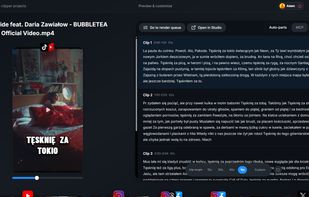
Free, open-source Opus Clip alternative for Windows with local or cloud transcription, smart reframing, styled captions, and exports for TikTok, YouTube, Instagram, and more.

Cost / License
- Freemium (Subscription)
- Open Source (MIT)
Application type
 EU
EUSince
- New
Updated
- Updated Oct 2026
Platforms
- Windows


Features
Highlights All activities
OpenClipper News & Activities
Recent activities
 Mauricio B. Holguin added OpenClipper as alternative to Reelium
- Fla updated OpenClipper
- Adam Ziólko added OpenClipper
 Adam Ziólko added OpenClipper as alternative to Klap, Silence Slicer, Smart Media Cutter, Mirage Studio and 47 more


Developed by
 GrepCut
 Licensing
Open Source (MIT) and Freemium product.Pricing
Subscription that costs $19 per month + free version with limited functionality.Written in
Alternatives
52 alternatives listedBadge
Get an embeddable badge for OpenClipperSupported Languages

AlternativeTo Category
Video & MoviesGitHub repository
- 14 Stars
- 2 Forks
- 1 Open Issues
- Updated


No comments or reviews, maybe you want to be first?