




Comfy
34 likes
ComfyUI is an open-source, node-based workflow engine that empowers creators to design, customize, and run complex generative AI pipelines across images, video, audio, and more.

Cost / License
- Free Personal
- Open Source (GPL-3.0)
Application type
Since
- Since 2023
Updated
- Updated Nov 2026
Releases
- 76 releases last year76 last year


Features
Highlights All activities
Comfy News & Activities
Recent News
- Fla published news article about Comfy

Recent activities
 Winch-Ouinche added Comfy as alternative to DiffusionBear
 Michael-Sutyak added Comfy as alternative to OTOY Studio
- Abdulmajid-Yunusov liked Comfy
- Ruben H. liked Comfy
 genpixy_ai added Comfy as alternative to GenPixy AI
 MadPonyInteractive added Comfy as alternative to Cubric Studio
- Croco Loki liked Comfy




Developed by
 ComfyUI
Licensing
Open Source (GPL-3.0) and Free Personal product.Pricing
Subscription ranging between $20 and $99 per month.Written in
Alternatives
35 alternatives listedBadge
Get an embeddable badge for ComfySupported Languages

AlternativeTo Categories
AI Tools & Services, Photos & Graphics, Video & MoviesGitHub repository
- 146,766 Stars
- 17,506 Forks
- 5,539 Open Issues
- Updated


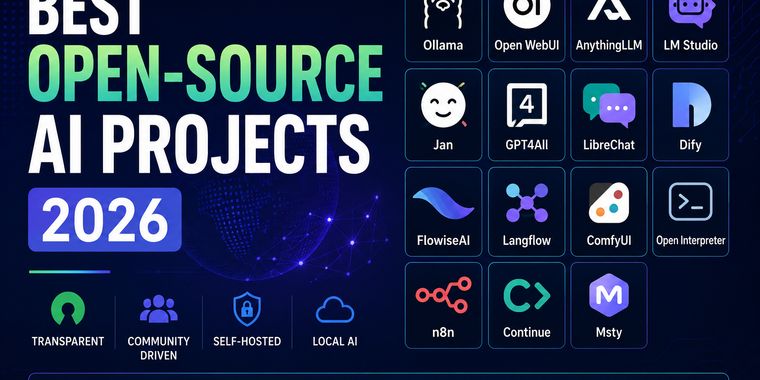



Best Open-Source AI Projects (2026)
Open-source AI is evolving at an incredible pace, giving developers and enthusiasts more freedom, transparency, and control than ever before. This collection highlights some of the most interesting open-source AI projects for running models locally, building AI applications, automating workflows, and experimenting with the latest advances in artificial intelligence. Whether you're looking for privacy, customization, or simply want to avoid vendor lock-in, these projects are well worth exploring.



Local AI
Local AI is a curated list of software that lets you run and use AI directly on your own computer — without relying on cloud services. It focuses on practical local tools and launchers for LLMs and generative AI workflows: model runners and managers (e.g. Ollama, LM Studio), UI/workflow tools (e.g. ComfyUI), and one-click installers/launch platforms (e.g. Pinokio, Stability Matrix).
The goal is simple: make local AI easier — install, manage models, build workflows, and experiment offline, with more control over privacy, performance, and costs.



Windows Computer Stack
Complete Starting Stack for Windows Setup
Comments and Reviews
Extremely powerful and catered to getting work done. Drag an image (.png) made with Stable Diffusion onto the canvas and it automatically loads the node configuration used to create it. So you can store projects as images, simply genius.