
Cubric Studio icon
Cubric Studio icon

Cubric Studio

 2 likes

Free, open-source desktop app that makes AI images and video on your own PC, as simple as the paid AI sites: no nodes, no CFG, steps or samplers.
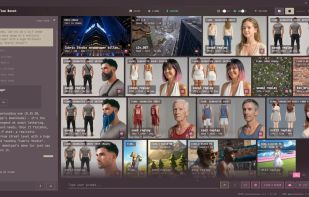
Ask Cosmo, the built-in agent, in plain words: it picks the model and checks the result.

Cost / License

Application type

Since

  • New

Updated

  • Updated Nov 2026

Platforms

  • Windows  64-bit. Local models need a graphics card with about 8 GB of video memory for pictures, 12-16 GB for video. Cloud models work on any PC.
  • Mac  macOS 14 or later on Apple silicon.
  • Linux  x64.
2likes
0articles
Save

Features

Properties

Features

Highlights All activities

Cubric Studio News & Activities

Recent activities

Cubric Studio information

AlternativeTo Categories

Photos & Graphics, AI Tools & Services, Video & Movies, System & Hardware

GitHub repository

  •  12 Stars
  •  3 Forks
  •  1 Open Issues
  •   Updated  
View on GitHub

Popular alternatives

View all
Cubric Studio was added to AlternativeTo by MadPonyInteractive on and this page was last updated .

No comments or reviews, maybe you want to be first?

Official Links

What is Cubric Studio?

Cubric Studio is a free, open-source ComfyUI alternative for people who want the simplicity of Midjourney, Leonardo or Kling but on their own computer.

You type a prompt and press Generate. Every model comes already tuned, so there are no node graphs and no CFG, steps, sampler or resolution settings to learn, only a few choices that matter, like shape, quality and clip length. Models install with one click.

What you can do:

Generate images and video with the best open-source models: Krea, FLUX, Qwen-Image, Stable Diffusion, Chroma, H3, Wan and LTX Edit a picture by describing the change, inpaint, outpaint and upscale Make video from text or from an image with Wan and LTX, then extend and combine clips Speech, music and sound effects Flows: whole jobs as guided steps (character sheets, outfit changes, 360 panoramas, head swap) A built-in agent you can ask in plain words; it picks the model and checks the result

It runs on your own graphics card through a tested ComfyUI engine that it installs and manages itself. No account, no credits, no subscription, no watermark, no telemetry. Projects stay in folders on your disk.

Optional: cloud models (Seedream, Nano Banana, Seedance, Veo 3.1 and others) on your own DeepInfra key, and rented GPUs on RunPod when your hardware is not enough.

Note: it does not import custom ComfyUI workflows. 18+ app. Previously called Cubric Vision.

Cubric Studio Videos

Show 2 more videos