Apps with 'File transfer' feature Page 24 of 26

All apps in Apps with 'File transfer' feature category. Use the filters below to narrow down your search. 
Copy a direct link to this comment to your clipboard
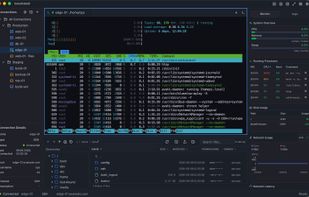
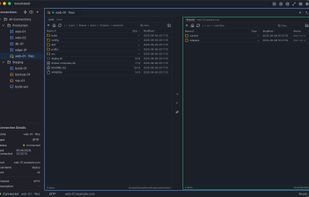
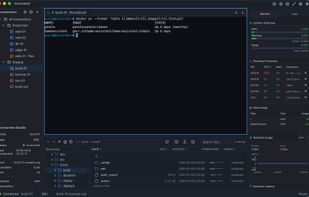
  1. Cross-platform SSH, SFTP, FTP/FTPS and RDP client with a built-in terminal and file manager for Windows, macOS, Linux and iPhone/iPad.

    Cost / License

    • Freemium (Pay once)
    • Proprietary

    Application type

    Since

    • New

    Platforms

    • Windows
    • Mac
    • Linux
    • Android
    • iPhone
    • iPad
    • Android Tablet
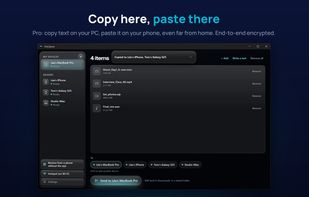
    Conchshell screenshot 1
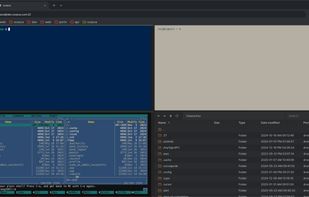
    Conchshell screenshot 2
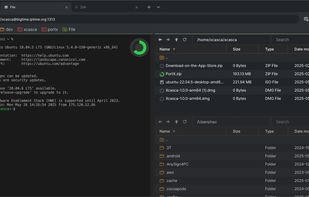
    Conchshell screenshot 3
    +1
    Conchshell screenshot 4
    52 alternatives
  2. Littletug icon
     Like

    Creates a branded upload page on your domain for receiving and sharing files up to 10 GB, without client accounts or app installs.

    Cost / License

    • Subscription
    • Proprietary

    Since

    • New

    Platforms

    • Online
    • Software as a Service (SaaS)
    • DE flagGermany
    • European Union flagEU
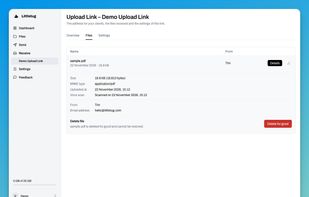
    File Admin View
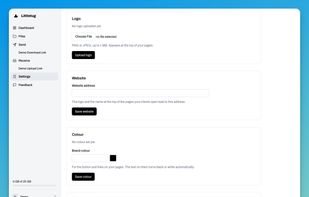
    Branding Options
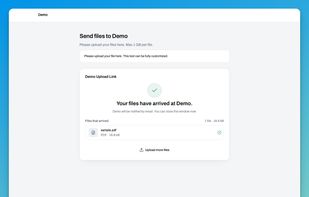
    File received successfully
    +2
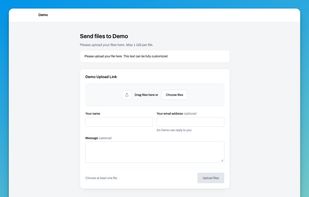
    Customers uploads a file
    44 alternatives
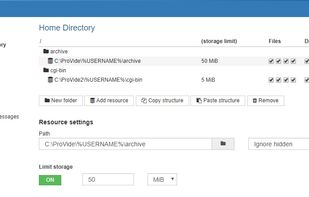
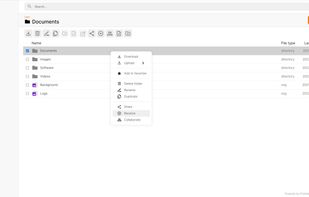
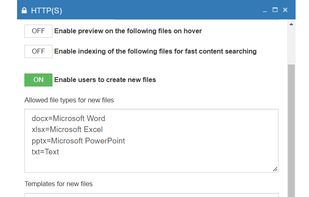
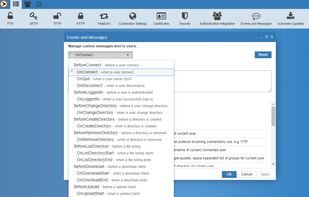
  3. Key usability features of ProVide SFTP Server, a powerful solution for secure file management and information sharing:

    Cost / License

    • Subscription
    • Proprietary

    Since

    • Since 2024

    Platforms

    • Windows
    • SE flagSweden
    • European Union flagEU
    ProVide Server screenshot 1
    ProVide Server screenshot 2
    ProVide Server screenshot 3
    ProVide Server screenshot 4
    26 alternatives
  4. iCanSend icon
     Like

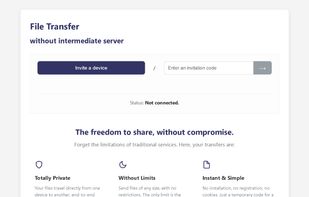
    iCanSend lets you send files directly between browsers : no servers, no storage, no sign-up. Peer-to-peer, end-to-end encrypted, free and ad-free. Works instantly in any modern browser, with no size limits beyond your own connection.

    Cost / License

    • Free
    • Proprietary

    Since

    • Since 2025

    Platforms

    • Online
    • FR flagFrance
    • European Union flagEU
    The iCanSend homepage allows users to instantly start a secure file transfer. With just a single code, a direct connection is established between devices: no account, no cloud, no ads. The interface is minimal and optimized for ease of use on both desktop and mobile.
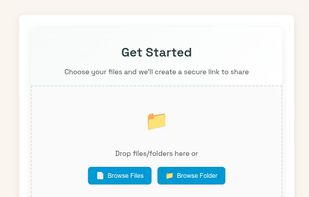
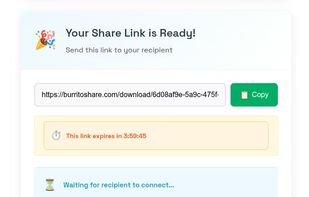
  5. BurritoShare is a free, browser-based peer-to-peer file sharing tool that lets you send files of any size directly to another person — no uploading, no waiting, no size limits, and no account required.
    Cost / License

    • Free
    • Proprietary

    Since

    • Since 2026

    Platforms

    • Online
    Burritoshare screenshot 1
    Burritoshare screenshot 2
    Burritoshare screenshot 3
    Burritoshare screenshot 4
    8 alternatives
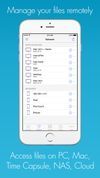
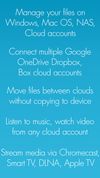
  6. Remote Media Manager Pro is an intuitive file browser and viewer for NAS, SMB, FTP, Web Development and multiple cloud accounts.

    Cost / License

    • Pay once
    • Proprietary

    Since

    • Since 2016

    Platforms

    • iPhone
    • iPad
    Remote Media Manager Pro screenshot 1
    Remote Media Manager Pro screenshot 2
    +7
    Remote Media Manager Pro screenshot 3
  7. iCroc icon
     Like

    croc is a tool that allows any two computers to simply and securely transfer files and folders. AFAIK, croc is the only CLI file-transfer tool that does all of the following:


    Cost / License

    • Freemium (Pay once)
    • Proprietary

    Since

    • Since 2023 (updated May 2025)

    Platforms

    • Mac
    • iPhone
    • iPad
    iCroc screenshot 1
    iCroc screenshot 2
    +3
    iCroc screenshot 3
    8 alternatives
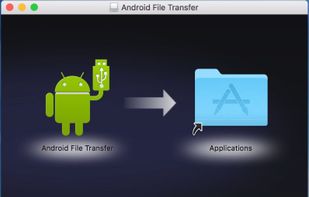
  8. Browse and transfer files between your Mac computer and your Android device.

    Cost / License

    • Free
    • Proprietary

    Since

    • Since 2016

    Alerts

    • Discontinued

    Platforms

    • Mac
    • US flagUnited States
    Android File Transfer screenshot 1
    25 alternatives
  9. HandyPeer icon
     Like

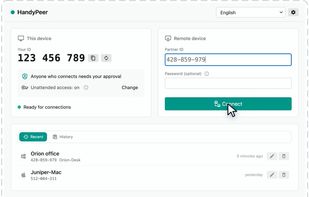
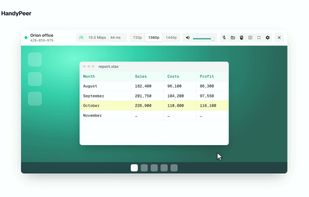
    Direct peer-to-peer remote desktop with encrypted screen, audio and file transfer, ID pairing, remote control and unattended access.

    Cost / License

    • Freemium (Subscription)
    • Proprietary

    Application type

    Since

    • New

    Platforms

    • Windows
    • Mac
    • Linux
    • TR flagTürkiye
    HandyPeer screenshot 1
    HandyPeer screenshot 2
    10 alternatives
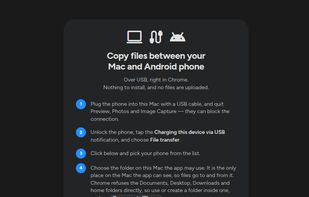
  10. Copy files between a Mac and an Android phone over USB, in the browser. Nothing to install, no files uploaded anywhere. A replacement for Google's discontinued Android File Transfer.

    Cost / License

    Since

    • New

    Platforms

    • Online
    • CH flagSwitzerland
    Droid File Transfer screenshot 1
    6 alternatives
  11. DropAir icon
     Like

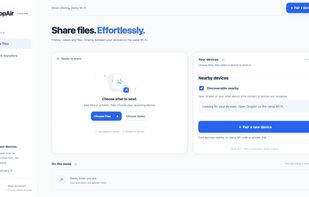
    DropAir moves selected photos, videos, documents and folders between devices on the same local network. Open dropair.online on both devices, connect through nearby discovery, a private pairing link or QR code, then select the receiving device.

    Cost / License

    • Free
    • Proprietary

    Since

    • New

    Platforms

    • Online
    DropAir web app: choose files or a folder and connect another device on the same Wi-Fi.
    3 alternatives
  12. Turns the mixed devices in a home into one private local network: share folders, move files, stream your own videos to the TV, share a printer and view another screen. No cloud, no account, no subscription.

    Cost / License

    • Pay once
    • Proprietary

    Since

    • Since 2026 (updated Sep 2026)

    Platforms

    • Windows
    • Mac
    • Android
    • iPhone
    • iPad
    • Android TV
    • IL flagIsrael
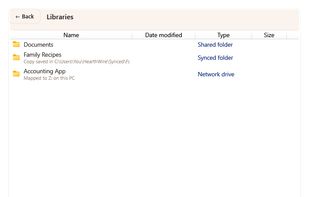
    Browsing the shared files on another computer in the house.
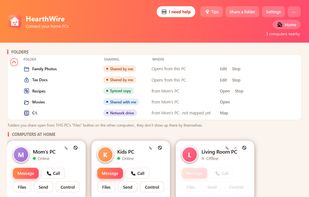
    The main window: every computer in the home, with shared folders and quick actions.
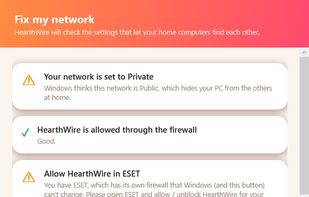
    Network Doctor checks what is blocking the connection and repairs it.
    +1
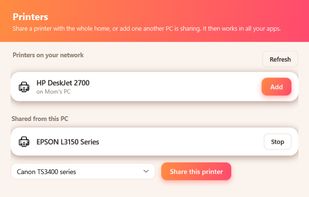
    Sharing a printer so every computer in the home can print to it.
    15 alternatives
  13. Breez icon
     Like

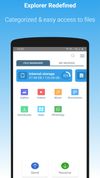
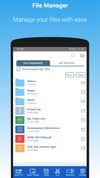
    Breez is a complete and powerful file management and connectivity tool, which enables everyone to connect their devices more securely, manage, and Share files across them.
    Cost / License

    • Free
    • Proprietary

    Since

    • Since 2021

    Platforms

    • Windows
    • Mac
    • Linux
    • Android
    Breez screenshot 1
    Breez screenshot 2
    +2
    Breez screenshot 3
  14. SendSafe icon
     Like

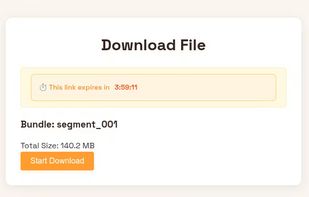
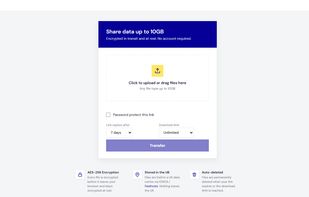
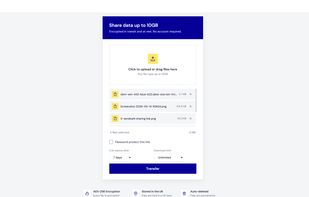
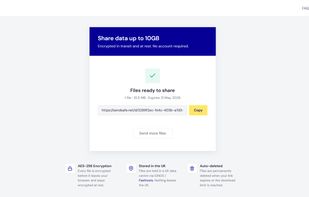
    Transfer files up to 10GB with AES-256 encryption, UK-only storage, auto-deletion after expiry, password protection, no account needed, and no AI access.

    Cost / License

    • Free
    • Proprietary

    Since

    • Since 2026

    Platforms

    • Online
    • GB flagUnited Kingdom
    Front Page
    Processing
    File Ready to Share
    13 alternatives
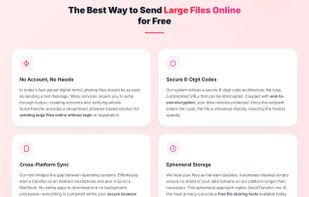
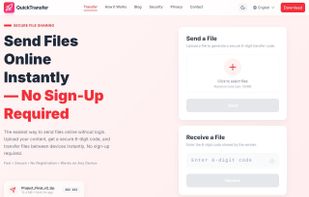
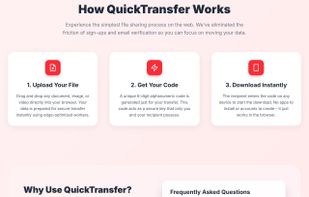
  15. QuickTransfer is a lightweight, browser-based file sharing tool that allows users to send and receive files instantly without registration or installation. It is designed for speed, simplicity, and privacy, making it ideal for quick transfers between devices.
    Cost / License

    • Free
    • Proprietary

    Since

    • Since 2026

    Platforms

    • Online
    QuickTransfer screenshot 1
    QuickTransfer screenshot 2
    QuickTransfer screenshot 3
    9 alternatives
  16. Nexjoin icon
     Like

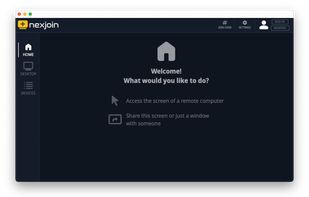
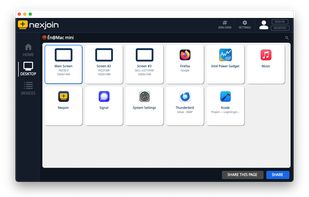
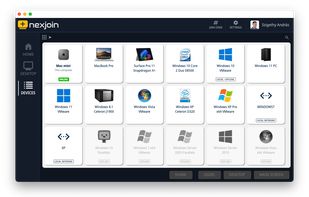
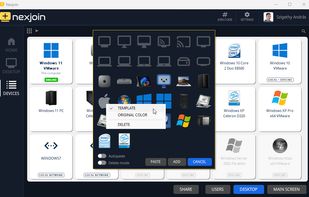
    Remote desktop software for Windows and macOS with full-screen or per-window control, encrypted connections, clipboard sync, and file transfers.

    Cost / License

    • Free
    • Proprietary

    Application type

    Since

    • New

    Platforms

    • Windows
    • Mac
    • HU flagHungary
    • European Union flagEU
    Home screen
    Sharing from the local desktop
    List of the remotely accessible machines
    +16
    Built-in and custom device icons
    50 alternatives
  17. GreySpace icon
     Like

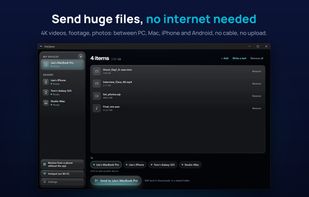
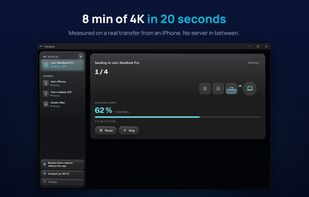
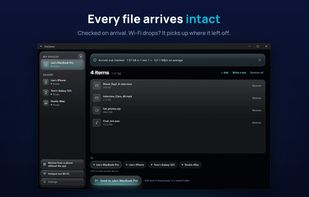
    GreySpace sends files straight from one device to another on the same Wi-Fi network: your home router, or a phone's hotspot when there is no internet at all. Nothing is uploaded to a server first, so there is no upload to wait for and no download link to share.

    Cost / License

    • Freemium (Subscription)
    • Proprietary

    Since

    • New

    Platforms

    • Windows
    • Mac
    • Online
    • Android
    • iPhone
    • FR flagFrance
    • European Union flagEU
    Your devices show up on their own (Windows)
    Full Wi-Fi speed, no internet (Windows)
    Every file checked before it is saved (Windows)
    +1
    Type on one device, copy on the other (Windows)
    10 alternatives
  18. Xcasca icon
     Like

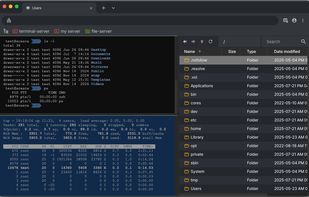
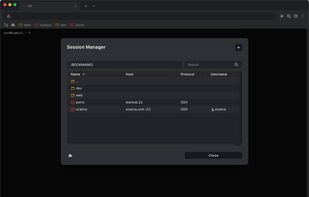
    Simple, Lightweight, and Always in Sync. Xcasca is a cross-platform SSH & SFTP Client that gives you access to your sessions wherever and whenever. With a wide variety of features in a lightweight package, manage your remote systems on any device (desktop and mobile) with...
    Cost / License

    • Freemium (Subscription)
    • Proprietary

    Application type

    Since

    • Since 2026

    Platforms

    • Windows
    • Mac
    • Linux
    • Android
    • iPhone
    • iPad
    • Android Tablet
    Xcasca screenshot 1
    Xcasca screenshot 2
    Xcasca screenshot 3
    +2
    Xcasca screenshot 4
    46 alternatives
  19. QuestSync icon
     Like

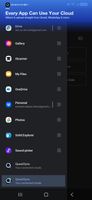
    QuestSync is an Android app that connects all your cloud storage in one place, so you can use the free space you already have across providers (about 108 GB combined) instead of paying for one.

    Cost / License

    • Freemium (Pay once or Subscription)
    • Proprietary

    Application type

    Since

    • New

    Platforms

    • Android
    QuestSync screenshot 1
    QuestSync screenshot 2
    +2
    QuestSync screenshot 3
    10 alternatives
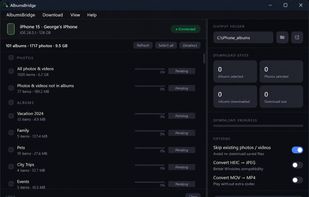
  20. AlbumsBridge transfers your iPhone and iPad photo albums to your Windows PC via USB, preserving each album as a separate folder. No iCloud, no cloud storage, 100% offline.
    Cost / License

    • Pay once
    • Proprietary

    Since

    • New

    Platforms

    • Windows
    AlbumsBridge screenshot 1
    2 alternatives
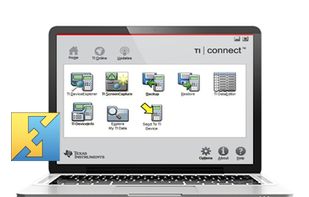
  21. TI Connect™ software allows for connectivity between a computer and graphing calculator. Transfer data, update your operating system (OS), download calculator software applications (Apps) and more to your graphing calculator.

    Cost / License

    • Free
    • Proprietary

    Application type

    Since

    • Since 2020

    Platforms

    • Windows
    • Mac
    • US flagUnited States

    TI Connect screenshot 1
    TI Connect screenshot 2
    8 alternatives