
GreySpace icon
GreySpace icon

GreySpace

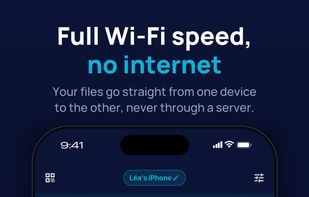
GreySpace sends files straight from one device to another on the same Wi-Fi network: your home router, or a phone's hotspot when there is no internet at all. Nothing is uploaded to a server first, so there is no upload to wait for and no download link to share.
iPhone

Cost / License

  • Freemium (Subscription)
  • Proprietary

Platforms

  • Mac
  • Windows
  • Online
  • Android
  • iPhone
0likes
0articles
Save

Features

Properties

  1.  Privacy focused

Features

  1.  Works Offline
  2.  No registration required
  3.  Ad-free
  4.  Dark Mode
  5.  Cross-Platform
  6.  Large File Transfer

GreySpace News & Activities

Highlights All activities

Recent activities

GreySpace information

  • Developed by

    FR flagGreyspace
  • Licensing

    Proprietary and Freemium product.
  • Pricing

    Subscription ranging between $4 and $5 per month + free version with limited functionality.
  • Alternatives

    10 alternatives listed
  • Badge

    Get an embeddable badge for GreySpace
  • Supported Languages

    • English
    • French

AlternativeTo Category

File Sharing

Popular alternatives

View all
GreySpace was added to AlternativeTo by Fabien-CHV on and this page was last updated .

No comments or reviews, maybe you want to be first?

Official Links

What is GreySpace?

GreySpace sends files straight from one device to another on the same Wi-Fi network: your home router, or a phone's hotspot when there is no internet at all. Nothing is uploaded to a server first, so there is no upload to wait for and no download link to share.

  • Works between iPhone, iPad, Android, Mac and Windows, in every direction.
  • No internet needed, no account needed to start.
  • Between two devices running GreySpace, each file is checked on arrival and only shows up once it is complete and verified: never a half-copied video that looks normal.
  • If the Wi-Fi drops for a few seconds, the transfer picks up on its own, right where it stopped, without resending the files that already arrived.
  • Pick a folder on a Mac or a Windows PC and send everything in it in one go.
  • A device without the app can receive through its web browser, by scanning a QR code.

Free plan: unlimited receiving and 10 GB of sending per month. Pro removes the sending limit, with no file size limit, on up to 5 devices.

