


WriteMonkey
129 likes
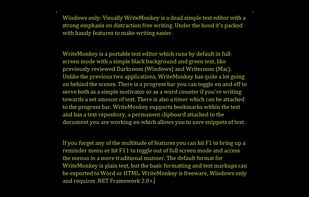
Writemonkey is a Windows zenware writing application with an extremely stripped down user interface, leaving you alone with your thoughts and your words.

Cost / License
- Freemium (Pay once)
- Proprietary
Application typeApplication types
 EU
Since
- Since 2009


Features
Highlights All activities
WriteMonkey News & Activities
Recent activities
 special-projects added WriteMonkey as alternative to Longhand
 andreafeccomandibibisco added WriteMonkey as alternative to bibisco
 Paul added WriteMonkey as alternative to Yiana Writer
 Dmytro-Tytskyi added WriteMonkey as alternative to LyricWriter
 James Cupps added WriteMonkey as alternative to Slate Text Editor
 proximab added WriteMonkey as alternative to QuasarPad
 Michiel-4862 added WriteMonkey as alternative to Pen and Quiet
 Vagan-Abel added WriteMonkey as alternative to Strokes
 ed-999 added WriteMonkey as alternative to TypoZen
 Mysdes added WriteMonkey as alternative to Frset





Writing
A vast compilation of great writing apps and word processors, for all your writing needs. From office suites to publishing tools. Now with an emphasis on privacy.




Essential Tools for Writers & Creatives
Digital tools, outlining apps, and publishing platforms designed to help writers plan, draft, refine, and share their stories.


Writer
A list with 43 apps by fikrihakim without a description.
Developed by
 Iztok Stržinar
Licensing
Proprietary and Freemium product.Pricing
One time purchase (perpetual license) + free version with limited functionality.Alternatives
124 alternatives listedBadge
Get an embeddable badge for WriteMonkeySupported Languages



Comments and Reviews
Requires .Net. Minimalist and awkward. Does not do .rtf. Not a good alternative to Wordpad.
I once wrote 10,000 words in a day with this. I like it.
A great balance of minimal UI and a rich set of available features.
I wish this app had the option of full background transparency with opaque text.. then it would be perfect imo... I've been wishing for it forever :( Also I wish it were a little more elegantly designed, like OmmWriter and ZenWriter, but other than that, it's up there in the top five <3
Absolutely the best. For the first time, I've found a software environment that makes me WANT to write!
This program is the best thing for writing I have found. It blows all other full screen writers out of the water. While this comment may not be a testimony to what it will do for your writing, I prmose, you will be without distraction, and confusion.
WriteMonkey is a full-screen plain text editor that deserves more attention. It's fast, stable, with plenty of features and yet very simple.
In a fit of nostalgia I went looking for a full-screen text editor to relive my days of writing until 4am in DOS. After trying nearly every one available to Windows, I settled on WriteMonkey.
One of my sticking points with these types of applications is the lack of rich text. I'm addicted to my bold and italic text. WriteMonkey uses plain text, but uses the standard shortcuts ctrl-i and ctrl-b to automatically put markup around text, and includes an export to html or doc. A great compromise.