WriteMonkey AlternativesTop Text Editors and other similar apps like WriteMonkey

WriteMonkey is described as 'Writemonkey is a Windows zenware writing application with an extremely stripped down user interface, leaving you alone with your thoughts and your words' and is a very popular Text Editor in the office & productivity category. There are more than 100 alternatives to WriteMonkey for a variety of platforms, including Windows, Mac, Linux, Web-based and Flathub apps. The best WriteMonkey alternative is Zettlr, which is both free and Open Source. Other great apps like WriteMonkey are Typora, ghostwriter, FocusWriter and Manuskript.

Copy a direct link to this comment to your clipboard
WriteMonkey alternatives page was last updated

Alternatives list

  1. Zettlr icon
     266 likes

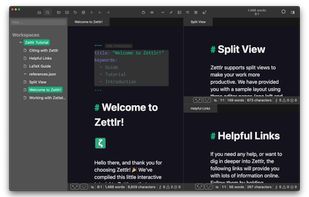
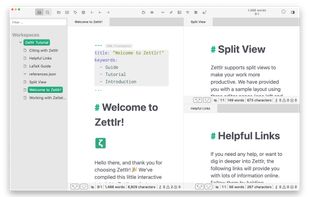
    Unified writing platform offering note-taking, easy citations with Zotero integration, LaTeX/Word templates, snippets, themes, dark modes, code highlighting, multi-language support, and knowledge management with Zettelkasten for seamless writing from notes to books.

    236 Zettlr alternatives

    Cost / License

    Application types

    Platforms

    • Mac
    • Windows
    • Linux
    • Flathub
    • PortableApps.com
     
  2. Typora icon
     334 likes

    A minimalist Markdown editor offering cross-platform synchronization, live preview, and seamless export/import in various formats like PDF, DOCX, and LaTeX. Features include distraction-free Focus and Typewriter modes, file management with tree and articles panels, and content organization through an outline panel.

    203 Typora alternatives

    Cost / License

    • Paid
    • Proprietary

    Application types

    Platforms

    • Mac
    • Windows
    • Linux
    • Electron
    • Visual Studio Code
     
  3. ghostwriter icon
     115 likes

    ghostwriter is a feature-rich text editor using Markdown syntax which makes it suitable for note-taking, document redaction, simple HTML website creation and much more.

    152 ghostwriter alternatives

    Cost / License

    Application types

    Platforms

    • Mac
    • Windows
    • Linux
    • Snapcraft
    • Flathub
    • Haiku
     
  4. FocusWriter icon
     214 likes

    Simple but configurable and themeable, distraction-free text editor for writers. Open-source and available across desktop platforms.

    105 FocusWriter alternatives

    Cost / License

    • Free
    • Open Source

    Application type

    Platforms

    • Windows
    • Linux
    • PortableApps.com
     
    |
    2
    FocusWriter vs WriteMonkey Comments
    callyw
    Positive
    3

    FocusWriter has similar window customization, such as, background/foreground colour, font size and type selection and sizing. It is also Portable and is also free. Not as many features as WriteMonkey, but the distraction-free enviroment is the same.

    Guest
    Positive
    0

    They're about even. I did a lot of writing with both of them.

    • FocusWriter is Free and Open SourceWriteMonkey is Freemium and Proprietary
    • FocusWriter is LightweightWriteMonkey is not according to our users
  5. Manuskript icon
     175 likes

    Open-source software offering a hierarchical outliner, distraction-free editor, character management, plot tools, Snowflake method support, section multi-organization, customizable writing workflows, cross-platform availability, and export to standard formats.

    152 Manuskript alternatives

    Cost / License

    Platforms

    • Mac
    • Windows
    • Linux
    • Snapcraft
    • Flathub
    • Flatpak
     
  6. MarkText icon
     122 likes

    Open-source Markdown editor on Mac, Windows, and Linux offering real-time preview, clean interface, and various themes. Supports math expressions, exports HTML/PDF, allows image pasting, and more.

    128 MarkText alternatives

    Cost / License

    • Free
    • Open Source (MIT)

    Application types

    Platforms

    • Mac
    • Windows
    • Linux
     
  7. Marknote icon
     29 likes

    Marknote lets you create rich text notes and easily organise them into notebooks. You can personalise your notebooks by choosing an icon and accent color for each one, making it easy to distinguish between them and keep your notes at your fingertips.

    Cost / License

    Application type

    Platforms

    • Mac
    • Windows
    • Linux
    • Flathub
    • Flatpak
    • Snapcraft
     
  8. Notepad3 icon
     66 likes

    Notepad3 is a fast and light-weight text editor with syntax highlighting for programming jobs. Auto-completion, Multi-language, Dark mode more.

    224 Notepad3 alternatives

    Cost / License

    • Free
    • Open Source

    Application types

    Platforms

    • Windows
     
  9. iA Writer icon
     99 likes

    iA Writer is a pro tool for focused writing in Markdown, a simple formatting language. It offers features like Focus Mode, Style Check, Syntax Highlight, Wikilinks, and cross-platform compatibility.

    135 iA Writer alternatives

    Cost / License

    • Paid
    • Proprietary

    Application types

    Platforms

    • Mac
    • Windows
    • iPhone
    • iPad
     
  10. Ferrite icon
     13 likes

    Fast, native text editor supporting Markdown, JSON, YAML, and TOML with live preview, syntax highlighting, Mermaid diagrams, CSV/TSV viewing, collapsible trees, Git integration, regex find/replace, customizable themes, zen mode, and multi-language support.

    Cost / License

    • Free
    • Open Source (MIT)

    Application type

    Platforms

    • Mac
    • Windows
    • Linux
    • Flathub
    • Flatpak
     
  11. Nextpad++ icon
     17 likes

    Fully native code editor for macOS with syntax highlighting for 80+ languages, plugin system, advanced search, split view, macro recording, and a Scintilla-powered engine. Free, open source, universal binary for Apple Silicon and Intel, with native integration.

    Cost / License

    • Free
    • Open Source

    Application types

    Platforms

    • Mac
     
12 of 113 WriteMonkey alternatives