WPS Office Alternatives for iPad

There are many alternatives to WPS Office for iPad if you are looking for a replacement. The best iPad alternative is ONLYOFFICE, which is both free and Open Source. If that doesn't suit you, our users have ranked more than 50 alternatives to WPS Office and 15 are available for iPad so hopefully you can find a suitable replacement. Other interesting iPad alternatives to WPS Office are Microsoft 365 Copilot, Google Docs, Collabora Office Classic and Apple iWork.

filter to find the best alternatives

WPS Office alternatives are mainly Spreadsheet Apps, but if you're looking for Office Suites or Word Processors you can filter on that. Other popular filters include Android, Mac, iPad, Open Source and Chrome OS. You can also filter by region, for example EU-based alternatives if you prefer software developed in the European Union. These are just examples - use the filter bar below to find more specific alternatives to WPS Office.
Copy a direct link to this comment to your clipboard
WPS Office alternatives page was last updated

Alternatives list

  1. ONLYOFFICE icon
     660 likes

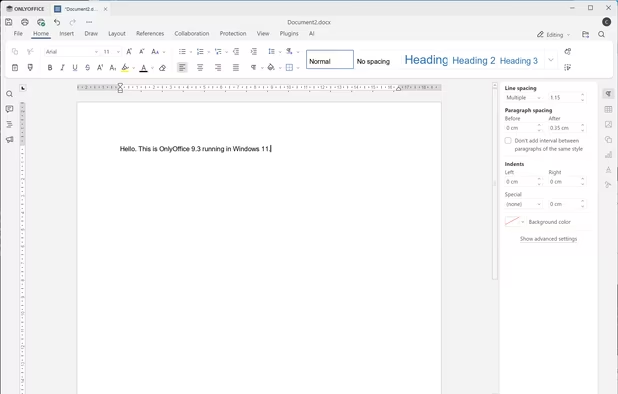
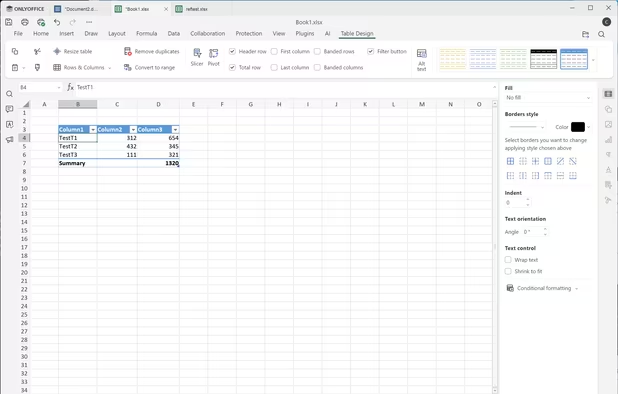
    Open-source office suite offering document, spreadsheet, and presentation editing with co-editing modes, plugin support, integration across 30+ services, robust security, and mobile access. Available in Community, Enterprise, and Home Server editions for versatile deployment.

    75 ONLYOFFICE alternatives

    Cost / License

    Application types

    Platforms

    • Mac
    • Windows
    • Linux
    • Online
    • Android
    • iPhone
    • Android Tablet
    • HUAWEI AppGallery
    • iPad
    • Self-Hosted
    • AppImageHub
    • Snapcraft
    • Flathub
    • Samsung Galaxy Store
    • Software as a Service (SaaS)
    • Flatpak
    • Cloudron
     
    |
    2
    ONLYOFFICE vs WPS Office Comments
    Guest
    Positive
    1

    Think of WPS but without bloat. That's OnlyOffice.

    Review by a new / low-activity user.
    Guest
    Positive
    0

    Its free and opensource, it has great compatibility with ms office formats and is very similar and easy to use, its online version is way better than even msoffice online and google docs according to me.

    Review by a new / low-activity user.
    • ONLYOFFICE is Free and Open SourceWPS Office is Freemium and Proprietary
    • ONLYOFFICE is Privacy focusedWPS Office is not according to our users
  2. Office suite offering productivity tools, document creation, and collaboration. Features AI-enhanced editing, mobile app access to documents and shared workspaces. Formats include word processing, spreadsheets, presentations, and email services.

    53 Microsoft 365 Copilot alternatives

    Cost / License

    • Freemium
    • Proprietary

    Application types

    Platforms

    • Mac
    • Windows
    • Online
    • Android
    • iPhone
    • Android Tablet
    • HUAWEI AppGallery
    • iPad
     
  3. Google Docs icon
     955 likes

    Powerful online word processor with real-time collaboration, document conversion from Word, extensive formatting options, revision history, and multilingual capabilities, all integrated within the Google Drive ecosystem, accessible through any internet-connected device.

    112 Google Docs alternatives

    Cost / License

    • Free
    • Proprietary

    Platforms

    • Online
    • Android
    • iPhone
    • Chrome OS
    • Android Tablet
    • iPad
     
  4. On-premise office suite featuring advanced word processing, spreadsheets, and presentations, unmatched compatibility with 100+ formats, OOXML support, six-month updates, enterprise hardening, Visio and Publisher import, PDF export, and support for 50+ languages.

    42 Collabora Office Classic alternatives

    Cost / License

    • Freemium
    • Open Source

    Application types

    Platforms

    • Mac
    • Windows
    • Linux
    • Android
    • iPhone
    • Chrome OS
    • Android Tablet
    • iPad
    • Self-Hosted
    • Software as a Service (SaaS)
    • Cloudron
    • Flathub
    • Flatpak
     
    |
    1
    Collabora Office Classic vs WPS Office Comments
    Sharath
    Positive
    0

    this is not good as libre office or MS office, this sucks in many ways (if you try this for free)

    • Collabora Office Classic is Freemium and Open SourceWPS Office is Freemium and Proprietary
    • Collabora Office Classic is Privacy focusedWPS Office is not according to our users
  5. Apple iWork icon
     94 likes

    iWork is an office suite by Apple. It includes Pages, a word processing and desktop publishing application, Keynote, a presentation package, and Numbers, a spreadsheet application.

    40 Apple iWork alternatives

    Cost / License

    • Free
    • Proprietary

    Application types

    Platforms

    • Mac
    • Online
    • iPhone
    • iPad
     
  6. OfficeSuite  icon
     37 likes

    OfficeSuite is a cross-platform office suite for Windows PC, Android, and iOS. It has powerful modules for DOCUMENTS, SPREADSHEETS, PRESENTATIONS, and PDF files.

    OfficeSuite is compatible with Microsoft Word, Excel, PowerPoint and Adobe PDF files.

    36 OfficeSuite alternatives

    Cost / License

    • Freemium
    • Proprietary

    Application types

    Platforms

    • Windows
    • Android
    • iPhone
    • Chrome OS
    • Android Tablet
    • iPad
    • Apple Watch
    • Kindle Fire
     
    |
    1
    OfficeSuite vs WPS Office Comments
    Guest
    Positive
    1

    Its PDF features are more robust, it has built-in scanner, built-in file manager, as well as Microsoft Fonts.

    Review by a new / low-activity user.
    • OfficeSuite is Freemium and ProprietaryWPS Office is also Freemium and Proprietary
  7. Collabora Online is a powerful LibreOffice-based online office suite with collaborative editing, which supports all major document, spreadsheet and presentation file formats and works in all modern browsers.

    25 Collabora Online alternatives

    Cost / License

    • Paid
    • Open Source

    Application types

    Platforms

    • Mac
    • Windows
    • Linux
    • Online
    • Android
    • iPhone
    • Chrome OS
    • Android Tablet
    • iPad
    • Self-Hosted
    • Software as a Service (SaaS)
    • Cloudron
     
  8. Complete suite providing productivity, unified communication, and collaboration tools in one package, featuring integrated email, chat, cloud file management, presentations, spreadsheets, word processing, social intranet, webinars, and online meeting solutions.

    Cost / License

    • Paid
    • Proprietary

    Platforms

    • Online
    • Android
    • iPhone
    • Android Tablet
    • iPad
     
  9. Polaris Office icon
     19 likes

    Create, edit, and save Word, Excel, PowerPoint, PDF, and HWP files offline, sync files with free and third-party cloud storage, attach files to email, cast documents to Chromecast, use desktop and mobile clients, insert images, videos, and collaborate on shared documents.

    42 Polaris Office alternatives

    Cost / License

    • Freemium
    • Proprietary

    Application types

    Alerts

    • Bundleware

    Platforms

    • Windows
    • Android
    • iPhone
    • Android Tablet
    • iPad
    • Kindle Fire
     
    |
    1
    Polaris Office vs WPS Office Comments
    bystro
    Positive
    -1

    Very good alternative and looks like Microsoft Office.

    • Polaris Office is Freemium and ProprietaryWPS Office is also Freemium and Proprietary
  10. Nino icon
     6 likes

    Nino is the modular workspace for professionals. It is a collection of software that can interoperate with each other on the block-level from one uniform interface.

    70 Nino alternatives

    Cost / License

    • Free
    • Proprietary

    Application type

    Platforms

    • Mac
    • Windows
    • Linux
    • Android
    • iPhone
    • Android Tablet
    • iPad
    • Snapcraft
     
  11. Hancom Office icon
     20 likes

    Formerly ThinkFree Office. The office productivity suite for on-the-go featuring online collaboration and the best round-trip MS Office compatibility.

    Cost / License

    • Paid
    • Proprietary

    Application types

    Platforms

    • Windows
    • Online
    • Android
    • iPhone
    • Chrome OS
    • Android Tablet
    • iPad
     
  12. Docs To Go icon
     44 likes

    Create, view and edit native Microsoft Word, Excel and PowerPoint files

    • View, edit and create Word 2007/2008 files
    • View, edit and create Excel 2007/2008 files
    • View, edit and create PowerPoint 2007/2008 files View native Adobe PDF files
    • Supports embedded graphics and.
    39 Docs To Go alternatives

    Cost / License

    • Free
    • Proprietary

    Application types

    Platforms

    • Mac
    • Android
    • iPhone
    • Android Tablet
    • iPad
     
12 of 15 WPS Office alternatives