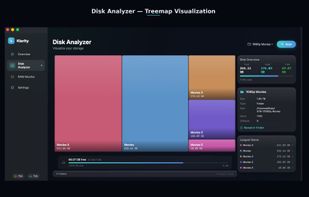
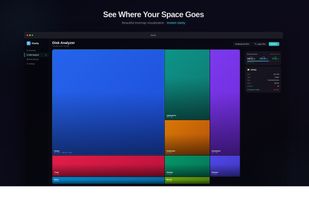
WinDirStat visualizes storage with treemap displays to quickly spot large files and folders, including on network drives. Users value its open-source nature and treemap-based disk visualization, but often switch due to speed and update concerns. Users complain that it can be slow, especially when scanning large drives or complex directory trees.
WizTree is the top-ranked alternative and reads the NTFS Master File Table directly, so scans can finish in seconds rather than minutes on Windows. SpaceSniffer ranks second with an easy-to-read treemap layout that users call simpler to understand, featuring a sober color scheme and labeled squares. TreeSize offers quicker scans and a friendlier UI with a separate free edition users say is "enough."
Disk analyzers split between Windows-first treemap tools and cross-platform open-source options, with QDirStat providing a WinDirStat-like experience for Linux users.
filter to find the best alternatives
WinDirStat is a disk usage analyzer that helps visualize storage consumption through treemap displays. For open source transparency, Baobab Disk Usage Analyzer, Czkawka, and Filelight are community-driven options across Linux and macOS platforms. Linux users can choose Baobab Disk Usage Analyzer with GNOME integration, QDirStat for a WinDirStat-like UI, or ncdu for terminal-first analysis. Windows users seeking speed and polish have WizTree, TreeSize, and SpaceSniffer as frequently recommended disk analyzers with strong visual layouts.
If duplicates matter more than charts, Czkawka offers content-based comparison alongside its disk analysis features, while WizTree includes duplicate locator functionality. Terminal workflows benefit from ncdu, which is built for ncurses use over SSH, and dua-cli as another terminal-based directory analyzer for sysadmins working remotely. Android users managing phone storage can use DiskUsage for zoomable directory diagrams or disky for storage breakdown by directory and apps.





 India
India






 Canada


 Italy
Italy EU
EU


 Brazil


 China
China


 Norway


 France


 Thailand


 United States
