





Understory: Zettelkasten Notes
Like
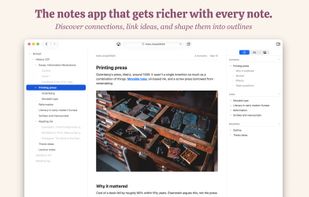
Understory is a Markdown notes app for the Mac. Inspired by Niklas Luhmann's Zettelkasten system, it's the notes app that gets better with each additional note. Notes can be linked and structured in an outline, making it ideal for discovering and forming new connections...

Cost / License
- Freemium (Pay once)
- Proprietary
Platforms
- Mac


Features
Understory: Zettelkasten Notes News & Activities
Highlights All activities
Recent activities
- allenu added Understory: Zettelkasten Notes
- Paul updated Understory: Zettelkasten Notes
 allenu added Understory: Zettelkasten Notes as alternative to TreePad, CherryTree, Zim, Notational Velocity and 1 more
 allenu added Understory: Zettelkasten Notes as alternative to Zettlr, Obsidian, Joplin, Logseq and 7 more


Understory: Zettelkasten Notes information
Developed by
 Allen Ussher
 Licensing
Proprietary and Freemium product.Pricing
One time purchase (perpetual license) that costs $25 + free version with limited functionality.Alternatives
16 alternatives listedBadge
Get an embeddable badge for Understory: Zettelkasten NotesSupported Languages




No comments or reviews, maybe you want to be first?