


Splashtop Wired XDisplay
8 likes
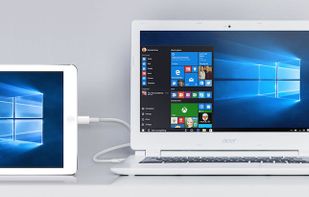
Transforms a tablet or smartphone into an additional wired display using USB for Windows or Mac, enabling high-performance multitasking, touch control, auto landscape or portrait mode switching, support for creative and office apps, and secure connectivity.

Cost / License
- Pay once
- Proprietary
Application type
Platforms
- Mac
- Windows
- Android
- iPhone
- iPad
- Android Tablet


Features
Highlights All activities
Splashtop Wired XDisplay News & Activities
Recent News
No news, maybe you know any news worth sharing?
Share a News Tip
Recent activities
 async0x4c added Splashtop Wired XDisplay as alternative to PrismDesk
 Deeb Labs added Splashtop Wired XDisplay as alternative to Wing Display
 ssssaaaa added Splashtop Wired XDisplay as alternative to OpenDisplay
 Neville-Gee added Splashtop Wired XDisplay as alternative to DeskJoin Screen
 SwiftinHK added Splashtop Wired XDisplay as alternative to TouchNow
 Stephen-Lovino added Splashtop Wired XDisplay as alternative to BetterCast Display
 Sharif added Splashtop Wired XDisplay as alternative to EasySwitch
- Danilo Venom updated Splashtop Wired XDisplay
 Danilo Venom added Splashtop Wired XDisplay as alternative to Side Screen
 Danilo Venom added Splashtop Wired XDisplay as alternative to MacDisplay


Developed by
 Splashtop Inc.
 Licensing
Proprietary and Commercial product.Pricing
One time purchase (perpetual license) that costs $2.Alternatives
26 alternatives listedBadge
Get an embeddable badge for Splashtop Wired XDisplaySupported Languages
AlternativeTo Categories
OS & Utilities, System & HardwareApple AppStore
- Updated
- 3.93 avg rating


Extended Display
Extended Display for iPhone, iPad, PC and Mac


Comments and Reviews
All I personally need to use my phone as a second screen. The Desktop agent could use some QOL improvements, like displaying the settings window when relaunching it, and custom resolutions would be nice. But having adjustable framrate and quality is great, and I found it really easy to use overall.