
Wing Display icon
Wing Display icon

Wing Display

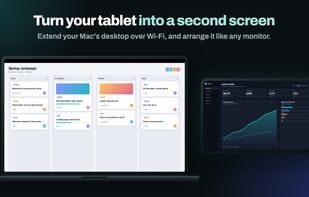
Wing Display turns the Android tablet you already own into a real extended display for your Mac. Drag windows across, keep notes, a chat or a reference document beside your work, and arrange the tablet in System Settings like any other monitor.
Wing Display screenshot 1

Cost / License

  • Freemium (Subscription)
  • Proprietary

Platforms

  • Mac  Requires macOS 15 or later. Free host app; pairs with the Wing Display app on an Android tablet.
  • Android Tablet  Requires Android 11 or later with Google Play; landscape. Needs the free Wing Display app on a Mac.
0likes
0articles
Save

Features

Features

Highlights All activities

Wing Display News & Activities

Recent activities

Wing Display information

  • Developed by

    HU flagDeeb Labs
  • Licensing

    Proprietary and Freemium product.
  • Pricing

    Subscription that costs $3 per month + free version with limited functionality.
  • Alternatives

    5 alternatives listed
  • Badge

    Get an embeddable badge for Wing Display
  • Supported Languages

    • English

AlternativeTo Category

Photos & Graphics
Wing Display was added to AlternativeTo by Deeb Labs on and this page was last updated .

No comments or reviews, maybe you want to be first?

What is Wing Display?

Wing Display turns the Android tablet you already own into a real extended display for your Mac. Drag windows across, keep notes, a chat or a reference document beside your work, and arrange the tablet in System Settings like any other monitor.

How it works: install the free Wing Display app for Mac (macOS 15 or later), a small menu bar app, then open the Wing Display app on your tablet (Android 11 or later, from Google Play). The tablet finds your Mac on the same Wi-Fi by itself, or you can use the tablet's own hotspot when a network keeps devices apart.

The wireless second screen is free, with no trial clock. Wing Display Pro, bought in the tablet app through Google Play ($2.99 per month or $24.99 per year, with a 14-day free trial for first-time subscribers), adds touch control of your Mac, drawing with an S Pen or another pressure-sensitive Android stylus (pressure, tilt and hover), palm rejection, and a wired USB connection.

The picture goes straight between your two devices, encrypted end to end. No account, no ads, no analytics.

Made by Deeb Labs in Budapest.

