
DeskJoin Screen icon

DeskJoin Screen

Uses local Wi-Fi, Ethernet, or Thunderbolt Bridge to add a Mac, Windows PC, or Android device as extra Mac desktop space, or mirror screens on supported computers. It is free, needs no account, subscription, dongle, or cloud relay, and is for trusted networks.
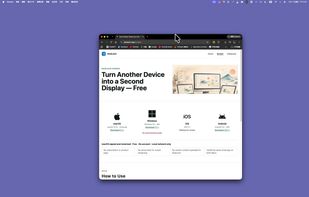
iPad Pro screenshot

Cost / License

  • Free
  • Proprietary

Application type

Platforms

  • Mac  Requires macOS 12.3 or later. Supports Apple silicon and Intel Macs. macOS can initiate Extend and use Wi-Fi, Ethernet, or Thunderbolt Bridge connections.
  • Windows  Requires Windows 10 or later on an x64 PC. Windows can receive Extend from a Mac and send or receive Mirror, but cannot initiate Extend. The current installer is not code-signed, so Windows may display an unknown-publisher warning.
  • Android  Requires Android 10 or later. Android currently works only as an Extend receiver for a Mac. The app is distributed as a direct APK and may require permission to install apps from the browser or file manager.
1like
0articles

Features

Properties

  1.  Lightweight

Features

  1.  Ad-free
  2.  AirPlay Support
  3.  Desktop Sharing
  4.  No registration required
  5.  Support for Multiple Monitors
  6.  Screen Sharing
  7.  Works Offline
  8.  Second monitor support
  9.  Screen Mirroring

DeskJoin Screen News & Activities

Highlights All activities

Recent activities

DeskJoin Screen information

DeskJoin Screen was added to AlternativeTo by Neville-Gee on and this page was last updated .
No comments or reviews, maybe you want to be first?

Official Links

What is DeskJoin Screen?

DeskJoin Screen is a free local-network display app that lets a Mac use another nearby device as a second display. A Mac can extend its desktop to another Mac running macOS 12.3 or later, a Windows 10+ x64 PC, or an Android 10+ device.

The Windows version can receive an extended display from a Mac and can send or receive a mirrored screen, but it cannot initiate Extend mode. Android currently works as an Extend receiver. On compatible Macs, DeskJoin Screen supports both extended-display and mirror workflows.

Install DeskJoin Screen on both devices and connect them through the same Wi-Fi or Ethernet network. Two Macs can also connect through Thunderbolt Bridge. No product account, matching Apple ID, subscription, hardware dongle, or cloud relay is required. Display traffic stays on the local connection, with clear text and smooth everyday interaction.

DeskJoin Screen is intended for trusted nearby networks rather than internet remote desktop access.

DeskJoin Screen Videos

Show 2 more videos
