OpenScreen Alternatives

OpenScreen is described as 'Create stunning screen recordings for free. Open-source, no subscriptions, no watermarks, and free for commercial use. An alternative to Screen Studio' and is a Screen Recorder in the video & movies category. There are more than 50 alternatives to OpenScreen for a variety of platforms, including Mac, Windows, Web-based, Google Chrome and Linux apps. The best OpenScreen alternative is OBS Studio, which is both free and Open Source. Other great apps like OpenScreen are ScreenToGif, SimpleScreenRecorder, Bandicam and Screenity.

filter to find the best alternatives

OpenScreen alternatives are mainly Screen Recorders, but if you're looking for Screenshot Capture Tools or Video Editors you can filter on that. These are just examples - use the filter bar below to find more specific alternatives to OpenScreen.
Copy a direct link to this comment to your clipboard
OpenScreen alternatives page was last updated

Alternatives list

  1. SuperMotion icon
     2 likes
    Copy a direct link to this comment to your clipboard

    Turn static images or a boring video into captivating animated clips that really capture attention. Ideal for Dribbble shots, Twitter videos, landing page videos, feature announements.

    Cost / License

    • Pay once
    • Proprietary

    Platforms

    • Online
     
  2. Phia icon
     6 likes
    Copy a direct link to this comment to your clipboard

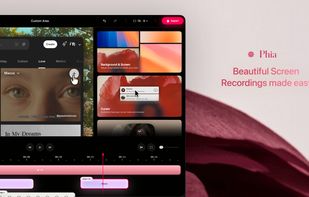
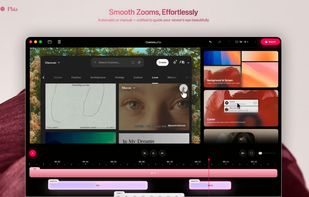
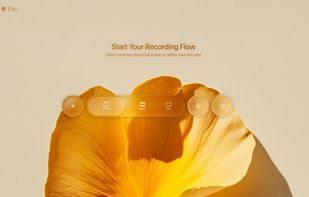
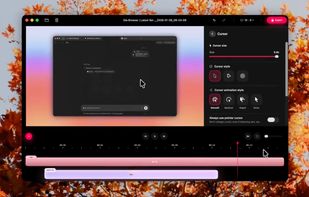
    Phia is a browser-based screen recorder that transforms your videos with smooth mouse movements, intelligent zooms, motion blur, and customizable backgrounds. Add dynamic title animations and create stunning, professional-quality demos or tutorials in seconds.

    Cost / License

    • Freemium (Pay once)
    • Proprietary

    Platforms

    • Online
    • Google Chrome
     
  3. Tella.tv icon
     2 likes
    Copy a direct link to this comment to your clipboard

    Web-based platform enabling screen and camera recordings with customizable layouts, overlays, clip-based editing, speaker notes, Unsplash backgrounds, transitions, and instant sharing. Compatible with Mac and PC, requires no installation, and offers flexible export options.

    Cost / License

    • Freemium (Subscription)
    • Proprietary

    Platforms

    • Online
     
  4. Record Go icon
     2 likes
    Copy a direct link to this comment to your clipboard

    Record Go: Screen Recorder is a user-friendly and practical application for screen capture. No matter whether it is to record tutorials, courses, demonstrations, meetings, games, film/TV series, or videos, Record Go: Screen Recorder could always save your time and offer great...

    Cost / License

    • Freemium (Pay once or Subscription)
    • Proprietary

    Application type

    Platforms

    • Mac
     
  5. PolyCapture icon
     2 likes
    Copy a direct link to this comment to your clipboard

    PolyCapture allows you to record cameras, microphones, screens, and apps — individually or multiple at once.

    Cost / License

    • Freemium (Pay once)
    • Proprietary

    Application type

    Platforms

    • Mac
     
  6. Supercut icon
     1 like
    Copy a direct link to this comment to your clipboard

    Turns screen recordings into branded, shareable videos with composite, multi-layout recording, background removal, auto-chapters, analytics, captions, comments, call-to-actions, permissions, fast app workflow, HD export, and multi-language support.

    Cost / License

    • Freemium
    • Proprietary

    Application type

    Platforms

    • Online
    • Windows
    • Mac
     
  7. Borumi icon
     3 likes
    Copy a direct link to this comment to your clipboard

    Comprehensive tool supporting all video creation stages with a doc-style editor, separate scene recording, auto-sync, customizable layout, and transcript-based editing.

    Cost / License

    • Pay once
    • Proprietary

    Platforms

    • Mac
     
  8. ScreenRun icon
     1 like
    Copy a direct link to this comment to your clipboard

    Create beautiful videos of your screenshots or screen recordings in seconds.

    Cost / License

    • Freemium
    • Proprietary

    Platforms

    • Online
    • Windows
    • Mac
     
  9. Trupeer.ai icon
     4 likes
    Copy a direct link to this comment to your clipboard

    Converts rough screen recordings into professional videos with AI-enhanced scripts, natural voiceovers, automated zoom, grammar correction, and generates step-by-step guides with screenshots and descriptions—no editing or technical background required.

    19 Trupeer.ai alternatives

    Cost / License

    • Freemium (Subscription)
    • Proprietary

    Platforms

    • Online
    • Google Chrome
     
  10. FocuSee icon
     3 likes
    Copy a direct link to this comment to your clipboard

    A screen recorder comes with automated editing. Automatically track cursor movement, apply dynamic zoom and click effects, add a pleasant background, and generate a professional-looking video/gif that is ready to use.

    89 FocuSee alternatives

    Cost / License

    • Pay once or Subscription
    • Proprietary

    Platforms

    • Mac
    • Windows
     
You are at page 3 of OpenScreen alternatives