


Supercut
2 likes
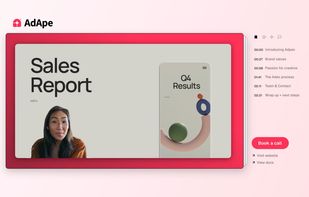
Turns screen recordings into branded, shareable videos with composite, multi-layout recording, background removal, auto-chapters, analytics, captions, comments, call-to-actions, permissions, fast app workflow, HD export, and multi-language support.

Cost / License
- Freemium
- Proprietary
Application type
Platforms
- Online
- Windows
- Mac


Features
Highlights All activities
Supercut News & Activities
Recent News
No news, maybe you know any news worth sharing?
Share a News Tip
Recent activities
It's super fast, you record your video and it's ready immediately after you stop. The product is so clean and robust, and the videos you make look professional and polished. You can edit them further if you want, but they already look good from the get-go, which is great. What I like the most, though, is that it has an MCP, so it integrates with my entire stack and helps me get things done a million times faster.
- Cristina-Garcia liked Supercut
 Willie_dev added Supercut as alternative to Limelight Mac
 Mauricio B. Holguin added Supercut as alternative to ScreenTune
 Paul added Supercut as alternative to ScreenKite



Developed by
 Float Labs Ltd.
 Licensing
Proprietary and Freemium product.Pricing
free version with limited functionality.Alternatives
58 alternatives listedBadge
Get an embeddable badge for SupercutSupported Languages


Comments and Reviews
It's super fast, you record your video and it's ready immediately after you stop. The product is so clean and robust, and the videos you make look professional and polished. You can edit them further if you want, but they already look good from the get-go, which is great. What I like the most, though, is that it has an MCP, so it integrates with my entire stack and helps me get things done a million times faster.