




OpenKnowledge
12 likes
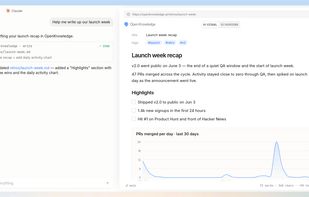
Markdown editor with WYSIWYG interface, AI-powered wiki tools, LLM integrations, and collaboration features. Supports team sharing, GitHub sync, graph link navigation, TUI access, and embeddable components for specs or reports, all in a private environment.

Cost / License
- Free
- Open Source (GPL-3.0)
Application typeApplication types
Platforms
- Mac
- Windows
- Linux
- Node.JS

Features

Highlights All activities
OpenKnowledge News & Activities
Recent activities
 Paul added OpenKnowledge as alternative to Opensidian
 fbianco1981 added OpenKnowledge as alternative to gknowledge
- tylerlikesps4 liked OpenKnowledge
 danieldeng2 added OpenKnowledge as alternative to MarbleMD
 DavidBoissevain added OpenKnowledge as alternative to Fyka Notes
 Paul added OpenKnowledge as alternative to NEO Emacs
 Gareth-Brown added OpenKnowledge as alternative to EtherPK
 abelnotes added OpenKnowledge as alternative to AbelNotes
- Derek Moore liked OpenKnowledge
- Dramatize0089 liked OpenKnowledge


Developed by
 Inkeep
 Licensing
Open Source (GPL-3.0) and Free product.Written in
Alternatives
62 alternatives listedBadge
Get an embeddable badge for OpenKnowledgeSupported Languages

AlternativeTo Categories
AI Tools & Services, Office & Productivity, Remote Work & EducationGitHub repository
- 4,530 Stars
- 306 Forks
- 57 Open Issues
- Updated






My Favorites
A list with 81 apps by ballju without a description.
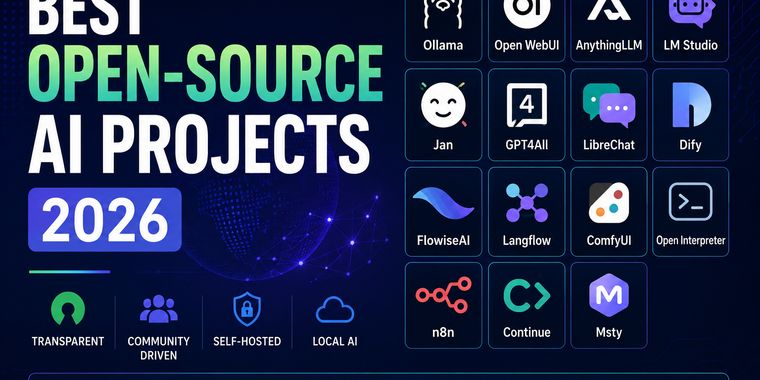


Best Open-Source AI Projects (2026)
Open-source AI is evolving at an incredible pace, giving developers and enthusiasts more freedom, transparency, and control than ever before. This collection highlights some of the most interesting open-source AI projects for running models locally, building AI applications, automating workflows, and experimenting with the latest advances in artificial intelligence. Whether you're looking for privacy, customization, or simply want to avoid vendor lock-in, these projects are well worth exploring.


Markdown note-taking applications
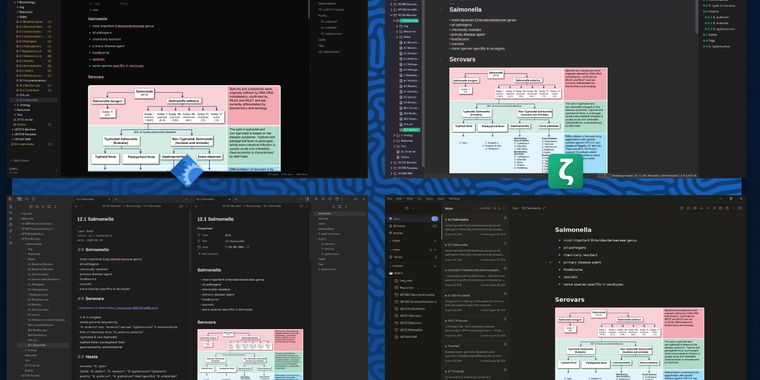
List of software I've tried out, using markdown notes in a university setting, with a focus on FOSS apps.
Requirements: Linux, image support, _TeX support, no account needed
Likes: no AI, Android syncing, FOSS, split view, callouts, simplicity, themes, plugins, .deb, OCR, handwriting conversion
Dislikes: not FOSS, AI , freemium, maximalists
Comments and Reviews
As someone who spends a lot of time documenting AI projects, I really like the direction OpenKnowledge is taking. Keeping everything in Markdown while integrating with Claude, Codex, and other AI agents feels like the best of both worlds. It's always nice to see tools that give you AI-powered features without locking your knowledge into a closed platform.