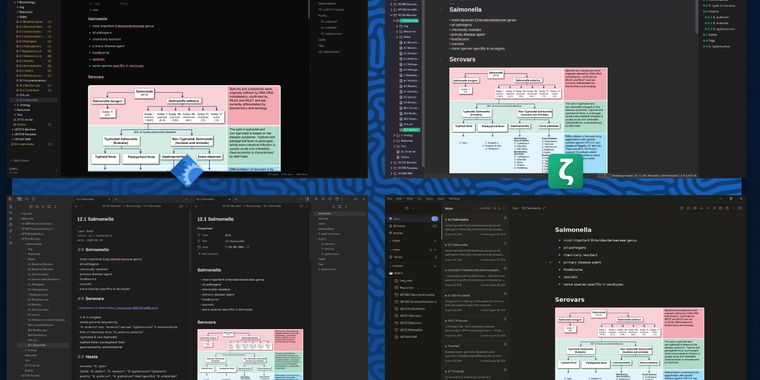
Markdown note-taking applications

List of software I've tried out, using markdown notes in a university setting, with a focus on FOSS apps.

Requirements: Linux, image support, _TeX support, no account needed

Likes: no AI, Android syncing, FOSS, split view, callouts, simplicity, themes, plugins, .deb, OCR, handwriting conversion

Dislikes: not FOSS, AI , freemium, maximalists

Dr
Dramatize0089List by Dramatize0089, last updated 
Copy a direct link to this comment to your clipboard
  1. SiYuan icon
     Like

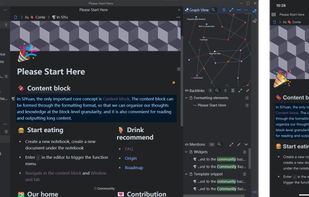
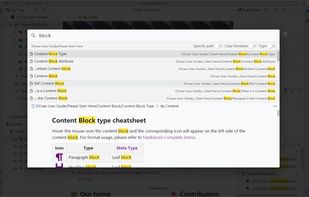
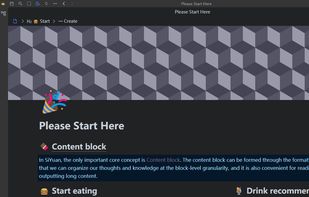
    Nice and simple, but renders all markdown without having the ability to view raw markdown. The opposite of Zettlr! Makes it difficult to edit image URLs. Verdict: a good app, but not going to my "Apps I'll Use" list.

    Cost / License

    • Freemium
    • Open Source

    Platforms

    • Mac
    • Windows
    • Linux
    • Android
    • iPhone
    • Android Tablet
    • iPad
    • Self-Hosted
    • Microsoft Edge
    • Google Chrome
    • Flathub
    • Docker
    • Docker Hub
    • F-Droid
    SiYuan screenshot 1
    Block editing
    Elements
    +3
    Zoom-in
  2. QOwnNotes icon
     Like

    Full featured without being overwhelming. The UI is not very modern (but that may be a plus), but it does almost everything I need it to. Doesn't support TeX unfortunately, and alphabetical sorting of my notes is Weird (e.g. 10 before 2, or ignores numbers entirely). Overall, pretty good, but has enough quirks that it's not going to be my go-to.

    Cost / License

    • Free
    • Open Source

    Platforms

    • Mac
    • Windows
    • Linux
    • Flathub
    • PortableApps.com
    • Qt
    QOwnNotes main screen
    QOwnNotes main screen vertical layout
    QOwnNotes todo list manager
    +3
    QOwnNotes notes diff
  3. Looks clean & simple, but alas, too simple! If I can't view images, it's not useful to me.

    Cost / License

    • Free
    • Source Available

    Application type

    Platforms

    • Mac
    • Windows
    • Linux
    • Android
    • iPhone
    Desktop home light
    Desktop home dark
    Desktop note
    +5
    Desktop note 2
  4. Deta Surf icon
     Like

    Seems simple on the surface but tries to do too much. Also, it A) can't import folders, and B) can't keep the structure of files it does import (e.g. a list turns into a single sentence). Graphically the contrast was off and the UI had far too much negative space. It's in beta and it shows.

    Cost / License

    • Free
    • Open Source

    Application type

    Platforms

    • Mac
    • Windows
    • Linux
    Deta Surf screenshot 1
    Deta Surf screenshot 1
    Deta Surf screenshot 2
    +12
    Deta Surf screenshot 3
  5. Need to try some more, but seems like a stripped-down version of Tolaria. I like it so far, but it seems like it should still be a beta version - a bit unintuitive and kept entering 's in my notes for some reason.

    Cost / License

    • Free
    • Open Source

    Platforms

    • Mac
    • Windows
    • Linux
    • Android
    HelixNotes screenshot 1
    HelixNotes screenshot 1
    HelixNotes screenshot 2
    +1
    HelixNotes screenshot 3
  6. Anytype icon
     Like

    I've only played around with it a little, but it seems far too complicated. I understand what it's trying to do with Collections and Objects, but it means my folders became an unorganised mess upon importing (which had to be done via compressing my files into a .zip). Not for me.

    Cost / License

    • Freemium
    • Source Available

    Platforms

    • Mac
    • Windows
    • Linux
    • Android
    • iPhone
    • Android Tablet
    • iPad
    • Self-Hosted
    • Google Chrome
    • Flathub
    • Flatpak
    • Docker
    Movie Database
    Daily Journal
    Habit Tracker
    +6
    Files
  7. Logseq icon
     Like

    Couldn't figure out how to import my existing notes (seems to be due to the new DB version?). However I still want to try it, maybe for a different project? I don't think a non-hierarchical template will work for uni (but I didn't try very hard).

    Cost / License

    • Free
    • Open Source

    Platforms

    • Mac
    • Windows
    • Linux
    • Android
    • iPhone
    • iPad
    • Self-Hosted
    • Flathub
    • F-Droid
    Logseq screenshot 1
    Logseq screenshot 1
  8. Tolaria icon
     Like

    Far too busy for what I need. I can see it's usefulness in certain projects (especially web dev) but not for me. Doesn't support split view (raw md | rendered).

    Cost / License

    • Free
    • Open Source

    Application type

    Platforms

    • Mac
    • Windows
    • Linux
    Tolaria screenshot 1
    Tolaria screenshot 1
    Tolaria screenshot 2
  9. Also much too busy for my use case. Annoying that the AI popup in the bottom of the screen can't go away completely. Doesn't support split view (raw md | rendered). Does support custom themes and it's easy to make them!

    Cost / License

    • Free
    • Open Source

    Platforms

    • Mac
    • Windows
    • Linux
    • Node.JS
    OpenKnowledge screenshot 1
  10. Zettlr icon
     Like

    I like it! Easy to import notes, a simple app that works well for me. Doesn't support split view (raw md | rendered), and has very limited themes (though does support custom CSS - and makes it easy to do so, unlike Joplin). Does not support callouts or plugins. Doesn't support mermaid.js rendering (you can use mermaid diagrams but hard to make them render on export). Easy PDF exporting, comes with Pandoc & Zotero integration so easy to use for academia

    Cost / License

    • Free
    • Open Source

    Platforms

    • Mac
    • Windows
    • Linux
    • Flathub
    • PortableApps.com
    Zettlr Main Window (dark mode)
    Zettlr Main Window (light mode)
    The Berlin Theme (dark mode)
    +5
    The Berlin Theme (light mode)
  11. Joplin icon
     Like

    My long-term use of Joplin clouds my judgement of other software. Great plugin support, native split view (raw md | rendered), which will open automatically when you open a note. Custom CSS is available but requires some investigation on how to do so (via userChrome.css etc). Doesn't natively support callouts but a plugin is there. Creates its own copy of notes after import, so not easily transferable.

    Cost / License

    • Freemium
    • Open Source

    Platforms

    • Mac
    • Windows
    • Linux
    • Online
    • Android
    • iPhone
    • Android Tablet
    • iPad
    • Self-Hosted
    • AppImageHub
    • Snapcraft
    • Google Chrome
    • Flathub
    • PortableApps.com
    • F-Droid
    • Cloudron
    • Homebrew
    • Chocolatey
    • Termux
    • Mozilla Firefox
    Joplin screenshot 1
    Joplin screenshot 1
    Joplin screenshot 2
    +7
    Joplin screenshot 3
  12. Obsidian icon
     Like

    I'm sad that this isn't FOSS because it's probably the best out of this list! Great community support & lots and lots of plugins and themes. Split view is available but requires some finessing to make it open automatically (biggest drawback). Image insertion can be a bit annoying in that it likes to create copies elsewhere.

    Cost / License

    • Freemium
    • Proprietary

    Platforms

    • Mac
    • Windows
    • Linux
    • Android
    • iPhone
    • Android Tablet
    • iPad
    • Snapcraft
    • Microsoft Edge
    • Google Chrome
    • Flathub
    • Safari
    • AppImage
    • Mozilla Firefox
    Obsidian screenshot 1
    Obsidian screenshot 1
    Obsidian screenshot 2
    +6
    Obsidian screenshot 3

Top 3: Joplin, Zettlr, Obsidian. Joplin is my OG, so I'm biased. Zettlr is a great FOSS app, but has limitations. Obsidian is fantastic, but isn't FOSS.

I want to try OpenKnowledge & Tolaria more, before I dismiss them outright. Logseq seems great but not for this use case.

Will add more as I find them!

No comments so far, maybe you want to be first?
Gu