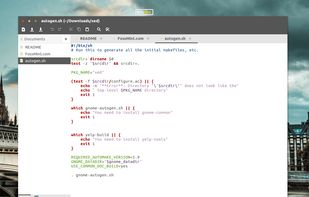
A text editor forked from Pluma and Gedit. Xed is the default text editor of Linux Mint. It can be customized and is available in multiple languages.
 Ireland
 EU


+4





Windows Notepad is not available for Linux but there are plenty of alternatives that run on Linux with similar functionality. The best Linux alternative is Sublime Text, which is free. If that doesn't suit you, our users have ranked more than 100 alternatives to Windows Notepad and many of them are available for Linux so hopefully you can find a suitable replacement. Other interesting Linux alternatives to Windows Notepad are Vim, Kate, gedit and GNU Emacs.
A text editor forked from Pluma and Gedit. Xed is the default text editor of Linux Mint. It can be customized and is available in multiple languages.
IrelandEU
A simple text editor for the Xfce desktop environment. Mousepad aims to be an easy-to-use and fast editor for quickly editing text files, not a development environment or an editor with a huge bunch of plugins.
 GermanyEU




 China


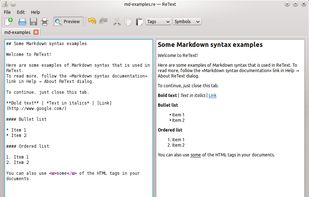
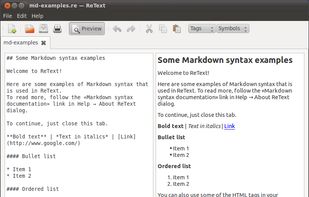
ReText is a simple text editor for Markdown and reStructuredText documents with syntax highlighting and optional live preview.


FeatherPad (by Pedram Pourang, a.k.a. Tsu Jan tsujan2000@gmail.com) is a lightweight Qt plain-text editor for Linux. It is independent of any desktop environment and has:
 Japan



Lightweight multi-platform code editor with hardware-accelerated GUI, customizable minimalist interface, syntax highlighting for 50+ languages, terminal and LSP support, plugin extensibility, unlimited editor splits, persistent project state, and portable, ad-free use.
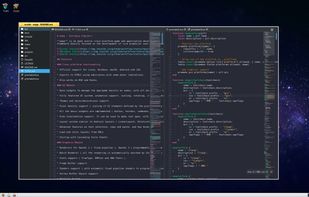




TEA is free text editor for Linux, *BSD, OS/2, Windows, Haicu. It depends on Qt 4.6+ or Qt 5 or Qt6, zlib and, optionally, on Aspell or Hunspell. The old (but renewed) branch, TEA-GTK depends on GTK+ 3 and GtkSourceView 3.
 Russia


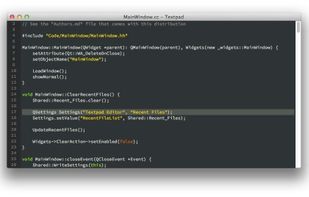
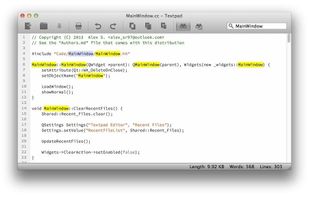
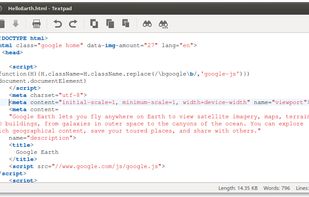
Thunderpad (formerly Textpad) is a simple, general-purpose and cross-platform text editor written in C++ using the Qt libraries. Thunderpad aims to be faster and more lightweight than most text editors, but as useful as them.
 Mexico



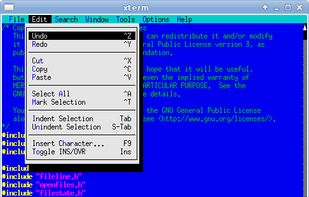
Tilde is a text editor for the console/terminal, which provides an intuitive interface for people accustomed to GUI environments such as Gnome, KDE and Windows. Example: copy current selection is Control-C; paste previously copied text is Control-V.
 NetherlandsEU


Free open-source text editor providing multi-language support, customizable themes including user-created options, plugin integration, Python-based core, quick document signing, and compatibility with any plain text file while maintaining a lightweight, intuitive experience.


 GermanyEU