ecode icon
ecode icon

ecode

Lightweight multi-platform code editor with hardware-accelerated GUI, customizable minimalist interface, syntax highlighting for 50+ languages, terminal and LSP support, plugin extensibility, unlimited editor splits, persistent project state, and portable, ad-free use.
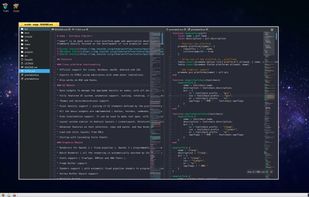
ecode screenshot 1

Cost / License

  • Free
  • Open Source (MIT)

Application type

Platforms

  • Mac
  • Windows
  • Linux
  • Haiku
  • FreeBSD
6likes
0articles
Save

Features

Properties

Features

Highlights All activities

ecode News & Activities

Recent activities

  • dedtxt icon
    Chris Portka added ecode as alternative to dedtxt
  • LightNote for Windows icon
    NGLCZR added ecode as alternative to LightNote for Windows
  • PlainForge icon
    jadervasque added ecode as alternative to PlainForge
  • Nextpad++ icon
    Paul added ecode as alternative to Nextpad++
  • flowspark icon
    ellebelle added ecode as alternative to flowspark
  • SpartanJ updated ecode
  • SpartanJ liked ecode
  • Zed Editor icon
    Mauricio B. Holguin added ecode as alternative to Zed Editor
  • Mauricio B. Holguin updated ecode
  • Mauricio B. Holguin updated ecode

ecode information

AlternativeTo Categories

Development, Office & Productivity, OS & Utilities, Photos & Graphics

GitHub repository

  •  1,688 Stars
  •  30 Forks
  •  23 Open Issues
  •   Updated  
View on GitHub
ecode was added to AlternativeTo by Paul on and this page was last updated .

No comments or reviews, maybe you want to be first?

Official Links

Install from the command line

  • winget install -e --id SpartanJ.ecode

Be careful what you paste into a terminal. Check what a command installs before running it.

What is ecode?

ecode is a lightweight multi-platform code editor designed for modern hardware with a focus on responsiveness and performance. It has been developed with the hardware-accelerated eepp GUI, which provides the core technology for the editor. The project comes as the first serious project using the eepp GUI, and it's currently being developed to improve the eepp GUI library as part of one of its main objectives.

Notable Features

Lightweight Portable Minimalist GUI Syntax Highlighting (including nested syntax highlighting, supporting over 50 languages) Terminal support LSP support Auto-Completion Customizable Linter support Customizable Formatter support Customizable Color-Schemes Customizable keyboard bindings Unlimited editor splitting Minimap Fast global search (and replace) Customizable and scalable (non-integer) GUI (thanks to eepp GUI) Dark & Light Mode File system Tree View (with real-time file system changes) Smart hot-reload of files Folders as Projects with .gitignore support * Per Project Settings Smart and fast project file locator Multiline search and replace Project/Folder state persist between sessions Lua pattern searches support Plugins support.