


gedit
701 likes
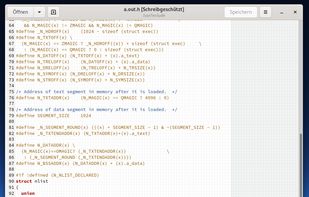
Extensible text editor with UTF-8 support, syntax highlighting for several programming and markup languages, remote editing, file reverting, print preview, clipboard operations, powerful search, customizable fonts and colors, line numbering, and plugin support.

Cost / License
- Free
- Open Source (GPL-2.0)
Application typeApplication types
Platforms
- Mac
- Windows
- Linux
- Chrome OS
- BSD
- Flathub
- GNOME
- OpenSolaris


Features
Highlights All activities
gedit News & Activities
Recent News
No news, maybe you know any news worth sharing?
Share a News Tip
Recent activities
 James Cupps added gedit as alternative to Slate Text Editor
 Stobz added gedit as alternative to NotepadXtreme
- Croco Loki liked gedit
- bulldogs liked gedit
- stevexu added gedit as alternative to notePad++++
 asyncze added gedit as alternative to Koi Editor








DeMicrosoft Your Life
How are you?
In this list I bring you a variety of alternative software to those from Microsoft, and also that these free and open source programs
So enjoy this list!
(I will be updating it every day)


Core, Development & Services
A list with 807 apps by AmileyaRyver without a description.


AI Slopfree Software Catalog
A more optimistic homage to the slopware catalog https://alternativeto.net/lists/44427/slopware/, this list is designed to showcase projects, both FOSS and proprietary, which reject contributions from Generative AI LLM slop machines. The most pessimistic thing about this list is how short it is and how so many commonly used software solutions and websites are not included.
I have to give it up to the following sites for providing references:
https://codeberg.org/brib/slopfree-software-index
https://github.com/melissawm/open-source-ai-contribution-policies
There are a lot more projects on this list which I didn't include because they aren't on AlternativeTo (yet). I'll be adding more entries to this site (and removing those who fold to the AI overlords) on a regular basis. I'm including references, which are all first-hand declarations from the development teams for each entry to ensure items aren't included based on hearsay or conjecture.
Updated 10-2-2026
Official Links

Install from the command line
winget install -e --id gnome.geditflatpak install flathub org.gnome.gedit
Developed by
 The GNOME Project
 Licensing
Open Source (GPL-2.0) and Free product.Rating
Average rating of 3.3Alternatives
217 alternatives listedBadge
Get an embeddable badge for geditSupported Languages


Comments and Reviews
Everything is lightweight compared to atom and code...
Mac version needs 178 MB on disk. This is a text editor!
Doesn't feel like a modern text editor. No row of icons at top. Most abilities seem to require a plug-in.
It's lightweight, mostly bug free, and supported well. There's some basics things that are missing, though. One thing that bugs me is that it doesn't easily recognize file types. There's also no bookmarking feature AFAIK
not free for windows
I saw what you mean at the Microsoft Store charging $7.99, but it could be downloaded free from UptoDown and likely other sites.
One of the worst text editors ever made.
Gedit is not a text editor, but more a IDE. Its extensible for work with source code, but not with text files. For example, its formating is hidden deeply inside (text style, line warp etc). Besides, it now uses GTK3 libraries, which have "own unique style" of GNOME3. If you are not inside GNOME3 or fan of it, you may feel uncomfortable with how it now looks and functions.