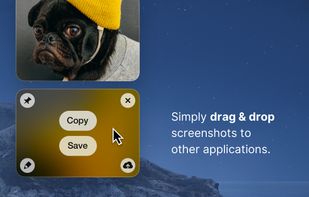
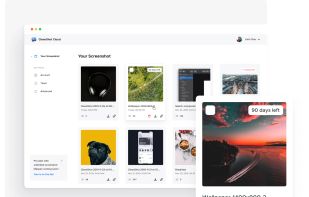
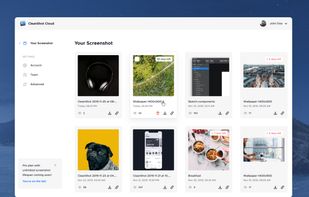
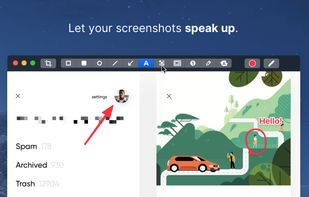
Capture and record screens on Mac with CleanShot X, featuring seamless recording, custom keyboard shortcuts, customizable wallpapers, Quick Access Overlay, and Desktop icon toggle for a tidy user interface.


Freeshot is described as 'Free, lightweight and modern screenshot tool for Windows. Capture any region, window or full screen in under 100 ms, edit instantly with shapes, text & highlighter, organize everything in a clean library and print intelligently – 100 % free, no ads, no registration' and is a screenshot capture tool in the photos & graphics category. There are more than 25 alternatives to Freeshot for a variety of platforms, including Windows, Mac, Google Chrome, Mozilla Firefox and Linux apps. The best Freeshot alternative is ShareX, which is both free and Open Source. Other great apps like Freeshot are Flameshot, Greenshot, PicPick and Ksnip.
Capture and record screens on Mac with CleanShot X, featuring seamless recording, custom keyboard shortcuts, customizable wallpapers, Quick Access Overlay, and Desktop icon toggle for a tidy user interface.


Shottr is a small, fast, human-sized screenshot app built for those who care about pixels. It was crafted with Swift, optimized for M1, and is completely free at the moment.


Privacy-focused screenshot utility with local-only storage, capture and post-editing, precision tools like rulers and color picker, grouping, collage and card creation, full history, an intuitive interface, and no cloud or login required for secure offline workflows.


Snipaste is a simple but powerful snipping tool, and also allows you to pin the screenshot back onto the screen. Snip. Then paste. Free. Customizable. Portable.


Comprehensive screenshot and screencast tool offering full-screen, window, or region captures with a built-in editor. Supports cropping, resizing, labels, and effects, with integration for popular services. Free version includes some branding and is limited to 15s screen casts.


Capture full web page screenshots in Firefox, Chrome, Opera, Pale Moon or Internet Explorer Quick screenshots and annotations!


Flamory remembers things, so you don't have to. Make snapshots of web pages, files and desktop apps. You can find snapshots later using full-text search and thumbnails. Paste them anywhere as links or screenshots.


Capture2Text enables users to quickly OCR a portion of the screen using a keyboard shortcut.


Beautiful screenshots with stunning backgrounds and powerful annotation tools. Create, edit, and share professional-quality screenshots with ease.


Capture the whole page or any portion, annotate it with rectangles, circles, arrows, lines and text, one-click upload to share.


Capture full and partial screenshots, record screen or webcam videos with extensive editing tools, including annotations, video conversion to gif/mp4, and sharing options. Create step-by-step guides enhanced by AI, save in multiple formats, and utilize cloud storage integration.


Tired of manually taking screenshots to document your work or track progress? Meet AutoShot, a macOS app that automatically captures screenshots at set intervals so you can focus on your work.