Captura Alternatives for Windows

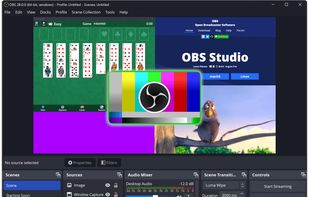
There are many alternatives to Captura for Windows and since it's discontinued a lot of people are looking for a replacement. The best Windows alternative is OBS Studio, which is both free and Open Source. If that doesn't suit you, our users have ranked more than 100 alternatives to Captura and loads of them are available for Windows so hopefully you can find a suitable replacement. Other interesting Windows alternatives to Captura are ShareX, Camtasia, VokoscreenNG and Bandicam.

Copy a direct link to this comment to your clipboard
Captura alternatives page was last updated

Alternatives list

  1. OBS Studio icon
     1300 likes

    A robust cross-platform application offering seamless screen recording and live-streaming capabilities across Mac, Windows, and Linux. It supports advanced features like H264 encoding, multiple scenes, customizable themes, and direct streaming to platforms like Twitch and YouTube.

    198 OBS Studio alternatives

    Cost / License

    Platforms

    • Mac
    • Windows
    • Linux
    • BSD
    • Snapcraft
    • Flathub
    • PortableApps.com
    • Steam
    • FreeBSD
     
    |
    2
    Comments about OBS Studio as an Alternative to Captura
    PrimalSoftRock
    0

    OBS Studio is not directly comparable to Captura and both have mostly different use cases. OBS Studio is mainly for full screen screen recording and streaming. It is not trivial to set the video to a small region. ShareX, Camtasia and similar tools are more suited to replace Capura.

    Review by a new / low-activity user.
    Paul
    Positive
    -3

    Great software if you're looking for an alternative to Captura that also works on macOS and Linux. The main difference is that you can also stream videos with OBS while Captura can only record your screen.

    OBS Studio icon
    OBS Studio icon
    • OBS Studio is Free and Open SourceCaptura is also Free and Open Source
    • OBS Studio is Customizable, Privacy focused and LightweightCaptura is not according to our users
  2. ShareX icon
     795 likes

    Open-source screen capture and file sharing tool with recording, editing, and annotation features. Supports 4K, dark mode, theming, offline use, and offers a lightweight, ad-free experience without tracking user data.

    255 ShareX alternatives

    Cost / License

    Platforms

    • Windows
    • PortableApps.com
    • Steam
     
    |
    1
    Comments about ShareX as an Alternative to Captura
    AntumDeluge
    Positive
    -2

    Both made for capturing system desktop to video.

    ShareX icon
    ShareX icon
    • ShareX is Free and Open SourceCaptura is also Free and Open Source
    • ShareX is Customizable, Lightweight and Privacy focusedCaptura is not according to our users
  3. Camtasia icon
     234 likes

    This all-in-one solution offers screen and webcam recording, video editing, and chroma key features, producing stunning HD-quality content easily shareable on platforms like YouTube and Screencast.com. Designed for training, presentations, and more, it supports H.264 format and compact file sizes.

    269 Camtasia alternatives

    Cost / License

    • Freemium
    • Proprietary

    Platforms

    • Mac
    • Windows
    • Online
     
  4. VokoscreenNG icon
     72 likes

    VokoscreenNG is a user friendly screencaster for Linux and Windows. It is a continuation of the now discontinued Vokoscreen project that has been totally rewritten from scratch using Qt and GStreamer.

    171 VokoscreenNG alternatives

    Cost / License

    Platforms

    • Windows
    • Linux
     
  5. Bandicam icon
     132 likes

    Bandicam is a lightweight screen recorder for Windows that can capture anything on your PC screen. Also, it makes it possible to record a certain area on a PC screen, or capture a game.

    158 Bandicam alternatives

    Cost / License

    • Freemium
    • Proprietary

    Platforms

    • Windows
     
    |
    1
    Comments about Bandicam as an Alternative to Captura
    Guest
    Positive
    0

    Top quality recordings, and an easy-to-use interface

    Review by a new / low-activity user.
    Bandicam icon
    Bandicam icon
    • Bandicam is Freemium and ProprietaryCaptura is Free and Open Source
    • Bandicam is LightweightCaptura is not according to our users
  6. A powerful, lightweight, yet full-featured screen capture tool that allows you to easily capture and annotate anything on the screen including windows, objects, menus, full screen, rectangular/freehand regions and even scrolling windows/web pages.

    183 FastStone Capture alternatives

    Cost / License

    • Paid
    • Proprietary

    Platforms

    • Windows
     
  7. CamStudio icon
     177 likes

    Record your computer screen with audio input from Mic or Speakers. Also shows mouse clicks in addition to the regular cursor. Simple interface with ability to record in AVI or export as swf.

    161 CamStudio alternatives

    Cost / License

    • Free
    • Open Source

    Alerts

    • Warning

    Platforms

    • Windows
    • PortableApps.com
     
  8. ActivePresenter icon
     61 likes

    Authoring solution enabling interactive eLearning course creation, flexible project layouts, advanced screen recording, video editing tools with annotation, timeline-based adjustments, and export to video, image, HTML5, SCORM, xAPI, office, or PDF formats.

    115 ActivePresenter alternatives

    Cost / License

    • Free Personal
    • Proprietary

    Platforms

    • Mac
    • Windows
     
  9. Loom icon
     32 likes

    Easy and free screen recorder for Mac, Windows, and Chromebooks. Record your camera and screen with audio directly from your Chrome browser and share the video with your team, friends, and family.

    216 Loom alternatives

    Cost / License

    • Freemium
    • Proprietary

    Platforms

    • Mac
    • Windows
    • Online
    • iPhone
    • Google Chrome
    • Android
    • Android Tablet
     
  10. Action! icon
     49 likes

    Action! enables HD, 4K, HDR10, and 8K streaming and recording, integrates fps displays, webcams, and live audio commentary. With overlays, monitoring tools, and benchmarking features, it offers a multifaceted solution for gaming capture.

    100 Action! alternatives

    Cost / License

    • Paid
    • Proprietary

    Platforms

    • Windows
    • Steam
     
  11. FlashBack icon
     37 likes

    Free software which lets you record your screen, add a PIP webcam and select multiple options to export your video to. It will first store a lossless proprietary file which you can review frame by frame and then easily experiment with the output options to select best suited.

    120 FlashBack alternatives

    Cost / License

    • Freemium
    • Proprietary

    Alerts

    • Discontinued

    Platforms

    • Windows
     
12 of 75 Captura alternatives