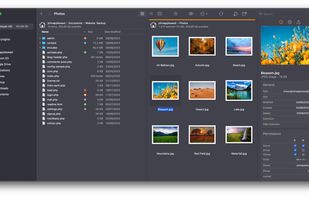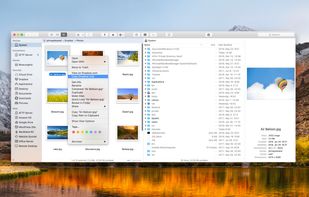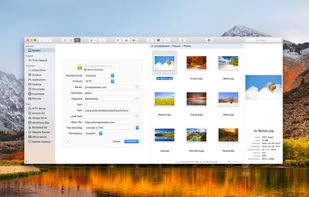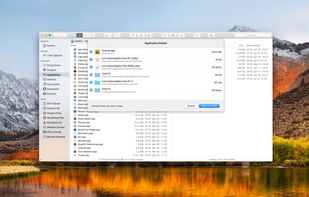
The most advanced dual pane file manager and file transfer client for macOS.


OneCommander is described as 'Free dual-pane file manager for Windows featuring tabs, columns, themes, long filename support, image converter, regex renaming and many other unique features' and is a very popular File Manager in the file management category. There are more than 50 alternatives to OneCommander for a variety of platforms, including Windows, Mac, Linux, PortableApps.com and BSD apps. The best OneCommander alternative is Double Commander, which is both free and Open Source. Other great apps like OneCommander are Total Commander, Files, Spacedrive and FreeCommander.
The most advanced dual pane file manager and file transfer client for macOS.


Tablacus Explorer is a tabbed file manager with Add-on support.
Tabbed interface Add-on support Customizable association, menus, keys, mouse gestures, alias Completely Portable, No installation required Multiple language and Unicode support Open source .


Multi Commander is a multi-tabbed file manager and is an alternative to the standard Windows Explorer. It uses the very popular and efficient dual-panel layout.


muCommander is a lightweight, cross-platform file manager with a dual-pane interface. It runs on any operating system with Java support (Mac OS X, Windows, Linux, *BSD, Solaris...).


muCommander is the most popular Web-based alternative to OneCommander.
xplorer² is a desktop file manager combining the simplicity of Windows explorer with the speed and efficiency of traditional dual pane file managers.


Commander One is dual-pane file manager for OS X created in Swift, which enables you to manage your files in the best possible way.


File Pilot is a file explorer built from scratch for light-speed performance, with a modern and robust interface.

A small and two-pane file manager with open plugin architecture. Has the ability to view content of files (text, html, over 40 picture formats, mp3), support for archives (zip, rar, arj, cab, tar/gzip, etc.), and (S)FTP support.


The Finder is the first thing that you see when your Mac finishes starting up. It opens automatically and stays open as you use other apps. It includes the Finder menu bar at the top of the screen and the desktop below that.


NexusFile is a file manager for Windows. You can manage many files very fast and easily. NexusFile will increase your computing performance. If you still use Windows Explorer, you must try this one.