Awesome Screenshot Alternatives

Awesome Screenshot is described as 'Capture the whole page or any portion, annotate it with rectangles, circles, arrows, lines and text, one-click upload to share' and is a screenshot capture tool in the photos & graphics category. There are more than 100 alternatives to Awesome Screenshot for a variety of platforms, including Windows, Mac, Google Chrome, Web-based and Linux apps. The best Awesome Screenshot alternative is ShareX, which is both free and Open Source. Other great apps like Awesome Screenshot are Flameshot, Greenshot, PicPick and FastStone Capture.

Copy a direct link to this comment to your clipboard
Awesome Screenshot alternatives page was last updated

Alternatives list

  1. Record your screen, capture screenshots, annotate, and share them instantly. FastCapture is a lightweight, all-in-one Chrome extension for video recording, image capture, and annotation - no upload to external servers. Everything is processed locally in your browser.

    Cost / License

    • Free
    • Proprietary

    Platforms

    • Google Chrome
     
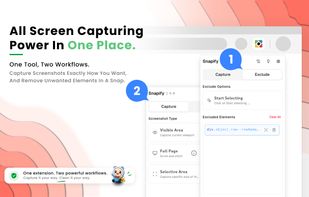
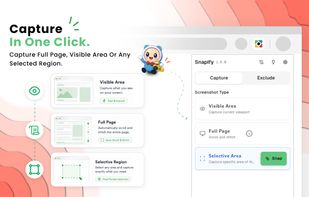
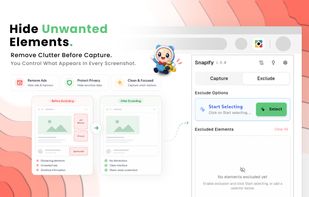
  2. Snapify is a fast, lightweight, and reliable browser screenshot extension that helps you capture full page screenshots, visible screen captures, and selected regions from any website in seconds.

    Cost / License

    • Free
    • Proprietary

    Application type

    Platforms

    • Google Chrome
    • Mozilla Firefox
    • Microsoft Edge
     
  3. SlimSnap icon
     Like

    SlimSnap is a Mac app that turns a screenshot into structured JSON instead of an image. It captures the screen, runs OCR locally, and outputs the text, elements, colors, and bounding boxes, so terminal AI coding agents (Claude Code, Aider, Codex CLI) can act on the exact element...

    51 SlimSnap alternatives

    Cost / License

    • Free
    • Proprietary

    Application type

    Platforms

    • Mac
     
  4. OmniCapt icon
     Like

    Full page screenshot tool and recorder. Annotate, crop, and batch-capture a whole sitemap or open tabs. 100% local & private.

    Cost / License

    • Free
    • Proprietary

    Application type

    Platforms

    • Google Chrome
     
  5. JShot turns your screen captures into finished images in seconds. No clutter, no friction — just the perfect flow.

    Cost / License

    • Paid
    • Proprietary

    Application type

    Platforms

    • Windows
     
  6. Full Page Screenshot captures a whole webpage from top to bottom in a single click. It scrolls and stitches the page for you, keeping sticky headers and cookie banners from repeating down the image, waiting for lazy loaded content to appear, and verifying the seams where...

    3 Full Page Screenshot alternatives

    Cost / License

    • Free
    • Proprietary

    Application type

    Platforms

    • Google Chrome
     
  7. Stik is a Chrome & Brave side-panel extension that captures visible, full-page, or screen-area screenshots, bundles them into groups, and pastes many images into Slack, Notion, and X in a single paste.

    Cost / License

    • Freemium
    • Proprietary

    Application type

    Platforms

    • Google Chrome
     
  8. ClearShot icon
     Like

    ClearShot captures any area of your browser tab, lets you annotate with arrows, rectangles, text, and freehand drawing, then saves as PNG or copies to clipboard. Everything stays on your device — no upload, no account, no tracking.

    Cost / License

    • Free
    • Proprietary

    Application type

    Platforms

    • Google Chrome
     
  9. PageMark is a Chrome extension to draw on any web page (pen, arrows, rectangles, highlighter, text notes, one-click censor) and capture the result as a PNG — copied to your clipboard or downloaded. Unlike most screenshot tools, it has no server and no sign-up: every capture...

    Cost / License

    • Freemium
    • Proprietary

    Application type

    Platforms

    • Google Chrome
     
  10. Lumescape icon
     Like

    Make screenshots beautiful.

    Cost / License

    • Paid
    • Proprietary

    Platforms

    • Mac
     
  11. Capture macOS screenshots with a floating thumbnail for quick actions like renaming, copying, extracting text, scrolling capture, and local background removal. Supports custom folders, virtual desktops, Apple Silicon, temporary stashing, privacy, and customization.

    Cost / License

    • Paid
    • Proprietary

    Application type

    Platforms

    • Mac
     
  12. Automated screenshot saver synced to clicks.

    Cost / License

    • Freemium
    • Proprietary

    Application type

    Platforms

    • Windows
     
You are at page 12 of Awesome Screenshot alternatives