Page Scanner icon
Page Scanner icon

Page Scanner

Page Scanner is a browser extension for Chrome and Edge that saves a whole web page as a PDF whose text is still text: selectable, searchable, with working links, and with graphics that stay sharp at any zoom.
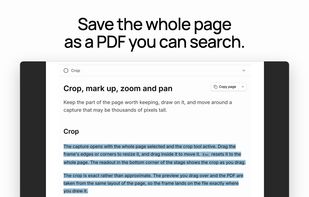
Page Scanner screenshot 1

Cost / License

  • Free
  • Proprietary

Application type

Platforms

  • Google Chrome
  • Microsoft Edge
0likes
0articles
Save

Features

  1.  Annotate Screenshot
  2.  Ad-free
  3.  No registration required
  4.  Full-page Screenshot
  5.  Dark Mode
  6.  Model Context Protocol (MCP) Support
  7.  Save web page for offline use
  8.  PDF Redaction
  9.  Capture web pages

 Tags

Page Scanner News & Activities

Highlights All activities

Recent activities

Page Scanner information

Page Scanner was added to AlternativeTo by Don on and this page was last updated .

No comments or reviews, maybe you want to be first?

Official Links

What is Page Scanner?

Page Scanner is a browser extension for Chrome and Edge that saves a whole web page as a PDF whose text is still text: selectable, searchable, with working links, and with graphics that stay sharp at any zoom.

The page is laid out once at its full height, including content that scrolls inside a box, and both the preview and the PDF come from that one layout, so the crop you draw in the editor is exactly the region in the file. The PDF comes from Chrome's own print engine rather than from stitched screenshots.

What you can do:

  • Crop to any region, or keep the whole page.
  • Export a PDF (one long page, or A4 or US Letter with page breaks that avoid the text), PNG, JPEG, Markdown or a Word document.
  • Leave out ads, cookie banners, chat widgets and pop-ups before the capture, and remove any other element you point at.
  • Mark it up with shapes, arrows, a highlighter and text. Blur, redact or erase: the text underneath is removed from the PDF, not just covered.
  • Find email addresses, phone and card numbers and API keys, and hide them in one step.
  • Add a frame, a stamp with the page's address and capture time, or a watermark.
  • Let a local AI agent capture your open tabs over MCP, through an optional command-line helper.

Captures stay in your browser. No account is needed.

Limits: while a scan runs, Chrome shows a "started debugging this browser" bar, because the vector PDF is reached through the debugger API. Chrome's own pages and the Web Store cannot be captured.

Page Scanner Videos
